Best QuickBooks Alternatives for Small Businesses (2026)
15
minute read
9
sections
August 16, 2026
last updated
Janak Uparkoti
reviewed by


Let me be honest with you: QuickBooks is a solid piece of software. But if you’re here, you’re probably tired of paying $38–$275+ per month for features you don’t actually use.
I’ve been there. When I was running a small ecommerce business, QuickBooks felt like using a semi-truck to pick up groceries. Sure, it could do everything, but I didn’t need everything. I needed invoicing, expense tracking, and bank reconciliation without the bloat or the price tag.
After testing multiple alternatives, I found something better: Xero. It’s simpler, cheaper, and built for people who want accounting software that just works without the learning curve.
This guide covers the best QuickBooks alternatives for small business owners, freelancers, and ecommerce sellers. I’ll focus heavily on Xero (because it’s genuinely the best for most people), but I’ll also cover Wave, Zoho Books, FreshBooks, and a couple of lightweight options if you’re just starting out.
Note: All pricing in this guide is in USD and reflects 2025/2026 rates for US customers.
Why People Leave QuickBooks
QuickBooks isn’t bad. It’s just expensive and overcomplicated for most small businesses.
Here’s what I kept hearing from other business owners:
- Pricing creep: Starts at $38/month, but you quickly need add-ons that push it to $150+
- Cluttered interface: Too many menus, tabs, and features you’ll never touch
- Customer support issues: Long wait times, unhelpful responses
- Desktop vs Online confusion: Two different products with different features
- Payroll costs extra: Starting at $50/month plus per-employee fees
If you’re doing $500K+ in revenue with complex inventory and multiple locations, QuickBooks might be worth it. But if you’re a freelancer, small online store, or service business? You’re probably overpaying.
Xero: The Best QuickBooks Alternative for Most Small Businesses
I’m going to spend most of this guide on Xero because it’s the one I actually recommend to friends. Not because it’s perfect, but because it hits the sweet spot between simplicity and power.
What Makes Xero Different
Xero feels like accounting software built this decade, not last. The interface is clean. The mobile app actually works. And you don’t need an accounting degree to send an invoice or reconcile your bank accounts.
Here’s what stood out after using it for two years:
The dashboard makes sense. When you log in, you see what matters: cash flow, bills due, unpaid invoices. No digging through menus.
Bank reconciliation is fast. Connect your bank account, and Xero pulls transactions automatically. You just click to match them with invoices or categorize expenses. I used to spend an hour a week on this in QuickBooks. With Xero, it’s 15 minutes.
Invoicing doesn’t suck. Create professional invoices in under a minute. Xero lets clients pay directly through the invoice via Stripe or PayPal. You can set up recurring invoices for subscriptions or retainers, and the system sends automatic payment reminders.
Reporting that’s actually useful. Profit and loss, balance sheet, cash flow statements—all one click away. The reports are clean and easy to understand. I could actually share them with my accountant without embarrassment.
Multi-currency support. If you sell internationally, Xero handles foreign currencies automatically starting with the Growing plan. QuickBooks requires the Essentials plan or higher for this feature.
80% off for 6 months
Xero Pricing vs QuickBooks
Let’s talk numbers because this is probably why you’re here.
Xero pricing (2026):
- Early/Starter Plan: $25/month (5 invoices, 5 bills, bank reconciliation)
- Growing Plan: $55/month (unlimited invoices/bills, multi-currency)
- Established Plan: $90/month (everything + project tracking, advanced reporting)
QuickBooks pricing (2026):
- Simple Start: $38/month (basic features)
- Essentials: $75/month (bill management, time tracking, multi-currency)
- Plus: $115/month (inventory tracking, project profitability)
- Advanced: $275/month (enterprise features)
For most small businesses, you’re looking at Xero’s Growing Plan ($55/month) vs QuickBooks Essentials ($75/month). That’s $240/year in savings. And honestly, Xero’s $55 plan includes unlimited users, which QuickBooks charges extra for.
Add-ons are where QuickBooks kills you. Payroll? $50–$130/month extra depending on the plan you choose. Advanced reporting is locked behind the Advanced plan ($275/month). Xero includes multi-currency and unlimited users at no extra cost on its mid-tier plan.
Who Xero Is Best For
Xero works great if you’re:
- Ecommerce sellers using Shopify, WooCommerce, or Amazon (Xero integrates with all of them)
- Service businesses that send invoices and track project expenses
- Freelancers who need more than a basic invoicing tool but don’t want QuickBooks complexity
- International businesses dealing with multiple currencies
- Teams collaborating with a bookkeeper or accountant (unlimited users on all plans)
I’ve seen Xero work well for:
- A Shopify store doing $30K/month that needed clean bookkeeping for tax season
- A marketing consultant who wanted automated invoice reminders
- A small construction company tracking job costs and sending quotes
- An import business managing suppliers in three countries
Who Should Avoid Xero
Xero isn’t perfect for everyone.
Skip Xero if you:
- Need advanced inventory management (QuickBooks or Zoho Books are better)
- Run a restaurant or retail store with point-of-sale needs
- Want built-in payroll for US businesses (Xero partners with Gusto, but it’s not native)
- Only send 2–3 invoices a month (Wave is free and might be enough)
Xero also has a learning curve if you’re switching from QuickBooks Desktop. The software is different enough that you’ll need a week to get comfortable.
Note that Xero’s inventory features are quite limited and may require add-ons for businesses with significant product tracking needs.
Real-World Xero Use Cases
Scenario 1: Ecommerce Store You run a Shopify store selling home goods. You connect Shopify to Xero, and every sale automatically creates a transaction. At month-end, you reconcile your PayPal and Stripe accounts in minutes. You send quarterly reports to your accountant without manually exporting anything.
Scenario 2: Freelance Designer You bill clients $5K–$15K per project. Xero lets you create professional invoices with your branding, accept credit card payments, and track which invoices are overdue. When a client is 7 days late, Xero sends an automatic reminder. You don’t chase payments anymore.
Scenario 3: Small Agency You have three team members and work with a part-time bookkeeper. Everyone has Xero access (unlimited users included). Your project manager tracks expenses using Xero Projects (add-on at $5/employee/month), you approve bills, and your bookkeeper reconciles everything. No more forwarding receipts or waiting for someone to update spreadsheets.
The Honest Cons of Xero
I said I’d be real with you, so here are Xero’s actual weaknesses:
- US payroll isn’t built-in. You need Gusto integration, which costs extra. QuickBooks has native payroll starting at $50/month.
- Inventory features are very basic. If you run a warehouse or need multi-location tracking, you’ll outgrow it quickly.
- The Early Plan is too limited. 5 invoices a month? That’s only useful for side hustles. Most businesses need the $55 Growing plan.
- No phone support on cheaper plans. You get email and chat, but some people want to call.
- Mobile app is good, not great. It works fine for approving bills or checking cash flow, but complex tasks are easier on desktop.
- Time tracking requires add-on. Xero Projects costs $5/employee/month if you need time tracking.
None of these are dealbreakers for most small businesses. But if payroll or advanced inventory matter to you, consider QuickBooks or Zoho Books instead.
Other QuickBooks Alternatives Worth Considering
Xero is my top pick, but it’s not the only option. Here are four other solid alternatives.
Wave: Best Free Accounting Software
Pricing: Free (makes money on payment processing and payroll)
Wave is shockingly good for free software. You get unlimited invoicing, expense tracking, receipt scanning, and basic reporting. No credit card required. No trial period that expires.
What’s included:
- Unlimited invoices and expense tracking
- Bank account connections
- Basic profit and loss reports
- Receipt scanning via mobile app
What costs extra:
- Payment processing: 2.9% + $0.60 per transaction (Visa/MC/Discover), 3.4% + $0.60 (AmEx)
- Payroll: $40/month + $6 per employee
- Accounting coach support: $149 one-time fee
Note: Wave’s card processing fees are slightly higher than services like Stripe (2.9% + $0.30). Both charge extra for international cards.
Best for:
- Brand new businesses with minimal transactions
- Freelancers sending fewer than 10 invoices a month
- Anyone wanting to test accounting software before committing
Not ideal for:
- Businesses needing inventory tracking
- Multi-currency transactions
- Teams needing multiple user logins (limited multi-user permissions on free tier)
I used Wave when I first started freelancing. It’s genuinely free and actually works. The catch is payment processing fees are slightly higher than other services. But if you’re just tracking expenses and sending a few invoices, it’s perfect.
Zoho Books: Best for Growing Businesses
Pricing: $20–$275/month (based on features and users)
- Standard: $20/month ($15/month if billed annually)
- Professional: $50/month (includes multi-warehouse, advanced inventory)
- Premium: $85/month
- Elite: $150/month
- Ultimate: $275/month
Note: The Professional plan ($50/month) is ideal for product businesses needing inventory management. Service businesses and freelancers may be fine with the Standard ($20/month) or Premium ($85/month) tiers.
Zoho Books is the underdog that deserves more attention. It sits between Xero and QuickBooks in complexity but costs less than both.
Key features:
- Client portal for collaboration
- Project billing and time tracking (built-in on Professional plan and above)
- Advanced inventory management with multi-warehouse and serial number tracking
- Vendor portal for purchase orders
- Automated workflows
Why I like it:
- The Professional plan ($50/month) includes features that cost extra in QuickBooks
- Inventory tracking is significantly better than Xero’s—ideal for product businesses
- Integrates with the full Zoho ecosystem if you use their CRM or email
The downsides:
- Interface feels dated compared to Xero
- Customer support is hit-or-miss
- Bank reconciliation isn’t as smooth
Best for:
- Product-based businesses needing serious inventory management
- Companies already using Zoho CRM or other Zoho tools
- Businesses outgrowing Wave but not ready for Xero pricing
FreshBooks: Best for Service Businesses
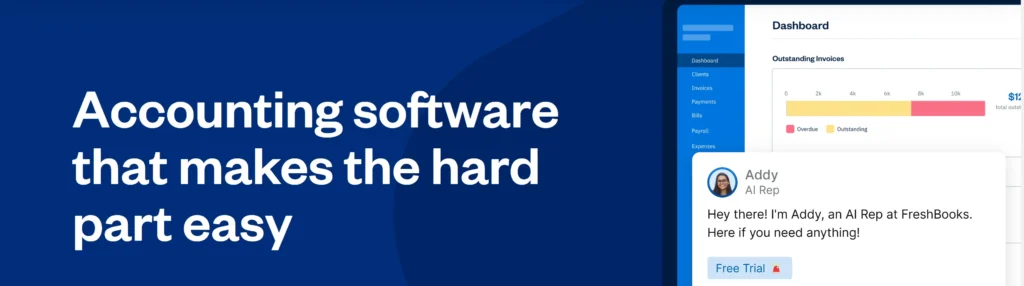
Pricing: $21–$65/month (billed monthly)
- Lite: $21/month
- Plus: $38/month
- Premium: $65/month
FreshBooks is built specifically for service businesses and freelancers who bill by the hour.
Standout features:
- Time tracking built into projects
- Retainer invoice management
- Expense tracking with receipt photos
- Client communication tools
- Beautiful invoice templates
What it does better than Xero:
- Time tracking is more robust and built-in
- Invoices look more professional out of the box
- Client portal is easier for non-technical clients
What it lacks:
- Weak inventory features
- No multi-currency on cheaper plans
- Fewer third-party integrations
- Bank reconciliation is more basic
Best for:
- Consultants billing hourly
- Agencies tracking time across projects
- Contractors who want gorgeous invoices
I have a friend who runs a copywriting business. She swears by FreshBooks because tracking billable hours is effortless, and her clients love the clean invoices.
Lightweight Options for Very Small Businesses
If you’re a solopreneur or side-hustler, you might not need full accounting software yet.
QuickBooks Solopreneur ($20/month)
- Mileage tracking
- Quarterly tax estimates
- Schedule C prep
- Good for: Uber drivers, DoorDash, side gigs
Kashoo ($20/month)
- Simple double-entry bookkeeping
- Unlimited users
- Good for: Very small service businesses
ZipBooks (Free–$35/month)
- Starter: Free
- Smarter: $15/month
- Sophisticated: $35/month
- Smart inbox for receipts
- Basic invoicing and expense tracking
- Good for: Freelancers transitioning from spreadsheets
These won’t replace QuickBooks or Xero long-term, but they’re fine if you’re making under $50K/year and just need something better than Excel.
QuickBooks vs Xero vs Alternatives: Comparison Table
| Feature | QuickBooks | Xero | Wave | Zoho Books | FreshBooks |
|---|---|---|---|---|---|
| Starting Price | $38/mo | $25/mo | Free | $20/mo | $21/mo |
| Best Plan for Most | $75/mo | $55/mo | Free | $50/mo | $38/mo |
| Unlimited Invoices | ✅ Yes | ✅ Yes | ✅ Yes | ✅ Yes | ✅ Yes |
| Bank Reconciliation | ✅ Excellent | ✅ Excellent | ✅ Good | ✅ Good | ⚠️ Basic |
| Inventory Tracking | ✅ Advanced | ⚠️ Very Basic | ❌ No | ✅ Advanced | ❌ No |
| Multi-Currency | ✅ Yes ($75+ plan) | ✅ Yes ($55+ plan) | ❌ No | ✅ Yes ($50+ plan) | ⚠️ Limited |
| Time Tracking | ✅ Yes (Essentials+) | ⚠️ Add-on ($5/user) | ❌ No | ✅ Yes ($50+ plan) | ✅ Excellent |
| Mobile App | ✅ Good | ✅ Good | ✅ Basic | ✅ Good | ✅ Excellent |
| Payroll (US) | ✅ Built-in ($50+) | ⚠️ Via Gusto | ✅ Add-on ($40) | ⚠️ Limited | ⚠️ Via partner ($40) |
| Unlimited Users | ❌ No | ✅ Yes | ❌ No | ⚠️ Plan-dependent | ❌ No |
| Customer Support | Phone, chat | Email, chat | Email only | Email, chat | Phone, chat |
| Learning Curve | Steep | Moderate | Easy | Moderate | Easy |
| Best For | Established businesses | Most small businesses | Solopreneurs | Product businesses | Service businesses |
Pros and Cons Summary
| Software | Pros | Cons |
|---|---|---|
| Xero | ✅ Clean, modern interface ✅ Fast bank reconciliation ✅ Unlimited users on all plans ✅ Strong integrations (Shopify, Stripe, PayPal) ✅ Multi-currency support on Growing plan ✅ Fair pricing with no hidden fees | ❌ No native US payroll (requires Gusto) ❌ Very basic inventory features ❌ Early plan too limited for most ($25/month for only 5 invoices) ❌ Time tracking requires $5/employee/month add-on ❌ Learning curve from QuickBooks |
| Wave | ✅ Completely free core features ✅ Unlimited invoicing and expense tracking ✅ Great for beginners ✅ No hidden fees for accounting features | ❌ Higher payment processing fees (2.9% + $0.60 vs Stripe’s 2.9% + $0.30) ❌ No inventory tracking ❌ Limited reporting ❌ No phone support ❌ Limited multi-user permissions on free tier |
| Zoho Books | ✅ Robust inventory management with multi-warehouse support ✅ Built-in time tracking on Professional plan ($50/month) ✅ Strong automation features ✅ Good value pricing ✅ Project billing tools | ❌ Interface feels older ❌ Steeper learning curve ❌ Bank feed issues reported by some users |
| FreshBooks | ✅ Best time tracking features (built-in) ✅ Beautiful, professional invoices ✅ Easy client communication ✅ Great mobile app | ❌ Very basic bank reconciliation ❌ No inventory management ❌ Limited reporting ❌ Pricing increases with client count |
| QuickBooks | ✅ Most comprehensive features ✅ Built-in payroll (starting at $50/month) ✅ Advanced inventory on Plus plan ($115/month) ✅ Industry standard | ❌ Expensive, especially with add-ons ❌ Cluttered interface ❌ Overkill for most small businesses ❌ Desktop vs Online confusion ❌ Advanced plan now $275/month |
My Honest Recommendations
Here’s who should use what:
Choose Xero if:
- You’re switching from QuickBooks to save money
- You sell online (Shopify, Amazon, WooCommerce)
- You work with international clients or suppliers
- You want clean reporting without complexity
- You need multiple team members accessing the software (unlimited users included)
Choose Wave if:
- You’re just starting out
- You send fewer than 10 invoices a month
- You want to avoid monthly fees
- You don’t need advanced features yet
Choose Zoho Books if:
- You sell physical products with significant inventory needs
- You need multi-warehouse tracking or serial number management
- You already use Zoho CRM or other Zoho apps
- You need built-in time tracking without add-ons
- You want QuickBooks features at better pricing
Choose FreshBooks if:
- You’re a consultant or agency billing hourly
- Time tracking is critical to your business (built-in, not an add-on)
- You want the best-looking invoices possible
- You prioritize ease of use over advanced accounting
Stick with QuickBooks if:
- You have complex inventory across multiple locations
- You absolutely need native US payroll
- You’re doing $1M+ in revenue
- You have an accountant who requires it
Frequently Asked Questions
Is Xero better than QuickBooks?
For most small businesses, yes. Xero is simpler, cheaper, and easier to learn. You save $240/year (comparing Xero’s Growing plan at $55/month to QuickBooks Essentials at $75/month) while getting features like unlimited users that QuickBooks charges extra for.
QuickBooks is better if you need advanced inventory management, native payroll, or industry-specific features. But 80% of small businesses don’t need those.
What is the cheapest QuickBooks alternative?
Wave is completely free for core accounting features (invoicing, expense tracking, reporting). You only pay for payment processing (2.9% + $0.60 per transaction for Visa/MC/Discover, 3.4% + $0.60 for AmEx) or payroll ($40/month + $6 per employee).
If you need more than Wave offers, Zoho Books Standard at $20/month ($15/month if billed annually) or Xero’s Early Plan at $25/month are the next cheapest options with full features.
Can I switch from QuickBooks to Xero easily?
Yes, but it takes some setup. Xero provides migration tools to import your chart of accounts, contacts, and opening balances. The process takes 2–4 hours if you’re doing it yourself, or you can hire a bookkeeper to handle it.
The trickiest part is reconciling your opening balances. I recommend switching at the start of a new fiscal year or quarter to keep things clean.
Does Xero work for ecommerce businesses?
Absolutely. Xero integrates directly with Shopify, WooCommerce, Amazon, eBay, Etsy, and BigCommerce. Sales automatically sync to your accounting, which saves hours of manual data entry.
I used Xero with a Shopify store doing $40K/month, and the integration was flawless. At month-end, everything was already categorized. I just reconciled bank accounts and reviewed reports.
Is Wave really free, or is there a catch?
Wave’s core accounting features (invoicing, expense tracking, reporting, receipt scanning) are genuinely free forever. No credit card required. No trial period.
They make money from:
- Payment processing: 2.9% + $0.60 per transaction (Visa/MC/Discover) or 3.4% + $0.60 (AmEx)—optional
- Payroll: $40/month + $6 per employee—optional
- Coaching: $149 one-time fee for setup help—optional
If you never use those paid features, you pay nothing. Ever. Note that the free tier has limited multi-user permissions.
Which accounting software is best for freelancers?
Depends on your needs:
- Just invoicing: Wave (free)
- Time tracking: FreshBooks ($21–$38/month with built-in time tracking)
- Growing freelance business: Xero ($55/month)
- Hourly consulting: FreshBooks ($38/month Plus plan)
I’d start with Wave and upgrade to Xero or FreshBooks once you’re consistently making $5K+/month.
Can Xero handle multiple currencies?
Yes, starting with the Growing Plan ($55/month). You can invoice clients in their currency, pay suppliers in theirs, and Xero handles the exchange rate calculations automatically.
This was a game-changer for my ecommerce business. I had suppliers in China and customers in the US, Canada, and UK. Xero tracked it all without spreadsheet hell.
QuickBooks also offers multi-currency support, but only on Essentials ($75/month) and higher plans.
Do I need accounting software if I use Excel?
You can technically run a business on spreadsheets, but it’s inefficient and risky.
Accounting software:
- Connects to your bank automatically (no manual entry)
- Tracks tax-deductible expenses
- Generates financial reports your accountant needs
- Sends professional invoices
- Follows proper double-entry bookkeeping
If you’re making over $50K/year or plan to grow, get real accounting software. Even Wave (free) beats Excel.
The Bottom Line
If you’re reading this, you already know QuickBooks is too expensive for what you actually use.
After testing every major alternative, Xero is the best QuickBooks replacement for most small businesses. At $55/month for the Growing plan (compared to QuickBooks Essentials at $75/month), you save $240/year while getting unlimited users and everything a typical small business needs: invoicing, expense tracking, bank reconciliation, and reporting.
Xero isn’t perfect. If you need advanced inventory or native US payroll, QuickBooks or Zoho Books might be better. But for ecommerce sellers, service businesses, and freelancers who want clean accounting without the bloat, Xero hits the sweet spot.
Wave is excellent if you’re bootstrapping and send fewer than 10 invoices a month. It’s free, it works, and you can always upgrade later.
Zoho Books is the move if you need serious inventory management with multi-warehouse support at a reasonable price ($50/month Professional plan).
FreshBooks is perfect if you bill hourly and time tracking matters more than advanced accounting features.
But for most people? Start a free Xero trial. Connect your bank account. Send a few invoices. Reconcile some transactions. You’ll know within a week if it’s right for you.
I switched from QuickBooks to Xero three years ago and saved over $700 while spending less time on bookkeeping. That’s the whole point, isn’t it? Software that saves you money and gets out of your way so you can actually run your business.
Ready to try Xero? Sign up for their 30-day free trial. No credit card required. See if it works for you before committing.
Related Accounting Software Guides
- Accounting Software Comparisons
- Xero vs QuickBooks
- Xero vs Wave
- Xero vs Sage
- QuickBooks Alternatives
Related guides: Accounting Software Resource Center · Accounting Software Resource Center