You’ll Know Exactly Where to Sell by the End of This
By the time you finish reading this guide, you’ll know exactly which platform matches what you’re selling and how serious you are about building an online business. No guessing. No second-guessing. Just a clear decision based on real data, actual seller experiences, and honest comparisons.
Whether you’re clearing out your closet, launching a handmade business, or building a six-figure brand—this guide will point you to the right platform for your specific situation.
How We Evaluated These Platforms
We didn’t just skim surface-level marketing claims. Here’s exactly what we analyzed for each platform:
Fee Structures: Total cost of selling including listing fees, transaction fees, payment processing, and hidden costs. We calculated real examples so you see what you actually keep.
Seller Reviews: We prioritized verified seller reviews over app store ratings. A 4.5-star app means nothing if sellers rate the experience 1.2 stars. We looked at Trustpilot, G2, and platform-specific seller forums.
Ease of Use: Time to first sale, learning curve, mobile experience, and how much technical knowledge you need.
Traffic & Audience: Built-in buyer traffic vs. platforms where you drive your own traffic. Both have value depending on your goals.
Support Quality: Responsiveness, available hours, and whether you can actually talk to a human when things go wrong.
Scalability: Can you grow from $100/month to $10,000/month without switching platforms or hitting artificial limits?
Control & Ownership: Do you own the customer relationship, or are you renting shelf space with zero brand equity?
Important Disclaimers:
- Platform fees and policies change frequently. What’s accurate today may shift tomorrow. Always verify current fees on the platform’s official pricing page before committing.
- Features and pricing may vary by country. Most pricing in this guide reflects US rates. International sellers should check local availability and fees.
- This guide was last updated January 16, 2026. We’ll update quarterly, but double-check current terms before making decisions.
Quick Comparison: Top Selling Platforms at a Glance
| Platform | Best For | Fees | Free Plan | Ease of Use | Rating (Out of 5) |
|---|---|---|---|---|---|
| Shopify | Building your own brand | $1/mo (first 3 months), then $39+ | 3-day trial, then $1/mo for 3 months | ⭐⭐⭐⭐ | 4.4/5 |
| Etsy | Handmade & vintage items | 6.5% + 3% + $0.25 + $0.20/listing | No | ⭐⭐⭐⭐⭐ | Mixed (4.5/5 app, 1.4/5 seller reviews) |
| eBay | Used items & collectibles | ~13% + $0.30 | 250 free listings/mo | ⭐⭐⭐ | 1.2/5 (seller reviews) |
| Amazon | Mass market products | 8-15% + $0.99 or $39.99/mo | No | ⭐⭐⭐ | 1.3/5 (seller reviews) |
| Facebook Marketplace | Local selling | Free (local), 10% (shipping) | Yes | ⭐⭐⭐⭐⭐ | 1.8/5 |
| Poshmark | Fashion & accessories | 20% (sales $15+) | Yes | ⭐⭐⭐⭐ | 1.2/5 (seller reviews) |
| Wix | Small business websites | $29+/mo for ecommerce | No (free website, not ecommerce) | ⭐⭐⭐⭐⭐ | 4.6/5 |
Notice the disconnect? Some platforms have stellar app ratings but terrible seller reviews. That’s because buyers love the shopping experience while sellers deal with the fee structures, support issues, and policy changes. We focus on the seller experience.
Note on ratings: Throughout this guide, we use multiple rating sources (Trustpilot, G2, Capterra, PissedConsumer) because each platform’s user base varies. Trustpilot scores tend to skew negative as they primarily reflect unresolved complaints rather than average user satisfaction. G2 and Capterra capture verified business users. We include both seller complaint data and business user ratings for a complete picture.
The Deep Dive: Platform-by-Platform Breakdown
Shopify: For When You’re Ready to Build Something Real
What it actually is: Think of Shopify as renting your own storefront in the digital world—except you get to design it exactly how you want, and you’re not paying millions for prime real estate.
Who it’s really for: People who are serious about building an actual brand. Not just listing stuff on someone else’s site where you’re competing with a million other sellers. This is for dropshippers, product-based businesses, anyone who wants to own their corner of the internet.
| Pros | Cons |
|---|---|
| You control everything—your brand, your look, your vibe | Monthly costs (though they start super low) |
| 8,000+ apps to add basically any feature imaginable | Bit of a learning curve if you’ve never built a website |
| No transaction fees if you use Shopify Payments | Good themes can cost $100-$500 |
| They’re there 24/7 if you need help | Apps can add up ($50-150/month for growth-stage stores) |
| Grows with you from tiny startup to big business | Takes more time to set up than just listing on a marketplace |
| Sell everywhere—your site, Instagram, Facebook, you name it | Premium features cost more |
What you’ll actually pay (2026):
- First 3 days: Free trial to test everything
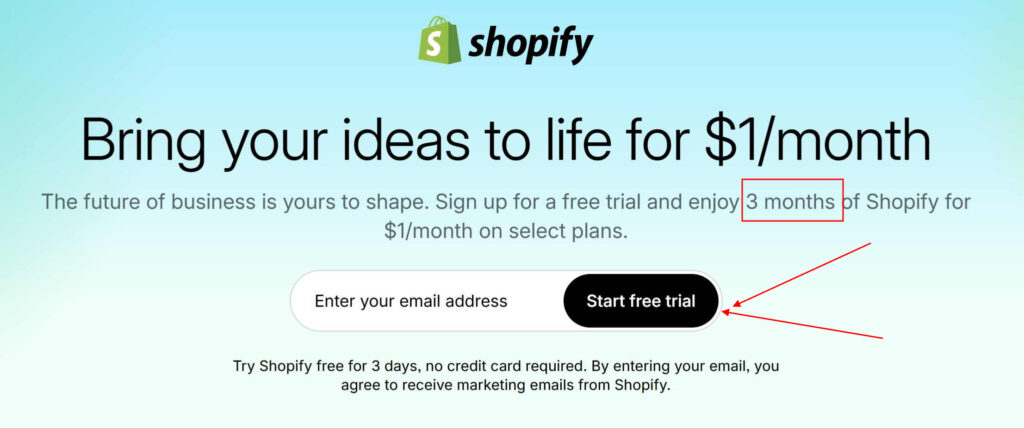
- Then 3 months at $1/month (for eligible new users)
- Basic Plan: $39/month after promotional period—great for new stores
- Grow Plan: $105/month—when you’re really cooking
- Advanced Plan: $399/month—for serious volume
- Credit card fees: 2.9% + 30¢ (goes down as you upgrade)
Real user ratings: 4.4 out of 5 stars on G2 from over 4,500 actual business owners. These aren’t random app store reviews—these are people running real businesses who rate it daily.
What sellers actually say: “The ease of use is the top-ranking advantage. Easy integration and quick setup. It’s user-friendly and intuitive interface makes it accessible for beginners.” —Verified G2 reviewer
My honest take: Look, Shopify costs money. But here’s the thing—you’re not paying 20% commissions on every single sale like you would on marketplaces. You’re building something you actually own. The 3-day free trial plus 3 months at $1/month (for eligible new users) gives you nearly 100 days to test with minimal risk. Build your store, add products, make your first sales, see if you like it. With 8,000+ apps, you can customize basically anything. It’s the real deal for anyone serious about online business.
Pro tip: Start with the trial offer. Take your time. Don’t rush. Learn the platform. Then decide if it’s right for you.
When Shopify Is a Bad Idea
Let’s be honest. Shopify isn’t perfect for everyone. Skip it if:
You’re testing product ideas casually: If you just want to see if people will buy your stuff without any commitment, Facebook Marketplace or Mercari make more sense. Zero monthly costs.
You have zero budget for apps or themes: The basic Shopify plan works, but you’ll likely need $50-150/month in apps as you grow. If that’s not realistic, stick with free platforms or WooCommerce.
You’re selling on extreme margins: If your average sale is $10 and your profit is $2, monthly fees will eat you alive. Marketplaces make more sense for low-ticket items.
You need instant traffic: Shopify gives you a store. It doesn’t give you customers. You need to drive traffic through ads, SEO, or social media. If you need built-in buyers from day one, Etsy or Amazon are better starting points.
You’re extremely non-technical and have no one to help: While Shopify is user-friendly, you’ll still need to understand basics like domain connection, email setup, and app installation. If that sounds terrifying and you have no one to help, Wix or Squarespace might be easier.
Etsy: The Handmade Goods Headquarters
What it actually is: The internet’s craft fair. Etsy’s got approximately 90 million active buyers specifically hunting for unique, handmade, vintage, and creative stuff. It’s where your quirky handmade earrings can actually find the right people.
Who it’s really for: Makers, crafters, artists, vintage collectors. Anyone selling something with personality that can’t be found at Target.
| Pros | Cons |
|---|---|
| ~90 million people already shopping for unique stuff | Fees add up fast (20-25% total when you factor everything) |
| Super easy to start (just $0.20 to list) | If you make over $10K, they force 12-15% offsite ads fees |
| Buyers expect handmade = you’re in the right place | You’re competing with ~5.5 million other sellers |
| Strong brand for creative products | Customer service has gone downhill lately (major complaint) |
| Manage everything from your phone | Listing fees renew every 4 months whether you sold or not |
| They handle sales tax automatically | Random account suspensions are happening more in 2026 |
The fee breakdown (brace yourself):
- Listing fee: $0.20 per item (renews every 4 months)
- Transaction fee: 6.5% of your total sale
- Payment processing: 3% + $0.25 per transaction
- Offsite ads: 15% if under $10K annual sales, 12% if over $10K—NOT optional once you exceed $10K
- Real cost: Plan on paying 20-25% of each sale total
Example math: You sell a necklace for $50 + $5 shipping = $55 total
- Listing: $0.20
- Transaction fee: $3.58
- Payment processing: $1.90
- Total fees before offsite ads: $5.68
- You keep: ~$49 before offsite ads (real-world take-home is often closer to 75–85% once all fees apply, including offsite ads and listing renewals)
User ratings—here’s where it gets interesting: The Etsy app? 4.5/5 stars. Looks great, right? But actual seller reviews on Trustpilot? Just 1.4/5 stars. Big disconnect. Sellers in 2026 are reporting account bans without warning, support that doesn’t respond, and fees eating up profits.
What actually sells best on Etsy:
- Personalized jewelry (15% of all sellers are in this space)
- Digital downloads—printables, planners, templates
- Custom home décor
- Wedding stuff and invitations
- Vintage items (has to be 20+ years old to qualify)
My honest take: Etsy’s great for getting in front of buyers who are actively looking for handmade stuff. That built-in traffic is valuable. But don’t make it your only game. Lots of successful makers use Etsy to get discovered, then move loyal customers to their own Shopify store where they keep more profit. The fees are steep, and customer service has gotten rough. Diversify your selling channels.
eBay: The OG Marketplace (for Better or Worse)
What it actually is: The internet’s original garage sale, now with approximately 134 million active buyers worldwide. Been around since 1995. Still good for certain things, not so much for others.
Who it’s really for: People with random stuff to sell, collectibles enthusiasts, anyone comfortable with auctions and competitive pricing.
| Pros | Cons |
|---|---|
| Massive global audience | Fees can hit 13-15% pretty easily |
| 250 free listings every month | Fee structure is confusing as hell |
| Auction and fixed-price options | eBay heavily favors buyers in any dispute |
| They’ll sell pretty much anything | “Below standard” status increases your fees |
| Global shipping program available | Customer service is basically non-existent |
| Top Rated Seller perks exist | Tons of competition = race to bottom on price |
What you’ll pay (2026):
- Free listings: 250 per month if you don’t have a store
- Final value fees: Average 12-15% of total sale + $0.30
- Store subscriptions: $4.95-$349.95/month (gets you more free listings, lower fees)
Example math: Sell electronics for $100 + $10 shipping = $110 total
- Final value fee: $14.58 (13.25%)
- Transaction fee: $0.30
- You keep: $95.12
User ratings: 1.2 out of 5 stars on Trustpilot from actual sellers. Yikes. The main gripes? Zero seller protection (buyers can return completely different items or claim damage), sky-high fees, and support that straight-up doesn’t help.
My honest take: eBay still works for certain niches—collectibles, used electronics, rare finds. The audience is huge. But be ready for difficult buyers and zero platform protection. Lots of 20+ year sellers are bailing in 2026 because the seller experience has gotten so bad. Use it strategically, not as your main gig.
Amazon
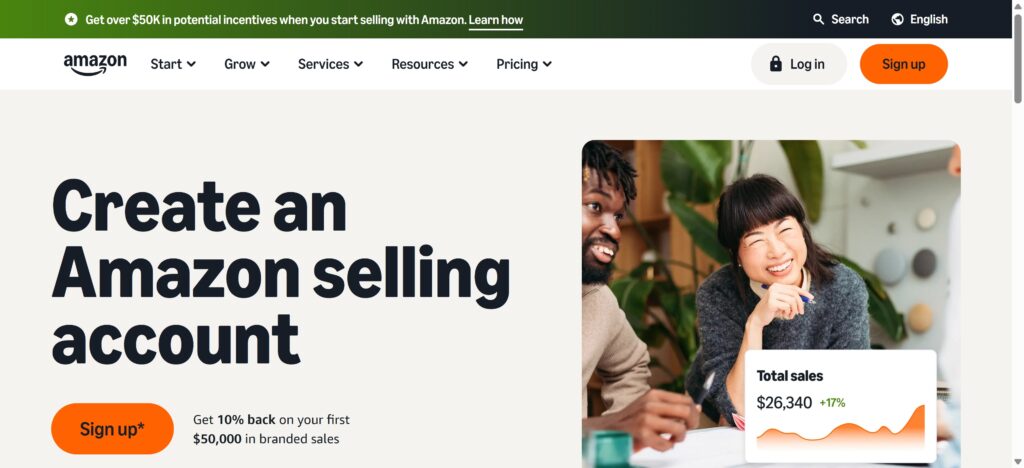
What it actually is: The biggest ecommerce platform on the planet. Amazon’s reach is insane, but so is the competition and complexity.
Who it’s really for: Established sellers with inventory capital, mass-market products, and thick skin for competition.
| Pros | Cons |
|---|---|
| Unmatched reach (billions of eyeballs) | Competition is absolutely brutal |
| Amazon Prime members trust buying here | Fee structure is stupidly complex |
| FBA handles everything (storage, shipping, returns) | Account suspensions happen for mysterious reasons |
| Buyers already trust Amazon | Seller support is terrible |
| Great analytics and tools | FBA storage fees keep climbing |
| Steep learning curve |
What you’ll pay (2026):
- Individual Plan: $0.99 per item sold (if you’re under 40 sales/month)
- Professional Plan: $39.99/month (if you’re selling more than 40/month)
- Referral fees: 8-15% depending on what you’re selling
- FBA fees: $3-$10+ per item for them to store, pick, pack, and ship
User ratings: 1.3 out of 5 stars on Trustpilot for the seller experience. Common complaints: money held for 120+ days, impossible-to-reach support, getting banned without explanation. Yet millions still sell there because the audience is unbeatable.
My honest take: Amazon is a beast. If you can handle the complexity, fees, and competition, the volume potential is unmatched. But it’s not for beginners or the faint of heart. You need capital, patience, and a willingness to play by Amazon’s ever-changing rules. Best for established businesses that can absorb the challenges.
Facebook Marketplace: Free Local Selling (With Caveats)
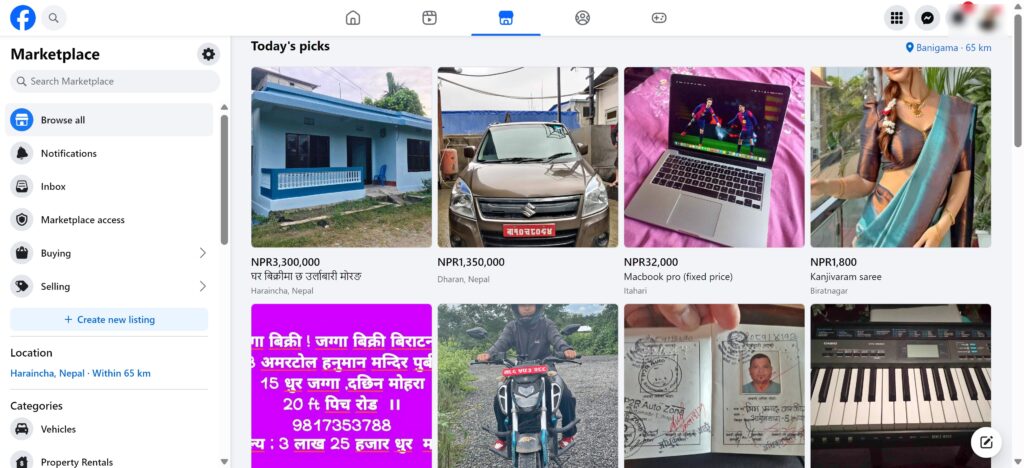
What it actually is: Facebook’s built-in marketplace tapping into 1+ billion users. It’s like Craigslist but easier to use and slightly less sketchy—slightly.
Who it’s really for: Casual sellers clearing stuff out, local sales, big items (furniture, appliances), anyone avoiding shipping.
| Pros | Cons |
|---|---|
| Totally free for local pickup sales | 10% fee on shipped items (went up from 5% in 2024) |
| 1+ billion potential buyers | Scams are everywhere |
| Unlimited listings | Zero customer service. Like, actually zero. |
| Works with Facebook Messenger | Pre-paid shipping labels unavailable in many regions (removed for most sellers in early 2025) |
| Great for heavy items you don’t want to ship | Basically no protection for local sales |
| Super easy to list | Random account bans for no reason |
What you’ll pay (2026):
- Local pickup: FREE—zero fees
- Shipped items: 10% fee + $0.80 minimum
- No listing fees or monthly costs
User ratings: 1.8 out of 5 stars on PissedConsumer. Main issue? Scams galore, and Facebook doesn’t vet listings or provide real support.
Safety tips for local sales:
- Meet in public places (police station parking lots are clutch)
- Bring a friend
- Cash only—no Venmo/Zelle from strangers
- Trust your gut
My honest take: Facebook Marketplace is fantastic for local, in-person sales where you get cash in hand and avoid all fees. But shipping through the platform has become less seller-friendly in 2026 (pre-paid labels removed for most sellers in many regions), and scam protection is minimal. Stick to local sales and you’re golden.
Important note: Facebook Marketplace features and policies vary significantly by country and region. Verify current shipping options and seller protections in your location before relying on shipped sales.
Poshmark: Fashion-Focused & Social

What it actually is: A marketplace specifically for fashion items with 80+ million users shopping for clothes, shoes, accessories, and beauty products. It’s got this whole social shopping vibe.
Who it’s really for: Fashion resellers, anyone cleaning out their closet, people selling brand-name clothing.
| Pros | Cons |
|---|---|
| Prepaid USPS shipping labels (easy!) | 20% commission is steep |
| Huge audience specifically shopping for fashion | Sales are declining in 2026 (lots of sellers reporting this) |
| Social features like Posh Parties | $2.95 flat fee makes selling cheap items unprofitable |
| Flat-rate shipping charged to buyer (rates change periodically) | They hold your money for 3+ days after delivery |
| Authentication service for luxury items | Customer service has tanked lately |
| Mobile app is really smooth (4.8/5 stars) | Lowball offers are constant |
What you’ll pay (2026):
- Sales under $15: $2.95 flat fee
- Sales $15+: 20% commission
- Listing: Free
- Shipping: Flat-rate charged to buyer (rates change periodically)
Example: Sell a designer dress for $80
- Poshmark takes: $16 (20%)
- You keep: $64
User ratings: 1.2 out of 5 stars on Trustpilot from sellers (ouch), but 4.8 out of 5 stars on the App Store. The disconnect is real—the app works great, but the seller experience has “bottomed out” according to longtime users.
What sells best:
- Designer and brand-name clothing
- Shoes and handbags
- Accessories and jewelry
- Gently used fashion
My honest take: Poshmark is decent for fashion where the 20% cut is justified by the built-in audience and easy shipping. But lots of sellers are reporting slower sales in 2026, and customer service is rough. Use it as one channel, not your only one.
Wix: Pretty Websites That Also Sell Stuff
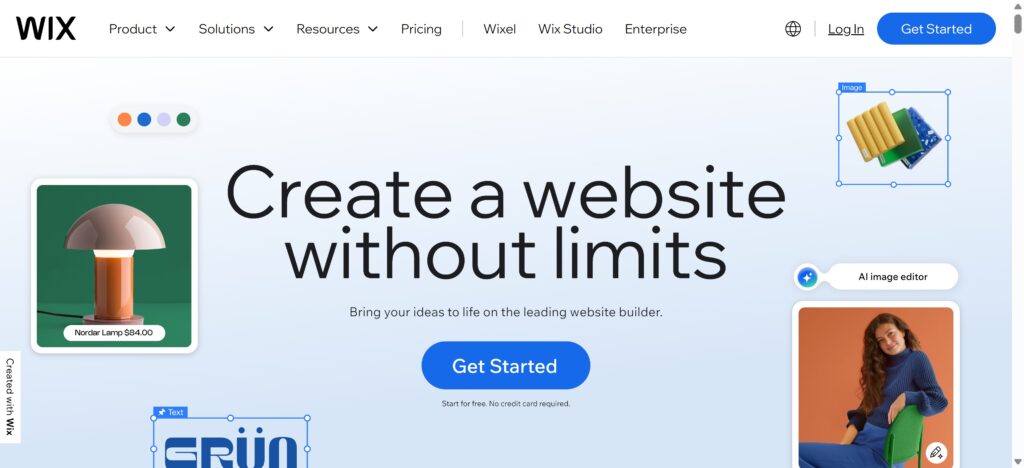
What it actually is: A website builder with solid ecommerce features. Think of it as building your own store with a drag-and-drop designer. Super visual, great for small businesses.
Who it’s really for: Small businesses, service providers, creatives who want a beautiful website that happens to also sell products.
| Pros | Cons |
|---|---|
| Drag-and-drop design (seriously easy) | Can get slow with lots of products |
| 900+ gorgeous templates | Not great for scaling to huge businesses |
| No transaction fees on ecommerce plans | Once you pick a template, you’re kinda stuck with it |
| Tons of apps available | SEO isn’t as strong as Shopify or WordPress |
| Built-in booking/appointment scheduling | Apps can cost $3-20+ each per month |
| 24/7 support that actually responds | Basic ecommerce features compared to dedicated platforms |
What you’ll pay (2026):
- Light Plan: $17/month (basic site, NOT for selling)
- Core Plan: $29/month (this is what you want for ecommerce)
- Business Plan: $39/month (more advanced stuff)
- Business Elite: $159/month (unlimited everything, VIP support)
- Payment processing: 2.9% + $0.30 per transaction
User ratings: 3.7 out of 5 stars on Trustpilot from 26,000+ reviews. People love the design flexibility and how easy it is to use.
My honest take: Wix is perfect for small business owners who want a beautiful website that also sells stuff. The $29/month Core plan is super affordable, and you get way more design freedom than most platforms. Just know that Wix can slow down if you’re adding hundreds of products, and you might outgrow it as you scale big.
Squarespace: When Design Matters Most

What it actually is: The most beautiful website builder out there, hands down. If you’re a photographer, designer, artist, or creative who needs a stunning portfolio that also sells—this is your spot.
Who it’s really for: Photographers, designers, artists, bloggers, anyone who prioritizes gorgeous design above everything else.
| Pros | Cons |
|---|---|
| Absolutely stunning templates | Fewer ecommerce features than Shopify |
| Easiest platform to use (#1 in recent testing) | Not built for serious scaling |
| Excellent blogging tools | Way fewer third-party integrations (40 vs. 8,000) |
| All-in-one (hosting, SSL, domains included) | Better for small stores, not massive catalogs |
| Every site is mobile-optimized automatically | No phone support |
| Strong built-in SEO tools | Limited advanced ecommerce features |
What you’ll pay (2026):
- Basic Plan: $16/month (but has 2% transaction fee—skip it)
- Core Plan: $23/month (0% transaction fees—go with this)
- Plus Plan: $39/month (lower processing rates)
- Advanced Plan: $99/month (lowest processing rates)
User ratings: 4.6 out of 5 stars on Capterra, 4.4/5 on G2—creatives absolutely love this platform.
My honest take: If you’re a creative who needs a website that makes people stop and stare, choose Squarespace. The $23/month Core plan is affordable and includes everything. But if you’re planning to sell thousands of products or need complex ecommerce features, Shopify or WooCommerce are better long-term bets.
BigCommerce: For When You’re Getting Serious
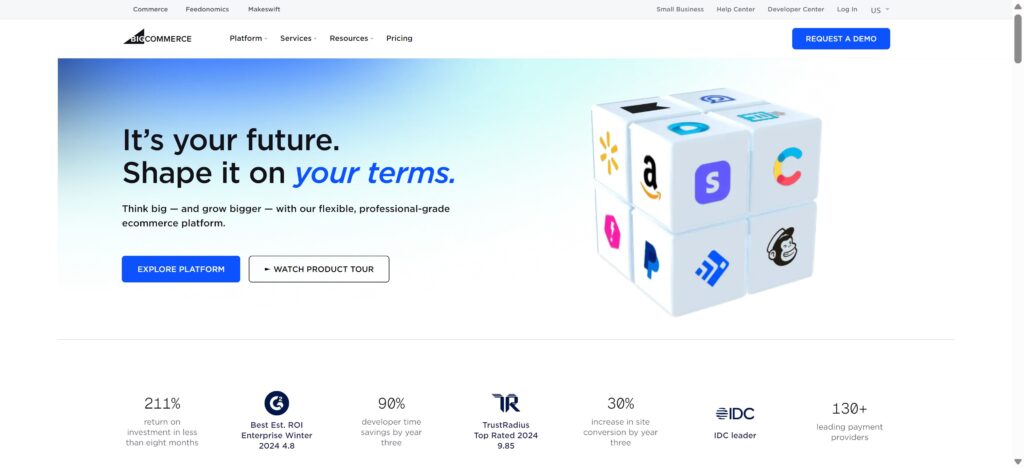
What it actually is: A powerful ecommerce platform with enterprise-level features at mid-market prices. Like Shopify’s more serious, feature-packed cousin.
Who it’s really for: Growing businesses ($50K-$1M+ revenue), multi-channel sellers, B2B operations, companies with technical resources.
| Pros | Cons |
|---|---|
| No transaction fees ever | Forced plan upgrades when you hit revenue thresholds |
| Tons of features built-in | Steeper learning curve |
| Unlimited products, storage, bandwidth | Only 12 free themes (vs. hundreds elsewhere) |
| Great B2B tools | Not beginner-friendly at all |
| 24/7 phone support | Gets pricey as you grow |
| Superior SEO capabilities | Less design flexibility than Wix |
What you’ll pay (2026):
- Standard: $29/month (up to $50K annual sales)
- Plus: $79/month (up to $180K annual sales)
- Pro: $299/month (up to $400K annual sales)
- Enterprise: Custom pricing ($1,000+/month)
Important catch: BigCommerce automatically forces you to upgrade when you hit revenue thresholds. Make $51K? Boom, you’re on the $79/month plan whether you want it or not.
User ratings: 4.2 out of 5 stars on G2 from verified business users. Named Best Commerce Software 2026.
My honest take: BigCommerce is brilliant if you’re past the startup phase and ready to scale seriously. You get way more features out-of-the-box than Shopify without transaction fees. But it’s not for beginners, and those forced upgrades at revenue milestones can sting. Best for established sellers doing $50K+ annually.
WooCommerce: Total Control (If You’re Nerdy Enough)
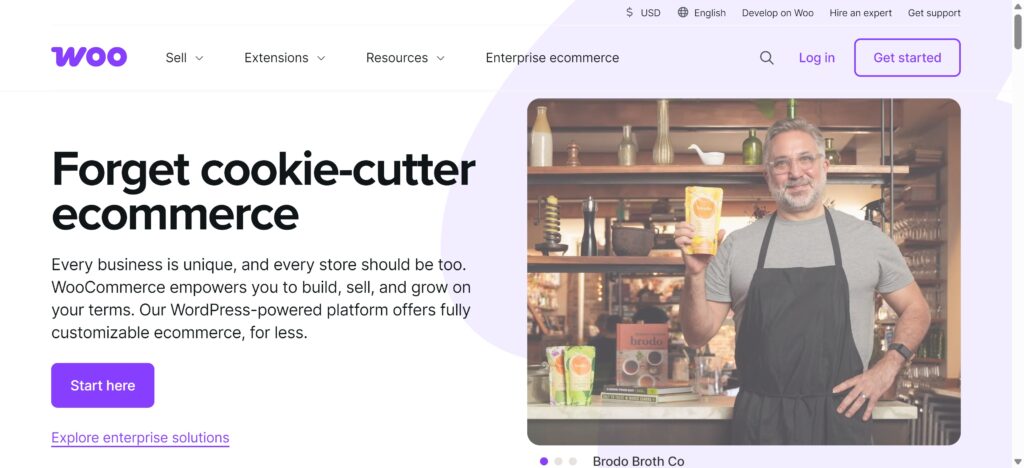
What it actually is: A free WordPress plugin that turns any WordPress site into a full ecommerce store. Open-source, meaning you own everything and can customize literally anything.
Who it’s really for: WordPress users, developers, tech-savvy folks, anyone wanting maximum control without monthly platform fees.
| Pros | Cons |
|---|---|
| Core plugin is totally free | You need to know WordPress |
| Customize absolutely anything | You manage hosting, security, updates—all of it |
| No monthly platform fees | “Hidden” costs add up (hosting, extensions, themes) |
| No transaction fees (just payment processor) | Steeper learning curve |
| Great for content + selling combo | Support is community forums only |
| 8,000+ extensions available | Time-intensive to set up properly |
What you’ll actually spend (2026):
- WooCommerce plugin: FREE
- Hosting: $5-100+/month (realistically $20-25/month minimum for decent)
- Domain: $10-20/year
- SSL certificate: FREE (usually included with hosting)
- Theme: Free options exist, premium $30-100/year
- Extensions: $50-300/year each (subscriptions, marketing, shipping, etc.)
- Realistic total: $300-1,000+/year for a small store
User ratings: 4.4-4.5 out of 5 stars across G2, WordPress.org, and other platforms. Developers and WordPress nerds love the flexibility.
My honest take: WooCommerce is unbeatable if you’re already using WordPress and want complete control without monthly fees. Yes, you’ll pay for hosting and extensions, but you avoid those 10-20% marketplace commissions. Not recommended for total beginners or anyone without basic WordPress knowledge. If WordPress feels like a foreign language, try WooExpress ($39-70/month) for a managed, easier version.
Free Online Selling Sites: The Zero-Cost Options
Okay, let’s be real—sometimes you just want to sell stuff without paying fees. Fair. Here are the actual free options:
Craigslist: The Dinosaur That Still Works
What it is: The original free classifieds since 1995. No fancy features, just post and sell locally.
- Pros: Totally free, huge local reach, dead simple, great for big stuff
- Cons: Looks like 1998, scams everywhere, zero protection, no customer service
- Best for: Local sales, furniture, appliances, cars, anything in-person
Facebook Marketplace (Local Only)
What it is: As we covered, Facebook Marketplace is 100% free for local, in-person sales.
- Pros: FREE, 1+ billion users, integrated with Facebook
- Cons: Scams galore, no protection for local, customer service doesn’t exist
- Best for: Clearing out your house, furniture, meeting buyers locally
OfferUp: Free Listings, But Not Really Free
What it is: Mobile-first marketplace for local and shipped sales. Listings are free, but you pay 12.9% + $1.99 when stuff sells.
- Pros: Easy app, TruYou verification for safety, free to list
- Cons: 12.9% fee when sold (not actually free)
- Best for: Local sales where you dodge fees via in-person exchanges
Mercari: Free Listings with 10% Commission
What it is: Super easy mobile marketplace with free listings but a flat 10% fee when things sell. Includes prepaid shipping labels.
- Pros: Ridiculously easy to use, prepaid shipping, big audience
- Cons: 10% commission (not free), both sides have to rate each other
- Best for: Shipping items nationally without meetups
Free Platform Comparison
| Platform | Reach | Best Category | Main Limitation |
|---|---|---|---|
| Craigslist | Local citywide | Everything | Scams, outdated, no protection |
| Facebook Marketplace (local) | Local/regional | Everything | Scams, no support, only free for local |
| OfferUp | Local + shipping | Everything | 12.9% fee when sold (not truly free) |
| Mercari | National shipping | Everything | 10% commission (not truly free) |
| Gumtree | UK/Australia/SA | Everything | Not available in US |
| Nextdoor | Your neighborhood | Everything | Extremely limited reach |
Bottom line: Truly free platforms (Craigslist, Facebook local, Gumtree, Nextdoor) work great for local, in-person cash sales. But they come with risks—scams, no protection, minimal support. If you’re shipping, expect to pay 10-13% even on “free” platforms like Mercari and OfferUp.
Payment & Payout Speed Comparison
How fast you get paid matters as much as fees. Here’s what to expect:
| Platform | Payout Speed | Payment Hold | Early Payout Option |
|---|---|---|---|
| Shopify | 3-5 business days | None for established stores | Daily payouts available |
| Etsy | 3-5 business days | Varies (can be 30-180 days for new sellers) | Not available |
| eBay | 2-5 business days | Up to 21-35 days for new sellers | Available for fee |
| Amazon | 14 days (bi-weekly) | Up to 120 days possible on specific orders | Not available |
| Facebook Marketplace | 5-15 business days (shipped) | 15 days after shipment | Not available |
| Poshmark | 3 days after delivery | Always 3 days post-delivery | Not available |
| Wix | 2-3 business days | None | Depends on payment processor |
| Squarespace | 2-3 business days | None | Depends on payment processor |
| BigCommerce | 2-3 business days | None | Depends on payment processor |
| WooCommerce | 2-7 days | Depends on processor | Depends on payment processor |
| Mercari | 2-5 days after rating | Until both parties rate | Direct deposit available |
Cash flow tip: If you need money fast, your own website (Shopify, Wix, Squarespace) with daily payouts beats marketplace holds. Amazon’s 14-day cycle is tough for new sellers.
Tax, Sales Tax & Compliance: The Reality Check
This is one of the biggest pain points for new sellers. Let’s cut through the confusion:
Sales Tax Collection
The good news: Most major platforms now handle sales tax automatically in the US.
- Shopify, Wix, Squarespace, BigCommerce: Automatically calculate and collect sales tax based on buyer location. You’re responsible for remitting.
- Etsy, Amazon, eBay: They collect and remit sales tax on your behalf in most US states. You still need to register in some states.
- Facebook Marketplace, Mercari, Poshmark: They handle collection and remittance for shipped items.
- WooCommerce: YOU configure tax collection yourself using plugins. Most complex option.
International Sellers (VAT/GST)
- EU sellers: Must register for VAT if selling over €10,000/year to EU customers
- UK sellers: VAT registration required at £90,000 threshold (as of 2026)
- Canadian sellers: GST/HST registration required at CAD $30,000
- Australian sellers: GST registration required at AUD $75,000
Platform handling:
- Shopify, BigCommerce: Support VAT/GST calculation with proper setup
- Amazon: Handles VAT for FBA shipments in Europe
- Etsy: You’re responsible for VAT registration and reporting
What You Actually Need
Casual sellers (under $600/year or occasional sales):
- Usually no business license required
- Still report income on personal taxes
- No sales tax registration needed in most states
Serious sellers (regular income, business intent):
- Business license (city/county requirements vary)
- EIN (Employer Identification Number from IRS) – free
- Sales tax permit (if your state/platform doesn’t auto-handle)
- Possible DBA (“Doing Business As”) if using business name
Critical reminder: Tax laws change constantly. This is general guidance, not tax advice. Consult a CPA or tax professional for your specific situation. Budget $100-300 for initial consultation—worth every penny.
Platform Decision Flow: Find Your Match in 60 Seconds
Answer these questions to find your platform:
Question 1: Are you testing ideas casually or building a real business?
- Testing casually → Go to Question 2
- Building a business → Go to Question 4
Question 2: Are you selling locally or shipping nationally?
- Locally (in-person) → Facebook Marketplace or Craigslist
- Shipping nationally → Go to Question 3
Question 3: What are you selling?
- Fashion/clothing → Poshmark or Mercari
- Random stuff/used items → Mercari or eBay
- Everything else → Facebook Marketplace (shipped) or Mercari
Question 4: What’s your monthly budget for platform costs?
- Under $30/month → Go to Question 5
- $30-100/month → Go to Question 6
- $100+/month → Go to Question 7
Question 5: What are you selling?
- Handmade/creative items → Etsy (pay per sale, no monthly fee)
- Mass market products → Amazon Individual Plan ($0.99 per sale)
- Your own designs/brand → Wix Core Plan ($29/month) or WooCommerce (hosting costs only)
Question 6: Do you want built-in traffic or your own brand?
- Built-in traffic → Etsy (handmade) or Amazon Professional (everything else)
- Own brand → Shopify Basic ($39/month after trial) or Wix Core ($29/month)
Question 7: What’s your current revenue?
- Under $50K/year → Shopify Basic ($39/month) or BigCommerce Standard ($29/month)
- $50K-$180K/year → Shopify ($105/month) or BigCommerce Plus ($79/month)
- $180K+/year → BigCommerce Pro ($299/month) or Shopify Advanced ($399/month)
Which Platform Is Best for You? Find Your Match
Still not sure? Here’s a quick matchmaking guide based on what you’re selling:
| What You’re Selling | Go With | Why |
|---|---|---|
| Handmade Products | Etsy or Shopify | Etsy for instant audience, Shopify for brand control |
| Dropshipping | Shopify | Best supplier integrations, pro look |
| Local Selling (Free) | Facebook Marketplace or Craigslist | Zero fees for in-person deals |
| Digital Products | Shopify or WooCommerce | Full control, no marketplace limits |
| Second-Hand Stuff | eBay, Mercari, or Facebook Marketplace | Buyers expect used, huge audiences |
| Fashion & Clothing | Poshmark or Mercari | Fashion-focused buyers, easy shipping |
| Building a Brand | Shopify or BigCommerce | Professional, scalable, you own it |
| Tight Budget | Wix ($29/mo) or WooCommerce | Affordable or free to start |
| Creatives/Photos | Squarespace | Stunning templates, easy portfolio + shop |
| Big Volume/Enterprise | BigCommerce or Shopify Plus | Advanced features, serious scalability |
My Real Recommendation for Most People:
Just starting? Try Facebook Marketplace for free local sales first. Test products and pricing without any risk.
Ready to build something real? Start Shopify 3 day free and $1/month for 3 months. Build your store, add products, launch properly. The $1/month for three months after is basically nothing, and you’ll have your own branded store.
Selling handmade? List on both Etsy (for traffic) AND build a Shopify store (for brand loyalty). Don’t rely only on marketplaces.
Tech-savvy with WordPress? WooCommerce gives complete control and no monthly fees. Just budget for quality hosting.
Tips for Actually Selling Successfully (Any Platform)
Alright, picking the right platform is step one. But actually making sales? That takes some smart moves:
Make Your Listings Actually Sell
Your listing is your salesperson. Make it work:
Front-load keywords in titles: Most important words first. “Vintage Leather Jacket Men’s Size Large Brown” beats “Jacket for Sale.”
Write for humans, optimize for robots: Use natural language with target keywords 2-3 times. Don’t stuff.
Answer questions before they ask: Include measurements, materials, condition, shipping upfront.
Use bullet points: People scan. Make key info pop.
Tell a story (when it fits): On platforms like Etsy, buyers want the backstory of handmade items.
Product Photos: Your Secret Weapon
Bad photos kill sales faster than anything. Here’s what works:
Must-haves:
- Minimum 2000×2000 pixels (let buyers zoom)
- 5-8 photos showing every angle
- White or neutral background for main shot
- Good lighting (natural light is gold)
- Show scale (common object for size reference)
2026 trends crushing it:
- 360-degree views: Can increase conversions by 30%+
- Lifestyle photos: Show it being used, not just sitting there
- Real customer photos: Beat studio shots for trust
- Video demos: Multiple studies show strong positive ROI
- Clean, minimal backgrounds: Less clutter = more focus
Pro tip: Get a $20-30 lightbox from Amazon. Game-changer for consistent, pro-looking photos.
SEO: The Secret Most Sellers Ignore
Most people skip SEO entirely, which means you can crush it with basics:
For marketplaces (Etsy, eBay, Amazon):
- Research actual searches (use platform’s search bar autocomplete)
- Include 3-5 relevant keywords naturally in titles
- Use all available character space
- Include synonyms in descriptions (“sofa” AND “couch”)
- List specific details: color, size, material, brand, style, condition
For your own site (Shopify, Wix, WooCommerce):
- Write unique meta descriptions (150-160 chars with main keyword)
- Use H2 headers with keyword variations
- Create blog content answering customer questions
- Link related products internally
- Add schema markup for rich snippets (star ratings in Google)
Reviews = Gold
Multiple studies show that products with reviews are dramatically more likely to be purchased than those without. Reviews are everything.
How to get more:
- Follow up 5-7 days after delivery
- Make it stupid easy with direct links
- Small incentive (loyalty points, giveaway entry—never pay for reviews!)
- Respond to every review, good or bad
- Display reviews prominently on product pages
Other trust builders:
- Trust badges at checkout (SSL, money-back, secure payment logos)
- Show “Recently sold” or “X people viewing” notifications
- Clear return and shipping policies
- Customer photos in product galleries
- Display contact info prominently (real businesses have phone numbers)
Running Ads That Actually Work
Organic traffic rocks, but sometimes you need to boost sales:
Paid ads worth trying:
- Google Shopping ads: 5.7% average conversion, top of searches
- Facebook/Instagram ads: Target by demographics, interests, behaviors. Great for retargeting cart abandoners.
- Platform ads: Etsy Ads, eBay Promoted Listings, Amazon Sponsored Products put you front-and-center.
Promotions that work:
- Flash sales with timers: Creates urgency (most sales in first hour)
- Free shipping thresholds: “Free shipping over $50” ups order value
- Bundle deals: “Buy 2, get 15% off” moves inventory
- Abandoned cart emails: Automated discount codes recover 15% of abandoners
- First-time buyer discounts: 10-15% off for email subscribers converts window shoppers
Pro tip: Your email list is gold. Email marketing consistently delivers one of the highest ROIs of any marketing channel. Build that list from day one.
The 48-Hour Getting Started Checklist
You’ve picked your platform. Now what? Here’s exactly what to do in your first 48 hours:
Hours 0-4: Foundation Setup
- [ ] Create your account on chosen platform
- [ ] Choose your store/shop name (check if domain available)
- [ ] Set up payment method (how you’ll get paid)
- [ ] Configure shipping zones and rates
- [ ] Add your business info (even if you’re solo)
- [ ] Read platform policies (boring but essential—avoid bans)
Hours 4-12: First Product Launch
- [ ] Choose 1-3 products to start (don’t overthink this)
- [ ] Take 5-8 quality photos per product
- [ ] Write compelling titles with keywords
- [ ] Create detailed descriptions answering common questions
- [ ] Set competitive prices (research similar items)
- [ ] Add accurate inventory counts
- [ ] Publish your first listings
Hours 12-24: Polish & Optimize
- [ ] Set up your profile/about page (build trust)
- [ ] Add a professional profile photo or logo
- [ ] Create return and shipping policies
- [ ] Set up automated email confirmations
- [ ] Test the buying process yourself (find issues)
- [ ] Join 2-3 seller communities for your platform
- [ ] Bookmark platform help docs
Hours 24-48: Launch & Promote
- [ ] Share your first listings with friends/family
- [ ] Post on your personal social media
- [ ] Join relevant Facebook groups (don’t spam—participate)
- [ ] Set up basic analytics tracking
- [ ] Create a simple spreadsheet for tracking sales/expenses
- [ ] Set aside 30 min daily for platform check-ins
- [ ] List 3-5 more products (momentum matters)
Week 1 Ongoing Tasks:
- [ ] Respond to questions within 24 hours
- [ ] Ship orders same or next day
- [ ] Ask for first reviews (friends/family purchases count)
- [ ] Analyze which photos get most views
- [ ] Adjust prices based on competition
- [ ] Add 2-3 products per week minimum
- [ ] Join weekly seller threads for tips
The key: Done beats perfect. Your first listings won’t be perfect. That’s fine. Launch, learn, improve. Most successful sellers say their first 20 listings were terrible—but they got better fast by doing, not waiting.
The Final Verdict: What Should You Actually Do?
Okay, let’s bring this home. After digging into every major platform, here’s my straight-up advice:
On a Tight Budget (Under $50/Month):
Start with Facebook Marketplace for free local sales to test products. Once you’re making consistent sales, invest in Wix ($29/month) or WooCommerce (hosting costs only) for your own site.
Can Invest $30-100/Month:
Go with Shopify using their promotional trial (3 days free, then 3 months at $1/month for eligible new users). Build during the trial, launch, scale. When ready to upgrade, $39/month gives you everything.
Selling Handmade:
List on Etsy for built-in traffic, but build a Shopify store simultaneously for brand loyalty. Use Etsy to capture searches, convert loyal customers to your site where you keep more profit.
Serious About Building a Real Business:
Shopify wins. Yes, monthly costs exist. But you’re building an asset you own, not renting space on someone else’s turf. The promotional trial (3 days free, then 3 months at $1/month for eligible new users) means minimal risk to try properly.
Start your Shopify trial here. Use this promotional period to:
- Set up store design
- Add products with pro photos
- Test marketing strategies
- Make first sales
- See if ecommerce fits you
After the promotional period, the Basic plan is $39/month. Nearly four months to test with minimal investment.
Bottom line: The “best” platform depends entirely on your situation, products, and goals. But for most sellers wanting to build something lasting, Shopify offers the best combo of ease, power, and scalability. Take that free trial. See for yourself.
Frequently Asked Questions
What’s the easiest platform for beginners?
Facebook Marketplace is easiest because it’s totally free for local sales and you already have an account. Just take photos, list, meet buyers. Once you’ve got experience and want to level up, Wix ($29/month) or Shopify (90-day free trial) are both super beginner-friendly for building your own store.
Which has the lowest fees?
For free local sales, Facebook Marketplace and Craigslist charge nothing. For shipped items, WooCommerce technically has no platform fees (just hosting and payment processing). Among marketplaces, Mercari at 10% beats Poshmark (20%) or eBay (13%+). But remember—lower fees often mean less built-in traffic.
Can I sell on multiple sites at once?
Absolutely! Smart sellers use multi-channel strategies. Sell handmade on Etsy, have your Shopify store, list extras on Facebook Marketplace—all simultaneously. Just track inventory carefully. Tools like Sellbrite or Shopify’s multi-channel features help sync inventory across platforms.
How do I get paid?
Payment varies by platform:
- Marketplaces (Etsy, eBay, Amazon, Poshmark): Platform holds payment, sends to bank via ACH (typically 2-5 business days)
- Your own store (Shopify, Wix, WooCommerce): Payment processor (Stripe, PayPal, Shopify Payments) deposits directly to bank
- Local sales: Cash is king! Or Venmo/PayPal for in-person
Most platforms offer faster payouts for a small fee if you need cash immediately.
What are the safest platforms?
Shopify, Wix, Squarespace, and BigCommerce are safest because you control transactions with proper security (SSL certificates). Among marketplaces, platforms with authentication and buyer protection like Poshmark and Mercari are safer than Craigslist. Always use platform payment systems (never wire money or accept checks!), meet publicly for local sales, trust your gut.
Do I need a business license?
Depends on location and scale. Casual sellers (clearing closet occasionally) usually don’t need licenses. Running a real business with regular sales likely needs:
- Business license (city/county)
- Sales tax permit (to collect sales tax)
- EIN (Employer ID from IRS)
- DBA (if using business name)
Check local and state requirements. When in doubt, consult an accountant—worth the $100-200 for proper setup.
How much can I realistically make?
Honest answer? Varies wildly. Casual sellers: $100-500/month clearing out stuff. Serious part-timers: $500-2,000/month. Full-time businesses: $3,000-10,000+/month once established. Platform matters less than your hustle, product selection, marketing, consistency. Start small, test products, scale what works.
What if I don’t know what to sell yet?
Start by looking around your house. What do you already own that you don’t use? Test selling those items on Facebook Marketplace or Mercari to learn the basics risk-free. Pay attention to what sells quickly and what questions buyers ask. This hands-on experience is worth more than any course. Once you understand the process, you can decide whether to source products, make handmade items, or try dropshipping.
How do I handle returns and refunds?
Each platform has different policies:
- Marketplaces: Usually required to accept returns within platform guidelines (7-30 days typical)
- Your own store: You set the policy, but offering returns increases trust and sales
- Best practice: Offer 30-day returns, require items in original condition, buyer pays return shipping unless item was defective
Be clear about your policy upfront. Most platforms favor buyers in disputes, so document everything with photos.
Should I use free shipping or charge for it?
Data shows free shipping increases conversion rates by 50%+, but you need to price accordingly. Two strategies work:
- Build shipping into price: Charge $35 instead of $30 + $5 shipping
- Free shipping threshold: “Free shipping on orders over $50” increases average order value
For heavy/large items, always charge shipping. For small items, test both approaches and track which converts better.
Final Thoughts
There you go—everything you need to know about the best online selling platforms in 2026! Whether you’re launching a fashion empire on Poshmark, building a handmade business on Etsy and Shopify, or just clearing your garage on Facebook Marketplace, you’ve got the roadmap now.
My advice? Stop overthinking and start selling. Pick a platform based on what you’re selling, list your first product this week, adjust as you learn. The best platform is the one you actually use.
And if you’re serious about building a real online business, grab that 90-day free Shopify trial while it’s available. Three months is plenty to build something special.
You’ve got this! 🚀
This guide reflects platform features and pricing as of January 16, 2026. Always verify current terms, fees, and policies directly with platforms before committing, as these change frequently.