My Honest Xero Review in 2026: What It’s Really Like to Use

The Blunt Summary

Xero is best for solo service businesses or small teams billing 20-50 invoices monthly who need clean books without hiring a bookkeeper. It saves 8-10 hours per month through bank automation, genuinely helps at tax time, and costs about $25-90/month depending on features. It breaks down hard if you need robust payroll, complex inventory, or phone support. If you’re a brand-new freelancer making under $2k/month, it’s too expensive—use Wave. If you have employees or sell physical products, QuickBooks or specialized inventory software will serve you better. For everything in between, Xero is solid, occasionally frustrating, and worth the money.

Disclaimer: I pay for Xero myself ($90/month). No affiliate links, no sponsorship. Just my experience after three years of daily use.


TL;DR Decision Rule

Choose Xero if:

  • You run a service business (consulting, agency, creative work)
  • You send 20+ invoices monthly
  • Your accountant knows and recommends Xero
  • You need multi-currency support

Avoid Xero if:

  • You have employees and need integrated payroll
  • You sell physical products with complex inventory
  • You need phone support when problems arise
  • You’re making under $2k/month (too expensive—start with Wave)

Quick Facts You Need Right Now

Xero Plans & Prices (2026):

  • Early: $25/month (20 invoices and quotes, 5 bills, basic reconciliation, 30-day cash flow forecast)
  • Growing: $55/month (unlimited invoices and quotes, unlimited bills, auto-reconcile, performance dashboards, 30-day cash flow forecast)
  • Established: $90/month (everything in Growing, plus multi-currency, project tracking, expense claims, 180-day cash flow forecast, advanced analytics)
Xero Pricing
xero pricing

Note: Xero frequently runs promotional pricing. Check their website for current offers—sometimes they discount the first 6 months significantly.

What you’ll actually pay all-in: Most service businesses end up on Growing at $55/month if you don’t need multi-currency, or Established at $90/month if you have international clients or need project tracking. Add payment processing fees (2.9% + $0.60 if using Stripe). That’s the real number.

Who it’s for: Small businesses that invoice clients regularly and want clean, simple accounting without hiring a full-time bookkeeper.

What I use: Established plan ($90/month) because I need multi-currency for international clients, project tracking to see profitability by client, and expense claims. Growing would work if all my clients were US-based and I didn’t track projects.


Who I Am and Why It Matters

I run a digital marketing consulting business. Just me—no employees, though I use contractors occasionally. I work with 8-15 clients per month, sending out 20-30 invoices. I have about 100-150 transactions monthly between client payments, subscription costs, contractor payments, and business expenses.

I’m based in the US but have three European clients and one in Canada, so multi-currency matters to me. My business is 100% services—no physical products, no inventory.

If you’re running a restaurant, retail shop, or product-based business with inventory, your experience will be different from mine. Keep that in mind.


The Setup: My First Two Weeks Were Rough

This is where most people screw it up.

Let me be honest—the first week with Xero almost made me quit. Setup took me about 12 hours total, spread over two weeks. Not two hours like some YouTube videos promised. Twelve actual hours.

Day 1-2: Basic setup was easy. Connected my bank, added my logo, set up an invoice template. Felt great. Then I tried to categorize my first month of transactions and realized I had no idea what half the categories meant. What’s the difference between “Office Expenses” and “General Expenses”? I still don’t really know.

Day 3-5: I imported all my old invoices from spreadsheets. Big mistake. I should have started fresh. I spent hours cleaning up duplicate entries and fixing dates that imported wrong.

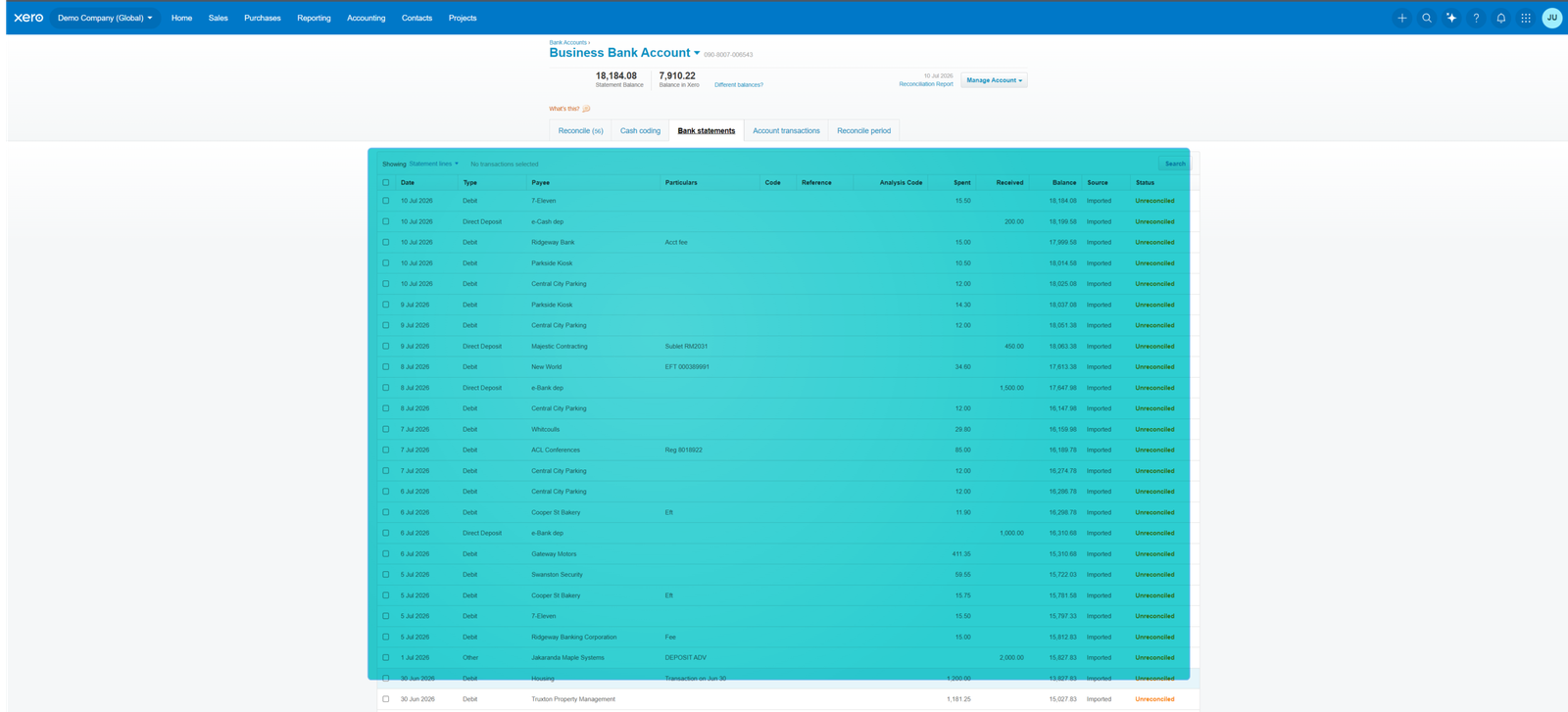
Day 6-7: I tried to reconcile my bank account and nothing matched. Transactions were off by a few days, some charges showed up twice, and I panicked thinking I’d broken something. Turns out this is normal at first.

Week 2: I broke down and paid my accountant $200 for a one-hour consultation. Best money I ever spent. She logged in, fixed my chart of accounts in 20 minutes, showed me how reconciliation actually works, and suddenly everything clicked.

My biggest setup mistake: Not getting my accountant involved on day one. I wasted 8-10 hours trying to figure out stuff she explained in minutes.

Setup takeaway: Budget 10-15 hours and $200 for professional help if you’re not an accountant. Don’t import old data. Start fresh.


Tax Time: Where Xero Really Proved Itself

This is where most people get burned with DIY accounting.

Tax season used to terrify me. Not anymore.

Sales tax (or VAT for international readers): I don’t charge sales tax because my services are B2B consulting, but I did set up Xero to track it when I had one client who needed it. It worked fine. Xero calculated it automatically on invoices and tracked what I collected.

For my European clients, Xero handles VAT differently depending on their country. I won’t pretend I fully understand VAT, but Xero did what my accountant told it to do, and no tax authorities have yelled at me.

Income tax: This is where Xero shines. My accountant logs into Xero, runs a profit and loss report, checks a few things, and she’s basically done. Last year, preparing my taxes took her 3 hours instead of the usual 8-10. I paid her $450 instead of $1,200.

Before Xero, I’d show up to her office with a shopping bag full of receipts and bank statements. She’d give me this look like I was wasting her life. Now she actually smiles when she sees me.

Tax time takeaway: Xero cut my accountant fees by 60% and eliminated pre-tax panic.


Is Xero Worth It in 2026?

For me, yes absolutely. But let me break down the actual financial impact, not just “it saves time.”

Time saved: About 8-10 hours per month compared to my old spreadsheet system. At my consulting rate of $150/hour, that’s $1,200-1,500 in value monthly. Xero costs $90. Easy math.

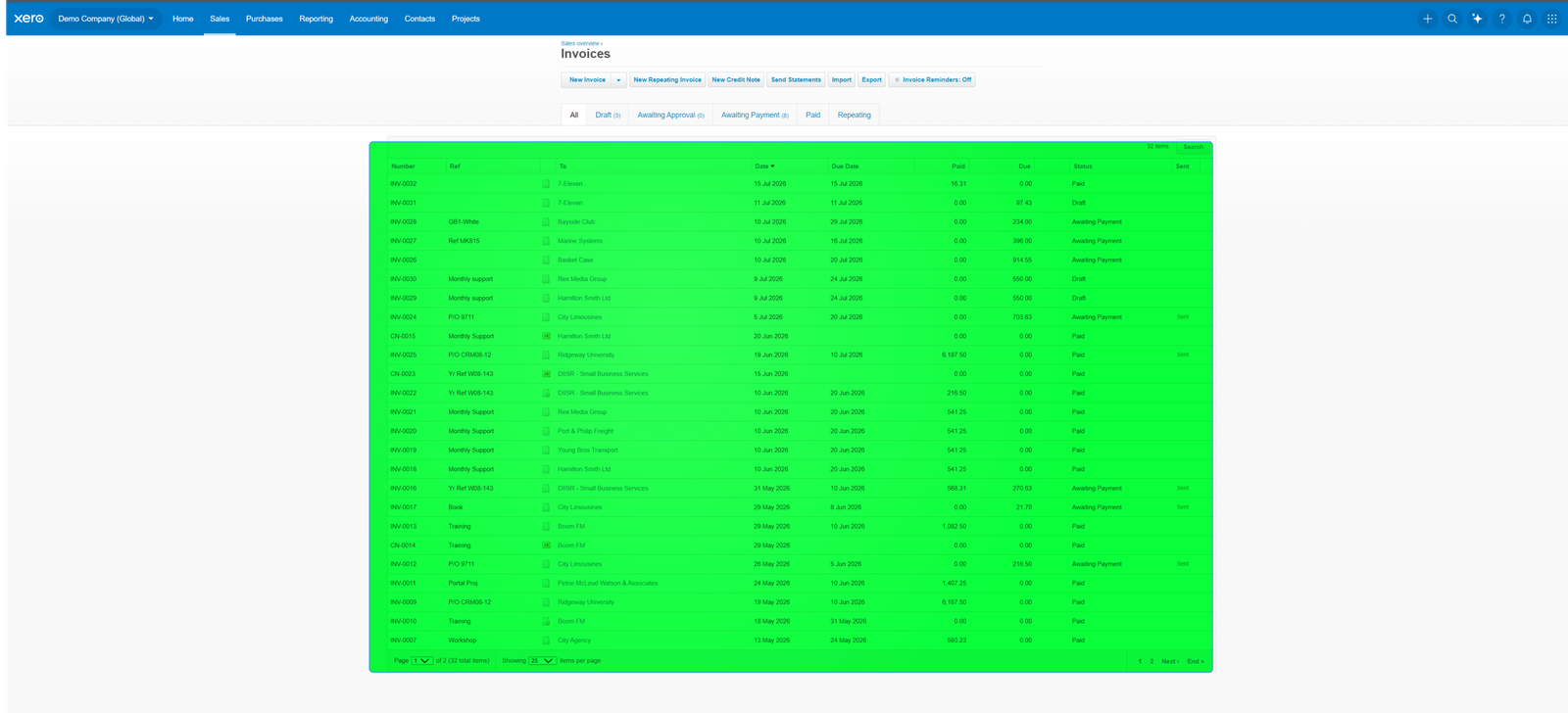
Faster payments—this part matters more than features: Before Xero, my average invoice payment time was 37 days. Now with Xero’s “pay now” button on invoices, my average is 18 days. That’s 19 days faster. For a $3,000 invoice, getting paid almost three weeks earlier dramatically improves my cash flow.

Fewer mistakes: The one year before Xero when I did my own taxes using spreadsheets, I made an error that cost me $800 in penalties. Xero has paid for itself many times over just by preventing that.

Better business decisions: I now know which clients are actually profitable and which ones cost me money. I raised rates on two clients and dropped one entirely because Xero showed me they were losing me money. That added $12,000 to my annual revenue.

The price reality: When I started in 2023, I was on what was then called “Standard” at around $37/month. The pricing structure has changed since then, and my current Established plan runs $90/month. That’s a significant jump, but the multi-currency and project tracking features justify it for my business.


Xero Pros and Cons

What Xero does really well:

  • Bank feed automation saves hours weekly
  • Invoice payment processing is seamless with Stripe/GoCardless
  • Multi-currency handling works without manual calculations (Established plan only)
  • Reports are visual and actually understandable
  • Mobile app lets you work from anywhere
  • Accountant collaboration is effortless
  • Tax preparation becomes dramatically simpler
  • Auto-reconcile feature on Growing and Established plans is a time-saver

What will frustrate you:

  • Price increases over the years without always matching value improvements
  • No phone support unless you pay premium
  • Payroll costs extra and the integration is clunky—if employees are core to your business, QuickBooks handles this better
  • Inventory management is weak and confusing—if you sell physical products with multiple SKUs or variants, Xero will drive you insane (more on this below)
  • Some advanced features (projects, tracking) have a steep learning curve
  • Customer support takes 24-48 hours to respond via email
  • Initial setup is harder than advertised
  • Early plan caps at 20 invoices, which is restrictive if you’re growing

The Integrations I Actually Use

Here’s where the math actually changes.

What I use every single day:

Stripe (payment processing): This integration is flawless. A client pays an invoice through Stripe, and Xero automatically marks the invoice as paid and records the transaction. I do nothing.

GoCardless (for European clients): Same deal as Stripe. Bank transfers happen automatically, Xero updates. I never chase payments anymore.

Hubdoc (receipt scanning): This is Xero’s own app, included with all plans. I snap photos of receipts, it reads them, creates expenses in Xero. Works about 80% of the time. The other 20% I fix manually, but still faster than typing everything.

Apps I tried and ditched:

Gusto (payroll): Overkill for one contractor and cost $40/month. I canceled it and just pay contractors with Stripe, then record it manually.

Expensify (expense tracking): Redundant with Hubdoc. Dropped it after two months.


The Migration Story Nobody Tells You

This part costs time, not money.

Switching from spreadsheets to Xero was harder than I expected. I exported three years of data from Excel and uploaded it to Xero.

What went wrong:

  • Client names with apostrophes broke the import
  • Dates in US format imported as British format, putting everything on the wrong day
  • I had clients listed three different ways and Xero created three separate contacts
  • Old invoice numbers conflicted with new ones, creating duplicates

What I lost: Nothing permanently, but I spent hours cleaning up the mess.

What I wish I’d done: Just started fresh. Imported my client list and current unpaid invoices, then let everything else go. All that historical data sits in Xero, but I never actually look at it.

Migration takeaway: Don’t import historical data. Just bring active clients and unpaid invoices. Expect two frustrating weeks, then smooth sailing.


What About Leaving Xero?

This is a 2026 concern nobody talks about.

I haven’t left Xero, but I tested what it would take:

Exporting your data is straightforward: You can export everything—invoices, expenses, contacts, transactions—as CSV files. Takes about 15 minutes. The data is yours.

The real cost is time, not data loss: You won’t lose information. But importing all that data into new software and reconfiguring everything would take 10-15 hours minimum. Plus retraining yourself on a new system.

No vendor lock-in, just switching friction: Xero doesn’t trap you contractually. You can cancel anytime. But once you’ve spent months setting everything up and built a routine, switching feels exhausting.

What if your accountant quits or changes firms?

This matters more than people realize. When my accountant switched firms last year, I worried I’d have to learn a new system.

Here’s what actually happened: Her new firm also uses Xero. I just gave her access to my account, and she picked up right where the old firm left off. Zero disruption.

If she’d switched to a QuickBooks-only firm, I would have faced a choice: find a new Xero accountant or migrate to QuickBooks. Both options suck.

The lesson: Xero is portable between accountants who know Xero. If you switch to an accountant who doesn’t, you’ll have problems. Ask any new accountant about their preferred software before hiring them.


What Xero Does Better Than Competitors (By Use Case)

If you’re a freelancer or solo consultant like me: Use Xero ($55-90/month depending on needs). If you’re really budget-conscious in your first year, start with Wave (free) and switch when you hit 20+ invoices per month.

If you’re a creative (designer, photographer, writer): Use FreshBooks ($30/month). It’s prettier, easier, and better at time tracking.

If you run a restaurant or retail store: Use Square (free with transaction fees) or Toast (custom pricing) with built-in accounting. Don’t use Xero.

If you have employees: Use QuickBooks Online ($30-90/month including payroll). The payroll integration actually works.

If you hate monthly fees: Use Wave (free). Limited features, but for simple invoicing and expense tracking, it works.

If you need powerful inventory: Use QuickBooks Desktop ($550/year) or Cin7 ($299+/month). Don’t use Xero.

If you work with an accountant: Ask them first. Fighting your accountant’s preferred software is expensive.


Who This Absolutely Fails For: A Real Example

My friend Jake runs a small ecommerce business selling outdoor gear. He has about 200 SKUs, uses Shopify, and ships 40-60 orders weekly.

He tried Xero because I recommended it. Three months later he called me frustrated.

What went wrong:

  • Xero’s inventory couldn’t handle variants (same jacket in five sizes and three colors)
  • Stock levels didn’t sync with Shopify
  • He couldn’t track inventory across multiple warehouse locations
  • He spent 5+ hours weekly fixing inventory discrepancies

He switched to Cin7 ($299/month), which actually handles inventory properly.

The lesson: If you sell physical products and inventory accuracy matters to your business, Xero will drive you insane.


My “Oh Crap” Moment That Almost Cost Me Money

Six months into using Xero, I got a notification from my bank that my account was overdrawn by $3,000.

I panicked. How was I overdrawn? Xero showed $8,000 in my account.

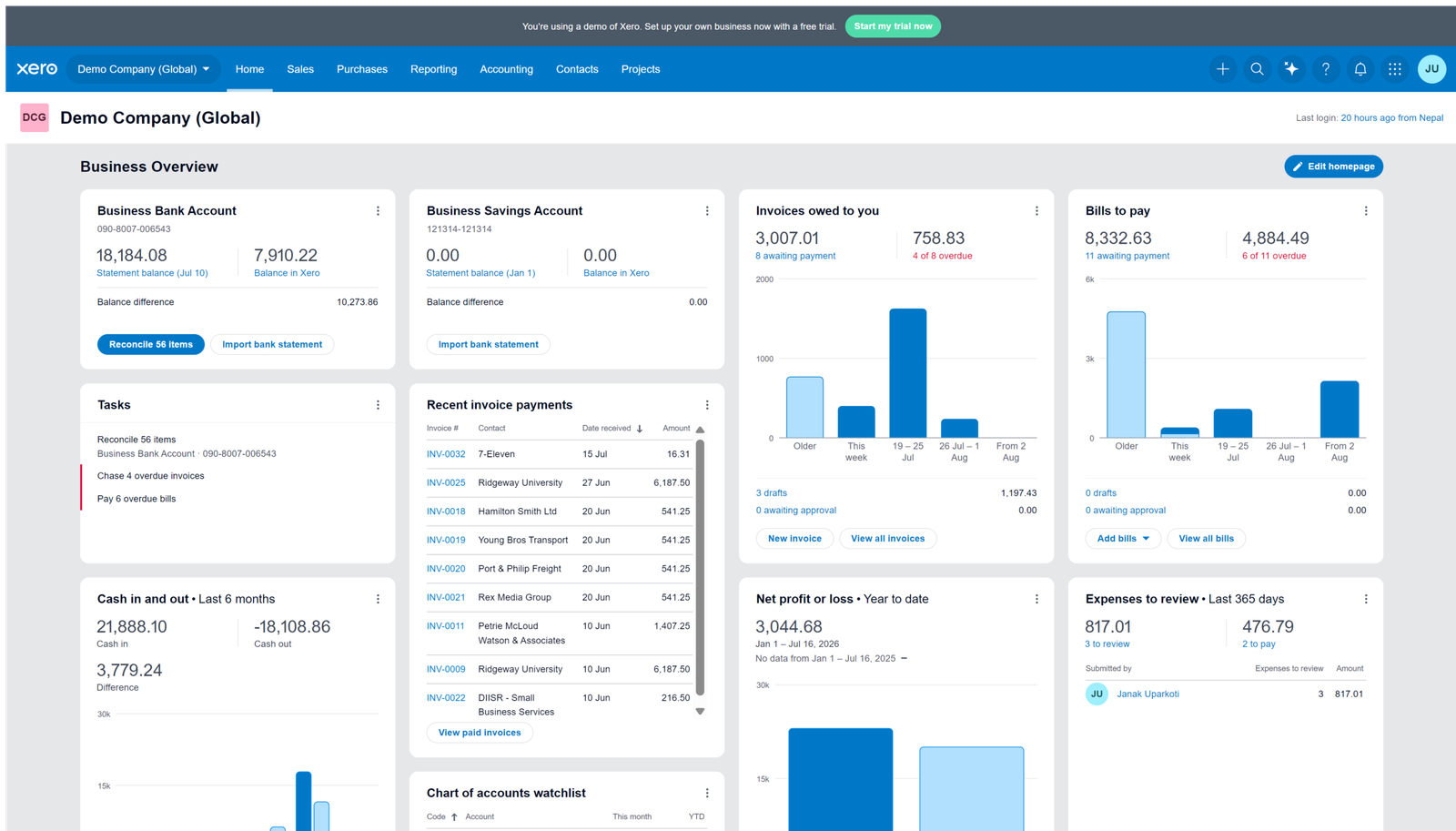
What happened: I had confused my accounting balance with my bank balance. Xero showed $8,000 because I had sent invoices for that amount. But clients hadn’t actually paid yet. The money wasn’t in my bank—it was in “accounts receivable.”

Meanwhile, I’d been confidently paying bills and contractors based on what Xero showed, not what my bank actually had.

How I recovered: I had to call three contractors and ask to delay their payments by a week. Humiliating. I also had to move money from my personal savings to cover the overdraft fees.

What I learned: The dashboard shows money you’re owed, not money you have. Now I check both Xero and my actual bank account every Monday before paying anyone.

This was 100% my fault, but Xero’s interface didn’t help me avoid a costly mistake.


The Good Stuff (That Actually Matters)

Bank feeds: Waking up, drinking coffee, and spending 10 minutes categorizing yesterday’s transactions is my routine now. My accountant says my books are cleaner than 90% of her clients.

Auto-reconcile (Growing and Established plans): This feature learns your transaction patterns and automatically matches them. It’s gotten smarter over time and now handles about 60-70% of my transactions without me touching them.

Invoice templates: I have three templates saved. Creating an invoice takes two minutes. Clients can pay with a button.

The mobile app: I’ve sent invoices from airports, approved expenses from hotel rooms, and checked who’s paid me from a beach.

Multi-currency (Established plan only): I invoice European clients in Euros, Canadians in CAD, and Xero handles the conversion automatically.

Reports that make sense: I can look at a profit and loss report and understand it. I can see where I spend too much and adjust.

180-day cash flow forecast (Established plan): This helps me plan quarterly expenses and know when I need to chase late invoices more aggressively.


What I’d Do Differently If I Started Today

  1. Pay an accountant $200 for initial setup
  2. Start fresh—don’t import old data
  3. Connect bank and Stripe on day one
  4. Watch Xero’s training videos before touching anything
  5. Set a calendar reminder to export data every quarter
  6. Understand the difference between invoiced and paid from day one
  7. Start on Growing plan if sending more than 20 invoices monthly—the Early plan cap will frustrate you quickly

The Bottom Line

After three years, I’m staying with Xero. It works. My books are clean. My accountant is happy. Tax time doesn’t scare me anymore. I get paid faster and make better business decisions.

I would not use Xero if:

  • I needed phone support when problems arise
  • I had employees as a core part of my business
  • I ran an inventory-heavy business
  • I was a brand new freelancer making under $2,000/month
  • My accountant preferred a different system
  • I sold physical products where inventory accuracy was critical
  • I only sent 5-10 invoices per month (the Early plan would work, but at $25/month, Wave’s free option makes more sense)

For consultants, agencies, service businesses, solo operators who invoice regularly—Xero is solid. It won’t change your life, but it’ll keep your finances organized without drama.

My rating: 8 out of 10

Xero doesn’t make you rich. It makes you less stupid with money. And honestly, that’s worth $90 a month.


Common Questions About Xero

Can I use Xero if I’m not good with numbers? Yes. I’m terrible at math and I use it daily. The basic features are simple. You’ll want an accountant to check in quarterly, but day-to-day is manageable.

How long until I’m comfortable using it? Two weeks of daily use and you’ll have the basics down. Two months and it becomes automatic.

Will Xero work with my bank? Probably. Xero connects to over 21,000 financial institutions. Check their website to confirm your specific bank.

Can I switch from QuickBooks to Xero? Yes, but it’s painful. Budget two weeks for migration headaches. Only switch if QuickBooks genuinely frustrates you.

Should I start with Early or Growing plan? If you send more than 20 invoices monthly or need auto-reconcile, go straight to Growing. The Early plan’s limitations will frustrate you within weeks if you’re actively growing.

Xero Software Logo.svg
Verified
our pick

90% Off for 6 Months + a $100 Amazon gift card

Streamline your accounting with this exclusive offer.
79 Only Left
Rating
5
On-Going Offer
YouTube video