
Xero Pricing Plans : Which One is Right for You?
6
minute read
15
sections
October 8, 2026
last updated
Janak Uparkoti
reviewed by

Xero pricing is the whole point of this guide. Here’s what I’d want you to know before you pick a plan or sign up.
When you pick accounting software, you’re not just paying for a tool. You’re buying the system that runs the financial backbone of your business — invoicing, bank reconciliation, reporting, compliance, payroll, all of it. Pick the wrong one and you’re stuck paying for software that caps you or pushes you into an upgrade too early. Pick the right one and it quietly gets the work done faster, easier and more accurately.
Xero is one of the better-known cloud accounting platforms, and it’s a favourite with SMEs, freelancers and accountants who want everything in one place. But with three plans — Starter, Standard and Premium — plus add-ons and multi-organisation discounts, it’s easy to end up unsure which one actually fits you.
This 2025 in-depth guide breaks down Xero pricing: what you actually get in each plan, the costs that never appear on the pricing page, and how to get the decision right the first time.
Xero Pricing at a Glance (2025)
| Plan | Monthly Price (USD) | Best For | Core Limits / Features |
|---|---|---|---|
| Starter | $29 | Freelancers & very small businesses | 20 invoices/quotes per month, enter 5 bills, bank reconciliation, Hubdoc receipt capture |
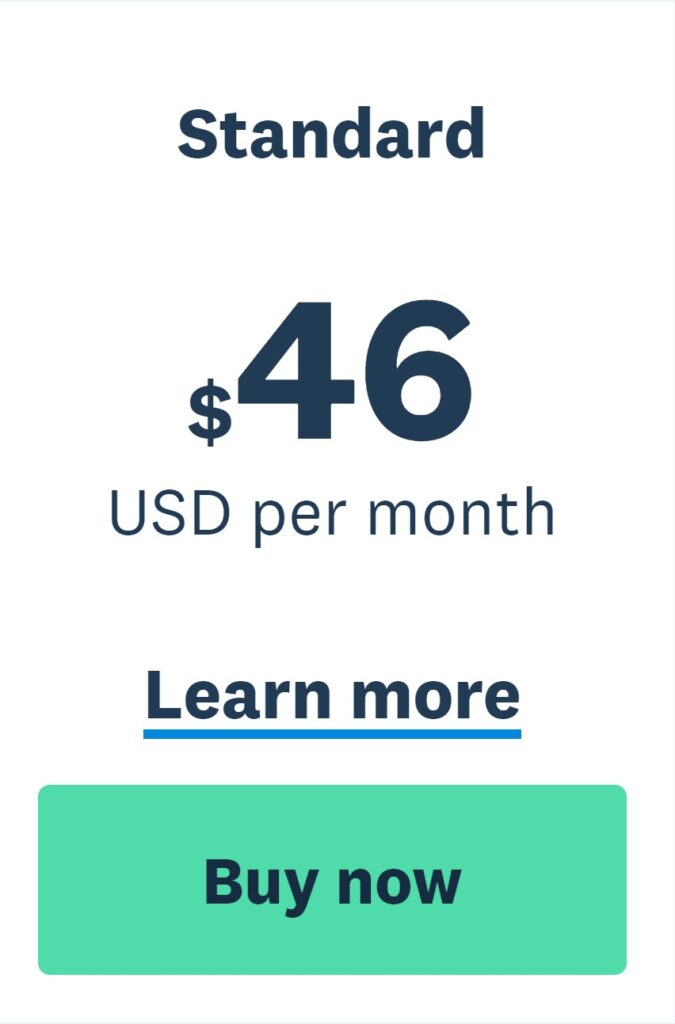
| Standard | $46 | Growing small businesses | Unlimited invoices & bills, bank reconciliation, Hubdoc, short-term cash flow & business snapshot |
| Premium | $69 | Businesses dealing in multiple currencies | All Standard features + multi-currency support |
Add-ons:
- Expenses – from $4/month
- Projects – from $7/month
- Analytics Plus – from $7/month
Why the Right Plan Matters
The gap between tiers isn’t really about what the software can do. It’s about how much you’re allowed to use, and whether you get features like multi-currency.
Before we get into the tiers, hold on to this one: Xero’s core accounting is solid across every plan. Don’t worry about that part.
Here’s why choosing the right tier upfront matters:
- Hard caps on your usage can bring your workflow to a screeching halt (a problem with the Starter plan).
- Add-ons have extra costs, and the costs can add up.
- When you upgrade in the middle of the year, this can change your reporting and cash flow tracking.
- It makes budgeting for the year easier when you know your actual monthly costs.
Plan 1: Starter — $29/month

Who it’s for
- Freelancers
- Solo consultants
- Side hustlers with low transaction volumes
- Micro-businesses under $50k/year turnover
The Starter plan is Xero’s entry-level option. It’s cheap and it includes all the core accounting tools — but it comes with strict limits that most growing businesses hit sooner than they expect.
Included Features:
- Send up to 20 invoices/quotes per month
- Enter up to 5 bills per month
- Bank reconciliation
- Hubdoc integration to capture bills and receipts
- Short-term cash flow and business snapshot tools
What’s missing:
- Unlimited invoicing
- Bulk reconciliation
- Multi-currency support
- Project tracking unless you pay for an add-on
| Pros | Cons |
|---|---|
| Low cost for basic needs | Limits are too tight for most growing businesses |
| Great for testing Xero before committing | No room to scale without upgrading |
Verdict: A fine starter point for freelancers and very small businesses, but not a long-term solution if you expect even moderate transaction growth.
Plan 2: Standard — $46/month
Who it’s for
- Small businesses with consistent monthly transactions
- Service-based companies without international payments
- Retailers operating in a single currency
The Standard plan drops the volume caps, which is why it’s the option most people settle on for everyday business use.
Included Features:
- Unlimited invoices and quotes
- Unlimited bills
- Bank reconciliation
- Hubdoc integration
- Short-term cash flow and business snapshot
- Bulk reconciliation for faster processing
Key benefits:
- No usage caps — perfect for steady or growing businesses
- Balanced cost-to-feature ratio
- All essentials for domestic business accounting
What’s missing:
- No multi-currency
- Still requires add-ons for expenses, projects, or advanced analytics
Verdict: The sweet spot for most domestic businesses. You get everything you need without overpaying for features you don’t.
Plan 3: Premium — $69/month

Who it’s for
- Businesses trading internationally
- Companies paying or receiving in multiple currencies
- E-commerce businesses selling globally
The Premium plan gives you everything in Standard, plus multi-currency support.
Included Features:
- All Standard plan features
- Multi-currency invoicing, payments, and reporting
- Automatic currency conversions at daily rates
Verdict: If you regularly deal with overseas clients or suppliers, Premium is essential. If you don’t, stick with Standard and save the $23/month.
Xero Add-ons (Optional Costs)
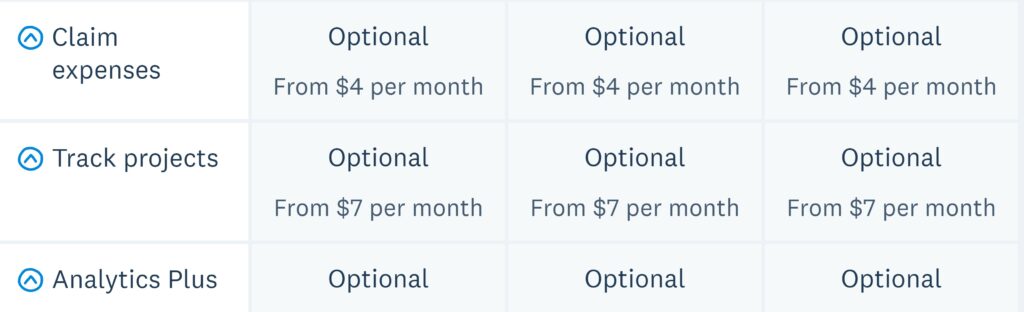
Xero’s plans cover the core accounting. A few features still cost extra.
- Expenses – from $4/month
Track and manage employee expense claims. - Projects – from $7/month
Track time, costs, and profitability for projects. - Analytics Plus – from $7/month
Get advanced forecasting and trend analysis.
Hidden cost warning: Premium + all add-ons can push your bill to $87/month.
Discounts for Multiple Organisations
Running more than one business on Xero? Here’s how the discount works:
- Use the same subscriber email and country edition for automatic discounts.
- If businesses are in different countries, contact Xero support for a manual discount.
- Discounts are applied per additional organisation.
Feature Comparison Table
| Feature | Starter | Standard | Premium |
|---|---|---|---|
| Monthly Price (USD) | $29 | $46 | $69 |
| Invoices & Quotes Limit | 20 | Unlimited | Unlimited |
| Bills Limit | 5 | Unlimited | Unlimited |
| Bank Reconciliation | Yes | Yes | Yes |
| Hubdoc Receipt Capture | Yes | Yes | Yes |
| Short-term Cash Flow Tools | Yes | Yes | Yes |
| Bulk Reconciliation | No | Yes | Yes |
| Multi-Currency | No | No | Yes |
| Add-on: Expenses | $4/mo | $4/mo | $4/mo |
| Add-on: Projects | $7/mo | $7/mo | $7/mo |
| Add-on: Analytics Plus | $7/mo | $7/mo | $7/mo |
Cost Scenarios: Yearly Projection
| Plan | Base Cost (USD/year) | With All Add-ons | With 2 Businesses (10% discount) |
|---|---|---|---|
| Starter | $348 | $528 | $470 |
| Standard | $552 | $732 | $677 |
| Premium | $828 | $1,044 | $1,489 (for two orgs with add-ons) |
Real-World Scenarios
Scenario 1: Freelancer
- Sends 8 invoices/month, tracks 3 bills
- Works with local clients only
- Best fit: Starter
Scenario 2: Local retail shop
- Sends 40 invoices/month, tracks 20 bills
- Operates in USD only
- Best fit: Standard
Scenario 3: E-commerce brand selling globally
- Sends 100+ invoices/month
- Accepts EUR, GBP, USD
- Best fit: Premium
Common Mistakes When Choosing a Plan
- Starting too small — Many pick Starter to save money, then upgrade within months.
- Ignoring add-on costs — They can raise your bill by 25–40%.
- Not factoring currency needs — Occasional foreign transactions still justify Premium.
- Forgetting seasonal spikes — A busy quarter can blow through Starter’s caps.
Xero vs QuickBooks vs FreshBooks
| Feature | Xero Standard | QuickBooks Plus | FreshBooks Plus |
|---|---|---|---|
| Price (USD/month) | $46 | $115 | $140 |
| Unlimited invoices | Yes | Yes | Yes |
| Multi-currency | No (Premium only) | Yes (included) | Yes (included) |
| Projects | Add-on | Included | Included |
| User limit | Unlimited* | 5 users | Unlimited |
*Xero charges per organisation, not per user.
How to Choose the Right Plan
Ask yourself:
- Do I send more than 20 invoices/month?
- Yes → Skip Starter
- Do I pay/receive in foreign currency?
- Yes → Premium
- Do I need project tracking or expense claims?
- Yes → Budget for add-ons
- Do I run multiple businesses?
- Yes → Check discount eligibility
Xero’s Primary Service Regions
🇳🇿 New Zealand
🇦🇺 Australia
🇬🇧 United Kingdom
🇺🇸 United States
🇨🇦 Canada
Final Thoughts
The gap between Starter and Standard isn’t about features — it’s about limits. For most growing businesses those limits force an upgrade anyway. Premium is for companies dealing in multiple currencies. And while Xero’s add-ons buy you flexibility, they also lift the monthly bill.
If you want to future-proof the books without overpaying, start with Standard unless your business model clearly needs Premium from day one.
Related Accounting Software Guides
Official resource: Xero official website
Related guides: Accounting Software Resource Center · Accounting Software Comparisons



