Best Accounting Software for Small Business (2026): 5 Picks and Real Costs
11
minute read
17
sections
October 17, 2026
last updated
Janak Uparkoti
reviewed by

So, you need accounting software for your small business, and every list you open says something different. One says QuickBooks. Another says Xero. A third says free is all you need.
Don’t worry. I’m an accountant, I’ve worked in all five of the products below, and I’ll show you what each one really costs once the intro discount runs out. That’s the number most lists skip.
I’ll cover QuickBooks Online, Xero, Zoho Books, FreshBooks and Wave, using US prices. If you’re in the UK or Australia, there’s a short section for you near the end.
Prices last checked
US list prices checked 8 October 2026; Xero re-checked on its US pricing page on 16 October 2026. Offers change often, so confirm on the vendor’s site before you buy.
My picks at a glance
- Best overall for a growing business: QuickBooks Online (Essentials, 3 users). Read my review.
- Best if several people need access: Xero (Growing, unlimited users). Read my review.
- Best value on a budget: Zoho Books (Professional). Read my review.
- Best for freelancers and service businesses: FreshBooks (Plus). Read my review.
- Best free option: Wave Starter. Read my review, or compare every free plan in the best free accounting software.
Here’s the honest truth: the right one depends on three things. How many people need to log in, whether you want payroll in the same place, and what you can afford in month four, when the discount ends.
How I chose
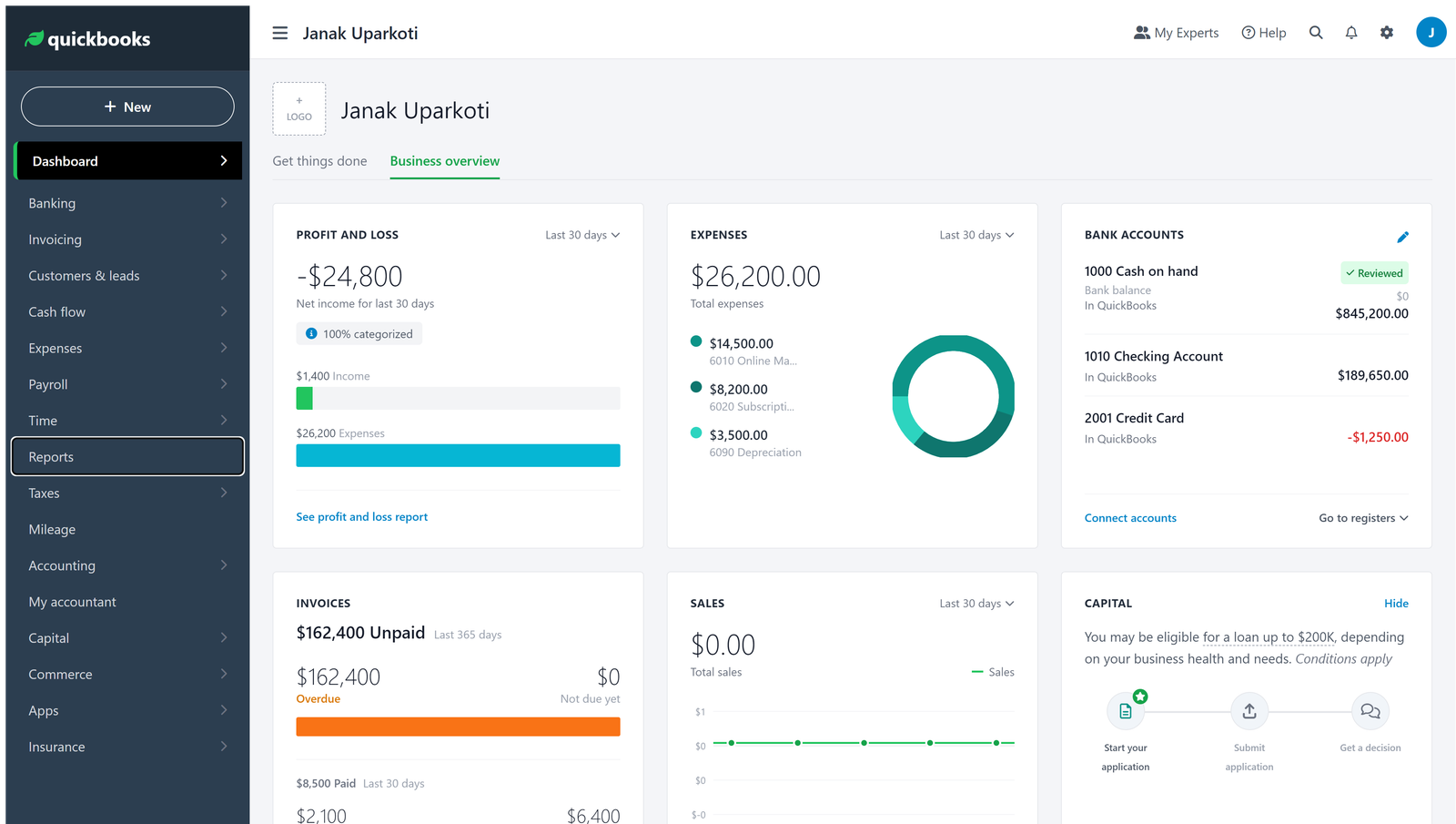
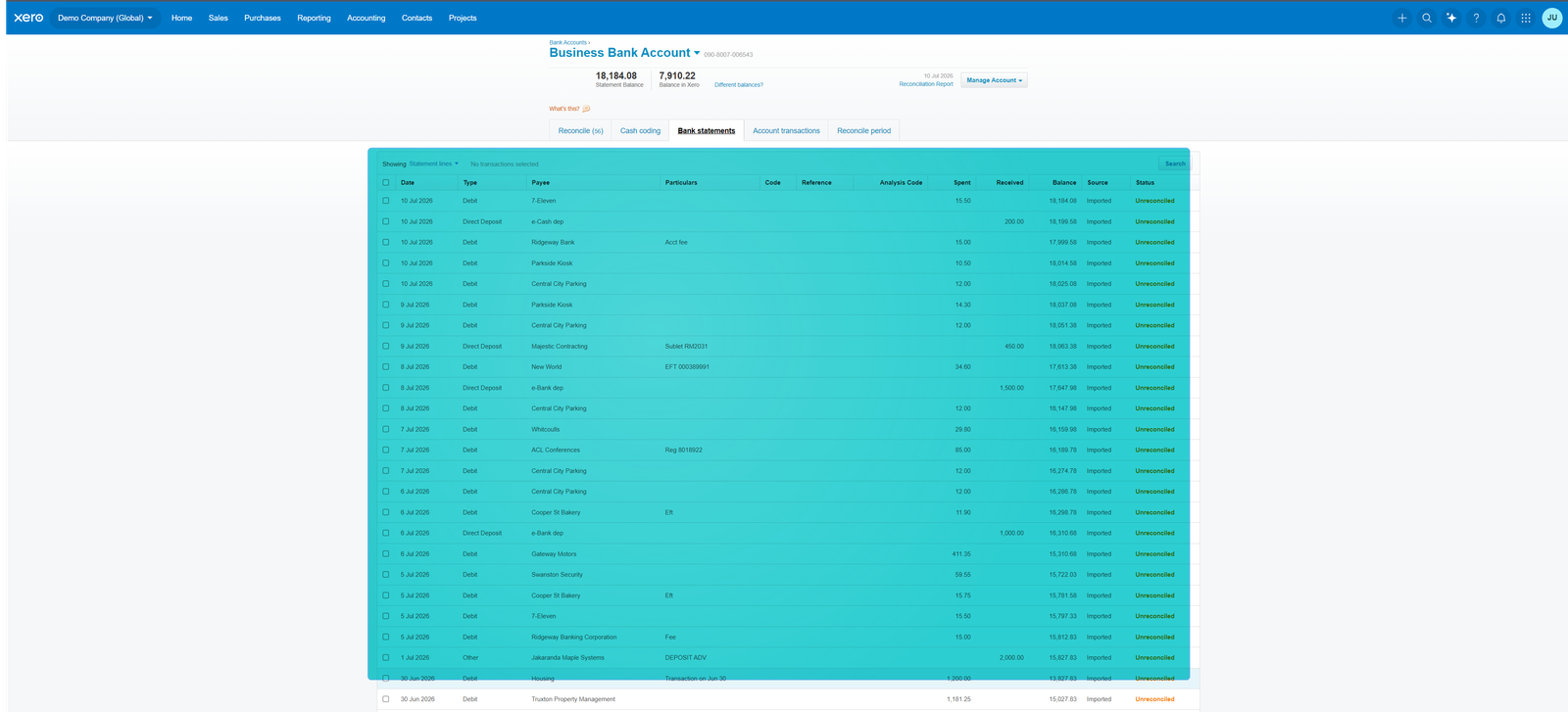
I have accounts in all five products and I’ve worked in each of them myself. The screenshots on this page come from my own trial accounts.
Prices and plan limits come from each company’s official US pricing page, and I’ve said so wherever a point comes from the vendor rather than from my own use.
I judged every product on the same seven things:
- Accounting depth: invoicing, expenses, bills, bank reconciliation and reports.
- Real cost over two years for a three-person service business, intro offer included.
- Users and accountant access: do you pay per login?
- Payroll: built in, an add-on, or missing, and the cost for five employees.
- Inventory, for anyone who sells physical products.
- Plan limits that could force an upgrade within a few months.
- Room to grow from one person to a team.
The full method is on how I test accounting software.
Comparison at a glance
| Software | Starting price | Users | Payroll | Best for |
|---|---|---|---|---|
| QuickBooks Online | $38/mo | 1 on Simple Start; 3 on Essentials | Add-on: $50 + $7/employee | Growing, accountant-led businesses |
| Xero | $27/mo | Unlimited on every plan | Gusto add-on: $36 + $6/person | Teams that hate per-user fees |
| Zoho Books | Free, or $20/mo | 1 on Free; 3+ on paid plans | Zoho Payroll on higher plans; price on request | Budget-conscious businesses |
| FreshBooks | $23/mo | Billable clients: 5 on Lite, 50 on Plus | Gusto add-on: $40 + $6/person | Freelancers and service businesses |
| Wave | Free | Starter: 1 user | Add-on: $40 + $6/employee | Solo owners with no staff |
1. QuickBooks Online: best overall for a growing business
QuickBooks is the one your accountant probably already knows. That matters more than you’d think. You can add users, payroll and inventory as you grow, without ever switching software.
Pricing
- Simple Start: $38/mo (1 user)
- Essentials: $85/mo (3 users). Most small businesses start here.
- Plus: $140/mo (5 users), with inventory
- Advanced: $340/mo (25 users)
- Intro offer: 50% off for 3 months, then full price
- Free trial: 30 days
Here’s the maths for three people on Essentials. Three months at $42.50 is $127.50. Nine months at $85 is $765. That’s $892.50 in year one, then $1,020 a year from year two.
Payroll through Intuit is $50 a month plus $7 per employee. For five employees, that’s $85 a month, or $1,020 a year.
Pros
- Your accountant most likely already uses it.
- Inventory tracking from the Plus plan up.
- Industry versions for contractors, restaurants and retail.
Cons
- Per-user plans get expensive as your team grows.
- The discount only lasts three months, so month four can be a shock.
- Support is online only.
Choose QuickBooks if
You want the software your accountant uses, you’re hiring, and you need inventory. If you hate per-user fees and expect a bigger team, Xero usually works out cheaper.
More: QuickBooks pricing, plan by plan · Xero vs QuickBooks · everything on QuickBooks
2. Xero: best if several people need access
Xero’s big advantage is simple: every plan includes unlimited users. If you’ve got a co-owner, a bookkeeper and an accountant who all need to log in, that saves real money.
Pricing
- Early: $27/mo, up to 20 invoices and 5 bills a month
- Growing: $59/mo, unlimited invoices and bills
- Established: $97/mo, with multi-currency and advanced analytics
- Intro offer: 80% off for 3 months, then full price
- Free trial: 30 days
Xero raised its US prices on 1 October 2026: Early went from $25 to $27, Growing from $55 to $59, and Established from $90 to $97. Plenty of articles still quote the old numbers.
For three people on Growing, three months at $11.80 is $35.40. Nine months at $59 is $531. That’s $566.40 in year one, then $708 a year.
Xero Payroll, powered by Gusto, is $36 a month plus $6 per person. For five employees, that’s $66 a month, or $792 a year.
Pros
- Unlimited users on every plan.
- Free accountant access, and most accountants outside the US already know it.
- Bank reconciliation is quick and clear.
Cons
- Early’s 20-invoice cap is tight, so most people move to Growing quickly.
- Multi-currency needs Established.
- Support is online, not by phone.
Choose Xero if
You’re building a team and don’t want per-user surprises. Once you have a few people, Growing usually beats QuickBooks Essentials on price. Working alone? QuickBooks Simple Start may be cheaper.
More: Xero pricing, plan by plan · current Xero offer · everything on Xero
3. Zoho Books: best value on a budget
Zoho Books has the cheapest paid plans here, and a free plan that’s genuinely useful. If you already use other Zoho apps, that’s a bonus.
Pricing
- Free: $0. One user plus your accountant, up to 1,000 invoices a year, revenue under $50,000 a year
- Standard: $20/mo, or $15/mo billed annually (3 users)
- Professional: $50/mo, or $40/mo billed annually (5 users, with inventory)
- Premium: $70/mo, or $60/mo billed annually (10 users)
- Free trial: 14 days on paid plans
On annual Professional you pay $480 in year one and $480 in year two. There’s no intro offer to wear off.
Zoho Payroll is included on higher plans, but Zoho doesn’t publish the price, so you’ll need a quote.
Pros
- The free plan is real, and includes accountant access.
- Inventory comes with Professional, not as an add-on.
- The price stays the same in year two.
Cons
- Payroll pricing is hidden until you ask.
- Support is email and chat, not phone.
- The screens are busier, so it takes longer to learn than Xero.
Choose Zoho Books if
You’re watching every dollar and your accountant is happy to work in Zoho. If you already use Zoho CRM, it’s an easy decision.
More: Zoho Books pricing · Xero vs Zoho Books · everything on Zoho Books
4. FreshBooks: best for freelancers and service businesses
FreshBooks is built for people who bill clients for their time: consultants, designers, agencies. Invoicing and time tracking come first. Accounting depth comes second.
Pricing
- Lite: $23/mo, up to 5 billable clients
- Plus: $43/mo, up to 50 billable clients
- Premium: $70/mo, unlimited billable clients
- Extra team members: $11 per person per month
- Intro offer: 80% off for 4 months on the Buy Now deal (the free trial doesn’t apply to it)
Say you’re on Plus with two team members. Four months at $8.60 is $34.40, eight months at $43 is $344, and the two team members add $264 over the year. That’s $642.40 in year one and $780 in year two. I’ve assumed the offer doesn’t cover team members.
Payroll through Gusto is $40 a month plus $6 per employee.
Pros
- Time tracking is built in.
- Clean invoices your clients will actually understand.
- You pay only for the team members you add.
Cons
- Client limits push you up a plan quickly: Lite stops at 5, Plus at 50.
- Reconciliation and reporting are lighter than in Xero or QuickBooks.
- Fewer accountants work in it day to day.
Choose FreshBooks if
You bill by the hour or by project. If you need inventory, multi-currency or deeper reporting, look at Xero or QuickBooks instead.
More: FreshBooks pricing · FreshBooks for freelancers · everything on FreshBooks
5. Wave: best free option
Wave’s Starter plan is free and works well for a solo owner with no staff. If you need more, Pro is the cheapest paid plan on this list.
Pricing
- Starter: $0
- Pro: $19/mo, or $190 a year. Automatic bank imports are part of Pro.
- No intro offer
On Pro you pay $190 in year one and $190 in year two.
Payroll is an add-on at $40 a month plus $6 per employee.
Pros
- Starter really is free, with unlimited invoicing.
- 1099 contractor tracking is included.
- Pro is the cheapest paid plan here.
Cons
- On Starter you enter or upload bank transactions yourself.
- Reporting is basic.
- No inventory.
Choose Wave if
You work alone, have no staff, and send a modest number of invoices. Once you hire or your volume grows, plan to move to one of the others.
More: Wave vs QuickBooks · Xero vs Wave · everything on Wave
What you will really pay: year one vs year two
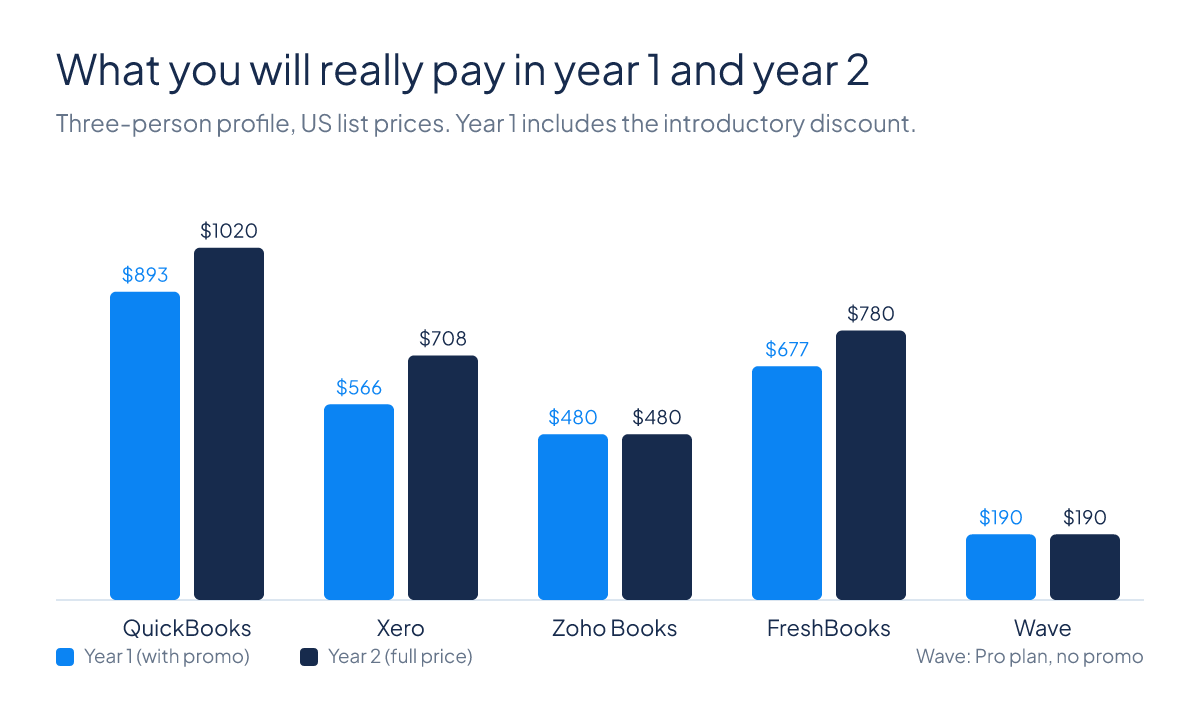
Intro offers feel great for three months. But the year-two price is the one you’ll live with.
| Software | Plan | Year 1 (with offer) | Year 2 (full price) | Two-year total |
|---|---|---|---|---|
| QuickBooks Online | Essentials, 3 users | $892.50 | $1,020 | $1,912.50 |
| Xero | Growing, unlimited users | $566.40 | $708 | $1,274.40 |
| Zoho Books | Professional, annual | $480 | $480 | $960 |
| FreshBooks | Plus + 2 team members | $642.40 | $780 | $1,422.40 |
| Wave | Pro, annual | $190 | $190 | $380 |
The offers matter: they save $127.50 on QuickBooks and $162.80 on Xero. But once they end, Xero stays cheaper than QuickBooks for a team of three. Zoho and Wave don’t discount, so they cost the same both years.
Payroll costs compared
Hiring your first five people and want payroll next to your accounts? Here’s the monthly cost:
| Software | Provider | Base/month | Per employee | Five employees/month | Per year |
|---|---|---|---|---|---|
| QuickBooks | Intuit | $50 | $7 | $85 | $1,020 |
| Xero | Gusto | $36 | $6 | $66 | $792 |
| FreshBooks | Gusto | $40 | $6 | $70 | $840 |
| Wave | Wave Payroll | $40 | $6 | $70 | $840 |
| Zoho Books | Zoho Payroll | On request | – | – | – |
The free options compared
| Plan | Price | Main limits | Accountant access |
|---|---|---|---|
| Zoho Books Free | $0 | 1,000 invoices a year; revenue under $50,000 | Yes |
| Wave Starter | $0 | Unlimited invoicing; bank auto-import needs Pro | Check your plan |
If your accountant needs to see your books, Zoho Books Free is the safer free choice. Working alone with lots of invoices? Wave Starter has no invoice cap. The full rundown is in the best free accounting software.
Which one should you pick?
Solo freelancer, no employees
Start with Wave Starter, or Zoho Books Free if you want your accountant involved. More options in the best accounting software for freelancers.
Service business with two to five people
Choose Xero Growing or FreshBooks Plus. QuickBooks Essentials works too, but per-user costs add up.
Ecommerce or retail with stock
Choose QuickBooks Plus or Zoho Books Professional, which both include inventory. Skip Wave. Selling online? Read the best accounting software for ecommerce.
Brand-new startup
Pick something you won’t outgrow in a year. The best accounting software for startups walks through it.
Your accountant is in the books every week
Choose QuickBooks Online or Xero. Both make accountant access easy, and most accountants know at least one of them.
Best accounting software by industry
Every industry has its own wrinkle: job costing for builders, food costs for restaurants, client retainers for agencies. These guides pick the right software and setup for each one.
- Contractors and construction: job costing, retainage and subcontractors
- Restaurants, cafés and bars: POS sync, food costs and tips
- Ecommerce and online stores: inventory, marketplaces and payouts
- Freelancers and the self-employed: invoicing, time and expenses
- Startups: investors, burn rate and room to grow
Outside the US? Read this first
The prices above are US prices. In the UK, Australia and New Zealand the picture changes: Xero is far more common, and local tax rules matter.
- UK: Making Tax Digital rules your choice. Compare Xero vs Sage and see Xero’s current UK offer.
- Australia: compare Xero vs MYOB and see Xero’s current Australian offer.
- New Zealand: see Xero’s current New Zealand offer.
Also considered
Sage is a strong choice in the UK, especially if your bookkeeper already uses it. See my Sage guide. NetSuite is enterprise software, worth a look only once you have several companies or serious revenue.
Frequently asked questions
Do I need an accountant to use accounting software?
No. QuickBooks, Xero and Zoho Books handle day-to-day bookkeeping on their own. An accountant is still worth it at tax time, and for a one-off check that your setup is right.
New to bookkeeping altogether? Start with my small business bookkeeping guide.
Can I switch later?
Yes, but it takes time. Plan for a few hours of exporting, importing and checking balances. That’s why it’s worth picking carefully now. How to choose accounting software helps.
Will the software file my taxes?
No. It organises your income and expenses. Your accountant or tax software files the return.
Is payroll included?
Usually not. QuickBooks, Xero, FreshBooks and Wave sell payroll as an add-on. Zoho includes it on higher plans but doesn’t publish the price.
Can I cancel any time?
All five are month to month, with no long contract. Some give a discount for paying annually.
My verdict
QuickBooks Online is the safe, scalable choice your accountant probably knows. Xero is smarter if more than two people need access. Zoho Books is the value pick. FreshBooks suits anyone who bills for their time. Wave is for solo owners who want to pay nothing for now.
Here’s what I’d do: take the free trial of your top two, and run one real month of invoices and a bank reconciliation through each. You’ll learn more in an afternoon than from any comparison, this one included.
Still torn between two? Read Xero vs QuickBooks, or see every comparison on the comparisons page.
How this site makes money
Some links on this page are affiliate links. If you sign up through one, I may earn a commission at no cost to you. It never decides the ranking. Read the full disclosure.