
FreshBooks Pricing Plans 2026: What You’ll Actually Pay
10
minute read
27
sections
October 8, 2026
last updated
Janak Uparkoti
reviewed by

FreshBooks pricing looks simple until you factor in client limits, extra users, add-ons, and what you pay once the introductory deal runs out. So I wouldn’t pick a plan just because of the big discount on the signup page.
The better question is: what will FreshBooks actually cost for the way your business works?
For a solo freelancer, the answer can be pretty reasonable. For a growing service business with lots of clients and a few team members, the sums start to change.
FreshBooks pricing in 2026 at a glance
For the US market, the pricing I checked lists FreshBooks Lite at $23 per month, Plus at $43, and Premium at $70 before promotional discounts. FreshBooks also offers a Select plan for businesses that need a custom arrangement.
| Plan | Regular monthly price | Billable clients | Best fit |
|---|---|---|---|
| Lite | $23 | 5 | Very small freelancer |
| Plus | $43 | 50 | Growing freelancer or service business |
| Premium | $70 | Unlimited | Higher-volume client billing |
| Select | Custom | Unlimited | Businesses needing custom support |
FreshBooks also advertises a 30-day trial. Promo pricing can make the first few months feel much cheaper, but budget with the normal recurring price.
The biggest thing to understand: billable clients
FreshBooks doesn’t just split plans by features. Client limits matter just as much.
Lite is built around up to five billable clients. Plus raises that to 50, and Premium removes the ceiling altogether.
That can change the real cost of the software by a lot.
Say you’ve got four clients today. Lite looks fine. Then you land three more and suddenly the plan limit is part of your software decision.
That isn’t necessarily bad pricing. It’s just something to know before you build your whole workflow around the cheapest plan.
FreshBooks Lite: $23 per month
Lite is the entry-level paid plan, aimed mainly at freelancers and very small service businesses.
It covers the everyday jobs you’d expect: invoicing, expense tracking, estimates, payments, and basic financial reporting. If you work alone with a small client list, that can be enough.
The five-client limit is the bit I’d keep an eye on.
If you’ve got five or fewer billable clients and don’t need anything fancier, Lite keeps the monthly cost predictable. If you’re adding clients all the time, Plus may make sense sooner than you think.
FreshBooks Plus: $43 per month
Plus is where FreshBooks starts to feel practical for a growing service business.
The client limit rises to 50, and you get extra features built for a more established workflow, including proposals, retainers, richer reporting, receipt scanning, and accountant access.
For a lot of consultants, agencies, and professional service providers, this is the plan that feels like the sweet spot.
You pay more, but you’re also buying room to grow without jumping straight to the top tier.
FreshBooks Premium: $70 per month
Premium is for businesses that need unlimited billable clients and more advanced features.
If you run a service business with a big client list, unlimited clients can be far more useful than squeezing into a cheaper plan and worrying about the limit every month.
But $70 a month is real money, so I’d compare alternatives before committing.
Xero and QuickBooks may be more attractive if you need a broader accounting system rather than a platform built around client billing.
What is FreshBooks Select?
Select is the custom option for businesses that need more than the standard plans offer.
The honest answer is that there’s no simple “Select costs $X” figure. If you’re considering it, you’ll need to talk to FreshBooks about your requirements.
This kind of plan can make sense when onboarding, support, account requirements, or other business needs justify a tailored deal.
FreshBooks promotions can make the first bill look misleadingly cheap
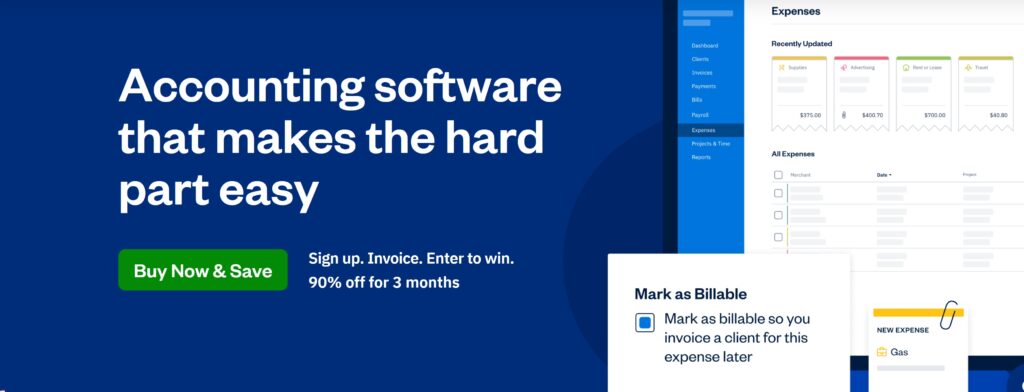
FreshBooks is currently running a limited-time introductory promotion on its US pricing page. According to the pricing I checked, that’s a 90% discount for three months, which makes the first prices look far lower than the normal subscription rates.
For example, the promotional figures I found are $2.30 for Lite, $4.30 for Plus, and $7 for Premium during the promotional period.
That’s great, right up until the bill goes back to normal.
If you sign up at a heavy discount, note the date the promotion ends. Don’t build your annual software budget around the promo price.
What happens after the promotion?
Once the promotional period ends, you should expect the regular subscription price to apply, unless FreshBooks offers something different or changes its pricing.
That’s why I compare software using two numbers: the introductory cost and the normal cost.
The intro price tells you what it costs to try the product. The regular price tells you what it costs to run your business on it.
Extra users can change the calculation
FreshBooks lists Team Members at $11 per user per month.
That sounds manageable when you need one more person. Add several people, though, and the bill looks very different.
| Example | Base plan | Extra users | Illustrative monthly total |
|---|---|---|---|
| Solo freelancer | Lite $23 | None | $23 |
| Owner + 1 team member | Lite $23 | $11 | $34 |
| Owner + 1 team member | Plus $43 | $11 | $54 |
| Owner + 2 team members | Plus $43 | $22 | $65 |
These are just the base subscription plus the Team Member price I found. Your real bill depends on the access level and services you pick, so check FreshBooks’ current pricing before you subscribe.
FreshBooks add-ons
The subscription isn’t always the whole bill.
The pricing I checked lists Team Members at $11 per user per month, Advanced Payments at $20 per month, and FreshBooks Payroll at $40 per month plus $6 per user.
If you need several of these, add them up before deciding which plan you can afford.
It’s easy to look at a $23 monthly subscription and forget that the workflow might also need another $20, $40, or more in services.
Who is FreshBooks pricing best for?
FreshBooks makes the most sense when client billing is at the heart of the work.
Think freelancers, consultants, designers, agencies, contractors, and other service businesses that spend a lot of time creating invoices, tracking client work, collecting payments, and managing expenses.
It’s less obviously the right pick when you need deep inventory management, complicated purchasing, or a broader accounting system for a bigger operation.
FreshBooks for freelancers
This is where FreshBooks is easiest to understand.
If you’re a freelancer, you probably don’t want to spend your evenings setting up an accounting system. You want to send an invoice, log an expense, record a payment, and know whether the business is making money.
FreshBooks is built around that kind of day.
For a solo provider with a small client list, Lite or Plus may be all you need.
FreshBooks for agencies and service businesses
Once you’ve got a team, several clients, recurring work, and projects, Plus or Premium starts to look more interesting.
The decision comes down to client volume, team access, reporting needs, and the other services you rely on.
Don’t jump to Premium automatically. If you have 20 clients, for example, you may not need unlimited billable clients. Plus could be the better fit.
FreshBooks vs Xero on pricing
Xero is worth comparing because its pricing works differently.
The US pricing I checked lists Xero plans starting at $25 per month after the introductory period, with Growing at $55 and Established at $90. Xero also advertises no per-user licence fees under its standard structure.
That doesn’t automatically make Xero cheaper.
If you’re a solo consultant who mostly cares about clients, invoices, and service work, FreshBooks may fit your workflow better, even if another platform looks cheaper on a feature list.
But once you add several users and need a broader accounting system, Xero’s pricing deserves a close look.
Our Xero vs FreshBooks comparison is useful if you’re torn between the two.
FreshBooks vs QuickBooks
QuickBooks Online is broader accounting software. It can be the better fit if you need inventory, more detailed accounting workflows, deeper integrations, or a system your accountant already knows well.
FreshBooks has a more focused, service-business feel.
So if you’re comparing the two, don’t ask which one has more features. Ask which features matter to you.
FreshBooks pricing for a growing business
Let’s say you’re starting as a solo consultant.
You might begin on Lite. As your client list grows, you move to Plus. If you outgrow 50 clients, Premium is the next step.
That’s a straightforward path, but the cost goes up as the business grows. That’s normal. What matters is knowing where the pricing changes.
I’d rather know that threshold before I hit it.
What I like about FreshBooks pricing
- The plans are relatively easy to understand.
- The client limits make each tier’s purpose obvious.
- There’s a 30-day trial so you can test the workflow.
- Solo service businesses can start without buying an oversized package.
- The introductory promotion can make the first few months cheap.
What I’d watch
- The regular price matters far more than the promo price.
- Client limits can push you onto a higher plan.
- Extra users push the monthly cost up.
- Add-ons like payroll and advanced payments can raise the total.
- Businesses needing broader inventory or accounting features should compare alternatives.
How I would choose a FreshBooks plan
Choose Lite if you work solo, have no more than five billable clients, and your accounting needs are simple.
Choose Plus if your client list is growing and you need more capacity and richer service-business tools.
Choose Premium if unlimited billable clients really matter to your business.
Choose Select if you need a custom setup or support arrangement the standard plans don’t cover.
What should you budget for FreshBooks?
Use the normal recurring price as your baseline.
Then add what you actually need: team members, payroll, payment services, and any other paid extras.
For a solo freelancer, that sum is simple. For a growing agency, it’s worth running the numbers over 12 months.
A plan that looks cheap at signup can turn into a very different expense once a few users and add-ons are in the mix.
Is FreshBooks expensive?
I wouldn’t call FreshBooks automatically expensive or cheap.
It’s reasonably priced when the software fits the business. A freelancer who saves time on invoicing and client admin can get plenty of value from it.
A product business that needs inventory, purchasing, complex reconciliation, and broader accounting may get far less from the same subscription.
That’s the part a simple monthly figure can’t tell you.
My practical recommendation
If you’re a freelancer or service business and your day revolves around clients, invoices, payments, and projects, FreshBooks belongs on your shortlist.
If you’re building something bigger, compare it with Xero and QuickBooks before committing to Premium. A broader accounting platform may give you more room for the same kind of long-term growth.
And if you see a huge introductory discount, enjoy it, but budget for the regular price from day one.
Our FreshBooks Review 2026 covers the software itself, while our Xero vs FreshBooks comparison looks at the wider choice.
FreshBooks pricing: the number that matters most
The figure that counts isn’t the discounted first payment. It’s the normal price multiplied across the time you expect to use the software.
If you plan to stay with FreshBooks for three years, a temporary promotion is a nice bonus, but it shouldn’t decide things. The recurring subscription, client limit, user costs, and add-ons will shape your long-term budget far more.
Count clients before choosing Lite
Five clients can sound like plenty until your business grows. If you’re already near that number, I’d look at Plus before signing up for Lite.
That doesn’t mean spending more right away. It means knowing the upgrade point so it doesn’t catch you off guard.
Count users too
Team access changes the economics. A solo freelancer and a five-person service business aren’t buying the same product, even if they start on the same base plan.
Before you subscribe, list everyone who genuinely needs access and include those costs in your comparison with Xero and QuickBooks.
My practical FreshBooks recommendation
For a solo service provider, FreshBooks can be a very sensible choice. The workflow is built around what service businesses actually do: clients, invoices, payments, expenses, and projects.
For a product business or a larger operation, I’d compare broader accounting platforms before committing to the higher FreshBooks tiers.
And if you’re using a big introductory discount, enjoy the lower first bill, but plan around the regular price from day one.
Frequently asked questions
How much does FreshBooks cost in 2026?
The US pricing I checked lists Lite at $23 per month, Plus at $43, and Premium at $70, with Select available on a custom basis.
Does FreshBooks have a free trial?
Yes. According to the pricing I checked, FreshBooks offers a 30-day trial.
How much do FreshBooks extra users cost?
FreshBooks currently lists Team Members at $11 per user per month in the pricing I checked.
Is the FreshBooks 90% discount permanent?
No. The US offer is a limited-time introductory promotion for three months. Budget around the regular recurring price after that.
Which FreshBooks plan is best for a freelancer?
Lite can work well for a solo freelancer with up to five billable clients. Plus makes more sense once your client list or reporting needs grow.
Official resource: Freshbooks official website
Related guides: FreshBooks Resource Center · Accounting Software Resource Center



