
Xero vs Sage 2026: Which Accounting Software Is Better?
12
minute read
18
sections
October 16, 2026
last updated
Janak Uparkoti
reviewed by

How this was tested: These screenshots are from my own Xero trial account. Screenshots below are from those accounts, captured in August 2026.
Xero vs Sage: which one makes more sense for your business?
So, you’re trying to choose between Xero and Sage. It isn’t really a fight between a “modern” product and an “old” one. The better choice depends on how you work, how complex your books are, how many people need access, and whether you want cloud-first accounting or deeper desktop-style controls.
There’s another thing to know. Sage is a family of products, not one single platform. Sage Accounting and Sage 50 serve different businesses, so if you compare them as if they were identical, you could end up with the wrong one.
I’m Janak Uparkoti, an accountant and the editor of eComBuilderInsider. Here I’m focusing on the decisions that actually matter: pricing, reconciliation, invoicing, reporting, inventory, collaboration, integrations, and the kind of business each product suits best.
Xero vs Sage at a glance
| Area | Xero | Sage Accounting | Sage 50 |
|---|---|---|---|
| Best fit | Growing small businesses and teams | Small businesses wanting straightforward cloud accounting | Businesses needing deeper accounting, inventory, reporting or desktop workflows |
| Deployment | Cloud | Cloud | Cloud-connected and desktop options |
| Users | No per-user license fees on Xero plans | Plan and region dependent | Plan dependent |
| Bank feeds | Yes | Yes | Yes |
| Invoicing | Yes | Yes | Yes |
| Inventory | Basic needs on core plans; Inventory Plus is an optional add-on in the US | Plan dependent | Strong inventory capabilities |
| Mobile/cloud access | Strong | Strong | Available, depending on product |
| Advanced reporting | Good | Good for simpler businesses | Stronger |
The short version: I’d choose Xero for most growing small businesses that want easy collaboration and cloud accounting. I’d look much harder at Sage 50 if advanced reporting, inventory, job costing, multiple companies, or a more traditional accounting workflow matters more than simplicity.
First, understand which Sage you’re comparing
This is where a lot of Xero vs Sage comparisons go wrong.
Sage Accounting is Sage’s cloud accounting option for smaller businesses. It covers everyday jobs like invoicing, expenses, banking, and financial management, without the traditional desktop setup.
Sage 50 is a more substantial accounting product. Sage’s current US offering includes cloud access, automated updates and backups, reporting, inventory, job management and more, while still offering a desktop version for businesses that prefer that model.
So if you just say “Sage” without naming the product, you’re really comparing Xero with two different levels of software.
Xero vs Sage pricing: don’t compare the sticker price alone
Pricing changes by country, currency, product, and promotion. That’s why I wouldn’t copy a US Sage price into a UK comparison, or treat an introductory offer as the normal monthly cost.
Xero pricing in the US
Xero’s current US pricing page lists Early at $27/month, Growing at $59/month and Established at $97/month after the introductory period. Xero is currently advertising 80% off the first three months for eligible customers.
The plan limits matter more than the headline price. Early is capped at 20 invoices and 5 bills, Growing removes those basic limits, and Established adds features such as multicurrency, project tracking and more advanced business tools. Inventory Plus is an optional add-on in the US.
Sage 50 pricing in the US
Sage’s current US Sage 50 pricing is a lot higher than the old figures you’ll see in many comparison articles. On its monthly pricing page, Sage currently lists Pro Accounting at $128.67/month, Premium Accounting at $182.50/month, and Quantum Accounting at $271.17/month.
The plans also differ a lot. Pro is aimed at one user, Premium supports 1–5 users and adds features such as multiple companies and advanced reporting, and Quantum supports up to 40 users and adds more collaboration and workflow controls.
What about Sage Accounting?
Sage Accounting pricing varies by market, so I won’t put a single universal dollar figure here. If you’re considering it, check the pricing page for your country before you decide.
My advice: compare the normal renewal price with the features you actually need. A cheap first three months doesn’t help much if the plan gets expensive after the promotion, or pushes you into a higher tier later.
Cloud accounting vs desktop accounting
Xero is cloud-first. You log in through the web, and you can use the Xero accounting app to invoice customers, record expenses, and keep an eye on cash flow when you’re away from your desk.
Sage gives you more choice. Sage Accounting is cloud-based, while Sage 50 has both cloud-connected and desktop-oriented options. The desktop offering still makes sense for businesses that want a traditional installed setup with cloud access around it.
For a remote team, accountant collaboration, and day-to-day access from different devices, I’d lean toward Xero. If your process depends on a desktop workflow, detailed controls, or a more traditional setup, Sage 50 deserves a closer look.
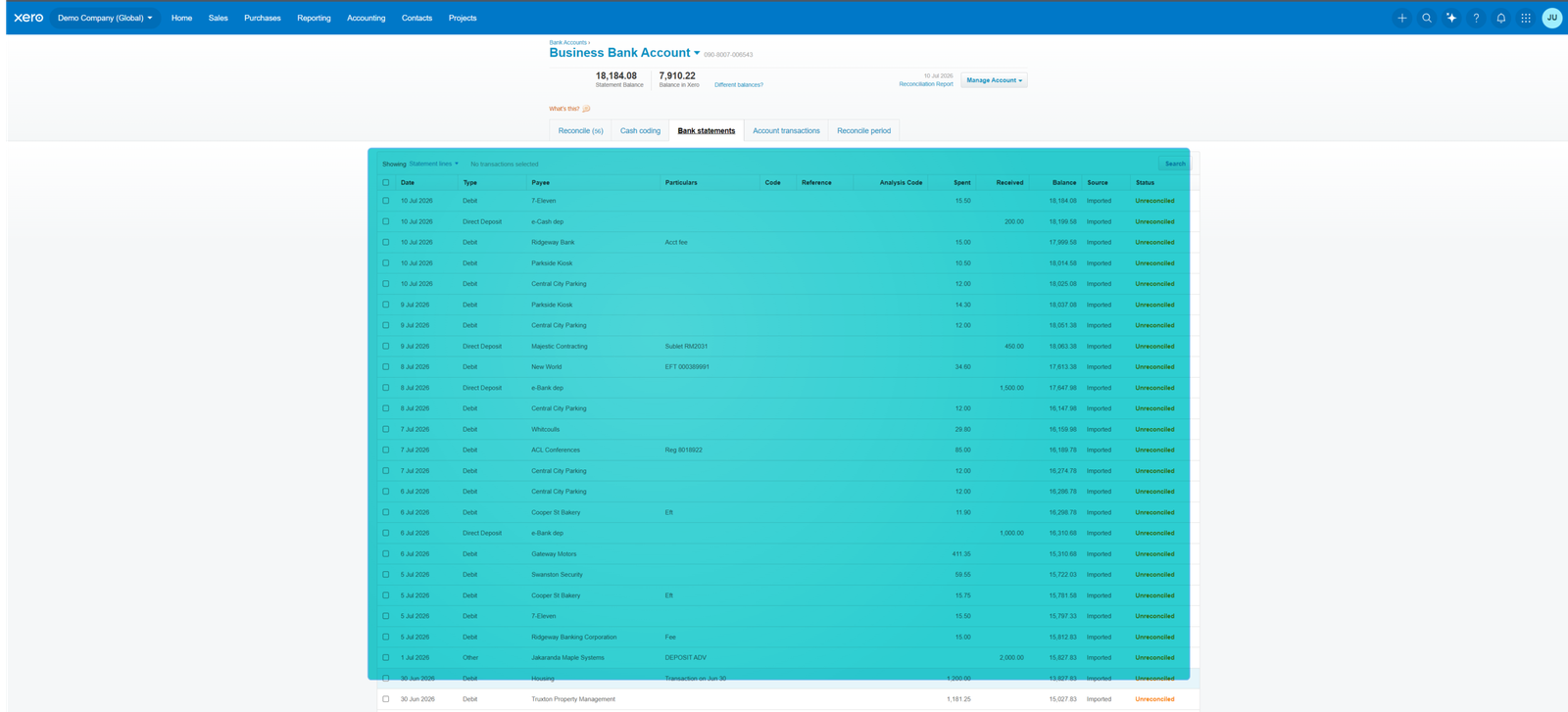
Bank feeds and reconciliation
For me, this is one of the most important parts of any accounting comparison. Fancy dashboards are nice, but if bank reconciliation is awkward, you’ll feel it every single week.
Xero connects your bank accounts and lets you reconcile imported transactions against the records in your books. Its current US plans also advertise automated reconciliation features, with some capabilities marked as beta.
Sage also supports bank feeds and automated reconciliation, and Sage 50’s current feature set specifically includes automated bank reconciliation.
My pick for most small businesses: Xero. Not because Sage can’t reconcile transactions, but because Xero’s cloud workflow is generally easier to fit into a collaborative bookkeeping routine.
Invoicing and getting paid
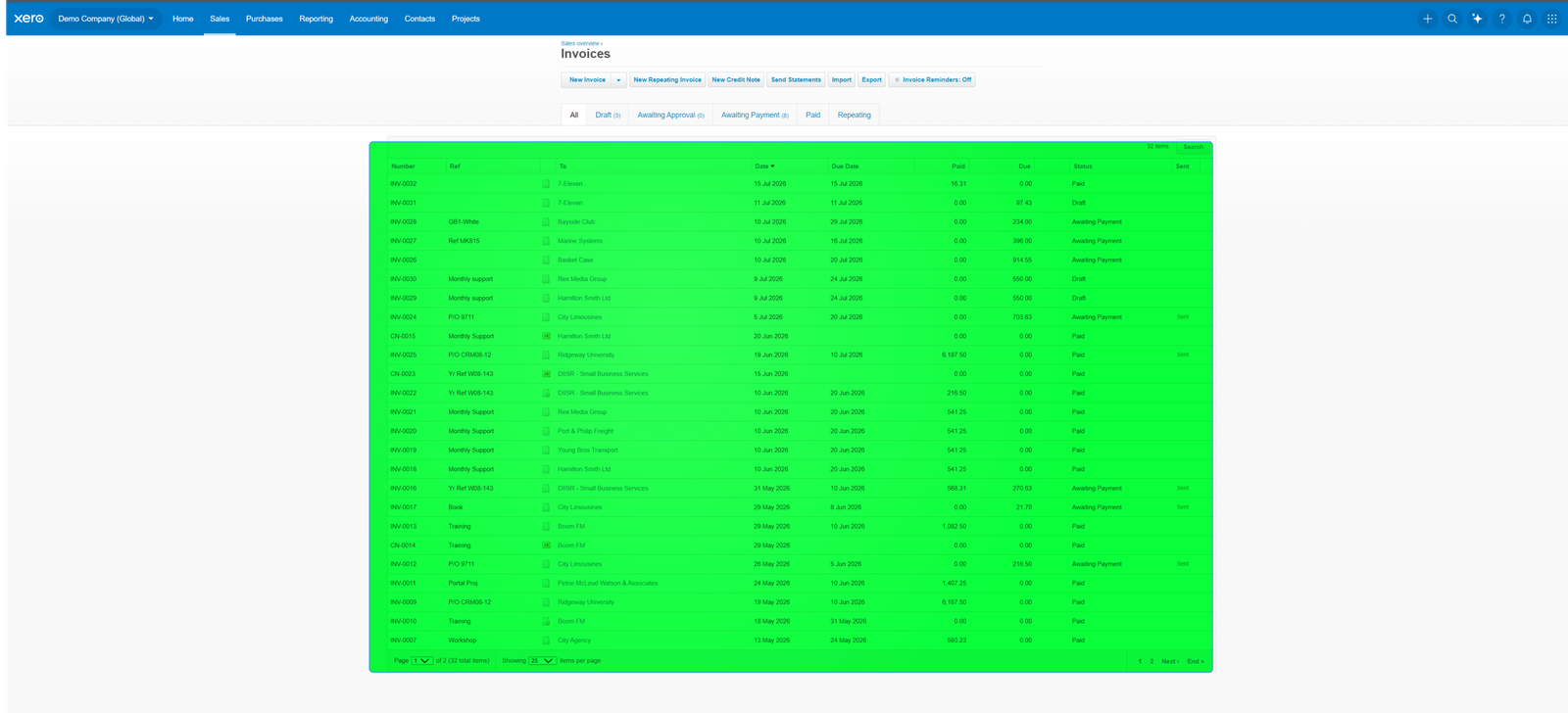
Both platforms cover the basics: create invoices, track what customers owe you, and record payments.
Xero’s current US plans support quotes and invoices, online invoice payments, and bill management. The Early plan has a 20-invoice limit, so if you send a lot of invoices, you may need Growing or above.
Sage also handles invoicing and receivables. The real question isn’t whether either product can create an invoice. It’s whether the rest of your workflow, including payments, bank reconciliation, and reporting, fits together without extra manual work.
For a growing service business, I’d give Xero the edge. If you’re already invested in Sage’s wider accounting setup, switching just for invoicing probably doesn’t make sense.
Reporting: Xero is easier, Sage 50 goes deeper
This is one area where I wouldn’t automatically hand Xero the win.
Xero provides financial reports and dashboards designed to give small-business owners a usable view of revenue, expenses, cash flow, and performance. The interface is approachable, which matters when the person reading the report isn’t an accountant.
Sage 50 goes further for businesses that need deeper reporting, budgeting, job costing, and financial controls. Its current Premium plan adds advanced budgeting and reporting, and Quantum adds more workflow and user controls.
If you want understandable reports for everyday decisions, choose Xero. If your finance team needs more detailed reporting and control, Sage 50 may be the better fit.
Inventory: this is where Sage 50 gets interesting
Don’t pick accounting software for inventory based on a single “inventory included” checkbox. What matters is how complex your stock operation is.
Xero can handle straightforward inventory needs, and it offers Inventory Plus as an optional US add-on for businesses that need more. Xero also connects to specialist inventory apps, which can make sense if you sell through several channels.
Sage 50 has a stronger inventory story for businesses that need more control. Its current Premium plan includes advanced inventory capabilities, including serialized inventory tracking, and the product also covers purchase orders and job-related workflows.
If you run a simple online store, Xero plus the right ecommerce or inventory integration can work well. If inventory sits at the centre of the business and accounting has to connect closely with stock, purchasing, and job costing, I’d look at Sage 50 before choosing.
Users and collaboration
This is one of Xero’s strongest selling points. Xero says its plans have no per-user license fees, so you can give your accountant, bookkeeper, and key team members access without treating every extra login as another software bill.
Sage 50 uses plan-based user limits. Its current US plans list one user for Pro, 1–5 users for Premium, and up to 40 users for Quantum.
That difference matters as a company grows. If five or ten people need access, factor the cost and plan structure into your sums.
Integrations and ecommerce
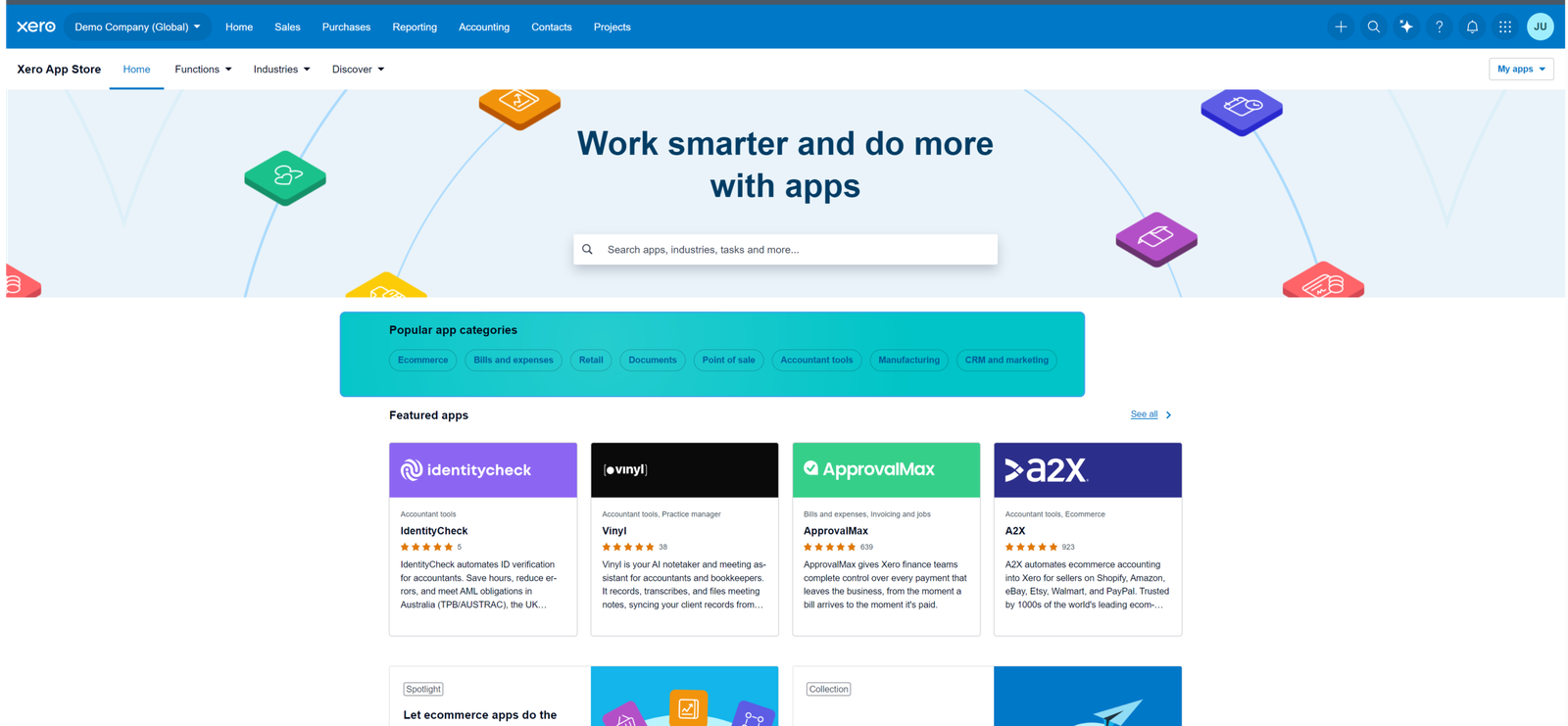
Xero has built a large ecosystem around its accounting platform. That matters if your business already uses Shopify, payment processors, payroll tools, inventory systems, or other specialist software.
For ecommerce sellers, don’t stop at the phrase “integrates with Shopify.” Ask exactly what gets transferred: orders, refunds, taxes, payment fees, shipping, payouts, and product information. The quality of that data flow matters more than an integration badge.
Sage can also connect to other systems, but if your business runs a big cloud-app stack, you may prefer Xero’s ecosystem and cloud-first workflow.
Ease of use: Xero has the advantage
Xero is generally the easier product to recommend to a business owner who doesn’t want accounting software to become another job.
The interface is built around everyday tasks like invoicing, bills, bank reconciliation, and financial reporting. You still need accounting knowledge to keep your books right, but the software shouldn’t feel intimidating.
Sage Accounting is also aimed at smaller businesses, and it’s much easier to approach than traditional desktop software. Sage 50 is different. Its depth is useful, but more options mean a steeper learning curve.
If ease of use is your first priority, I’d pick Xero.
Which one is better for accountants and bookkeepers?
If you manage books for several businesses, the decision shifts a little.
You need to think about the software your clients use, how easily you can collaborate, how clean the bank reconciliation workflow is, how much reporting you need, and whether your team already knows the platform.
Xero is particularly attractive when you want a cloud-first workflow and easy access for several people. Sage 50 can make more sense when a client has established processes built around detailed reporting, inventory, job costing, or desktop accounting.
In other words, don’t force every client onto the same platform. The right software is the one that matches the client’s books and how they operate.
Xero vs Sage for different businesses
Choose Xero if you run a growing service business
Xero suits consultants, agencies, and other service businesses that want online invoicing, bank feeds, reporting, and easy collaboration.
Choose Xero if your team works remotely
If your accountant, bookkeeper, and business team work from different places, a cloud-first workflow is usually simpler.
Consider Sage Accounting if your needs are straightforward
If you’re a small business owner who wants basic cloud accounting, and Sage’s local offering fits your tax and reporting needs, Sage Accounting can be perfectly reasonable.
Choose Sage 50 if accounting complexity is the priority
I’d look at Sage 50 if you need stronger inventory, advanced reporting, job costing, multiple-company features, or more detailed financial controls. Those are the areas where Sage’s deeper product structure can justify the extra complexity and cost.
What I would check before switching
Don’t switch platforms just because one comparison says a product is “better.” Migrating can create real work, especially if you have years of transaction history, payroll connections, inventory, or several sales channels.
- Export and keep your historical accounting data.
- Check whether your bank connections are supported.
- List every integration you currently depend on.
- Check how ecommerce orders, refunds, fees and payouts will flow into the books.
- Confirm your accountant or bookkeeper can work comfortably in the new platform.
- Compare the normal price after the introductory offer.
- Check user limits before you invite your team.
- Confirm that the inventory features match your actual stock workflow.
And don’t underestimate that last point. Migrating is easy when the business is simple. It gets much harder once payroll, inventory, ecommerce, and years of history are involved.
So, which one should you choose?
For most small and growing businesses, I would choose Xero. It offers a clean cloud-first workflow, no per-user license fees on its plans, strong bank and invoicing workflows, and an ecosystem that suits businesses using several online tools.
But I wouldn’t call Sage the loser. That’s too simple.
Sage 50 is the more interesting choice when your accounting operation is complex. Its stronger inventory, reporting, budgeting, job management, and multi-company features can matter more than having the simplest interface.
Sage Accounting sits between those two. It can make sense for a smaller business that wants straightforward cloud accounting and likes Sage’s local tax and support ecosystem.
The best choice isn’t the software with the longest feature list. It’s the one that makes your bookkeeping easier without creating new problems somewhere else.
Frequently asked questions
Is Xero better than Sage?
For most growing small businesses, I prefer Xero because of its cloud-first workflow, collaboration model, and ease of use. Sage 50 can be the better choice if you need deeper reporting, inventory, job costing, or more traditional accounting controls.
Is Sage cheaper than Xero?
It depends on which Sage product and which country you’re comparing. Introductory promotions can also make the first few months look very different from the normal price. Always compare the regular renewal price and the features included at each tier.
Is Sage 50 cloud-based?
Sage currently offers Sage 50 in cloud-connected and desktop forms in the US. The cloud version gives you remote access, automatic updates and backups, while the desktop version suits businesses that prefer an installed setup.
Which is better for ecommerce, Xero or Sage?
I’d start with Xero for a typical small ecommerce operation, because its cloud ecosystem and integrations can make it easier to connect the store, payments, and accounting. If your business has complex inventory, purchasing, or job-costing needs, Sage 50 deserves a closer look.
Which is easier to learn?
Xero is generally easier for business owners and non-accountants to pick up. Sage Accounting is also designed for smaller businesses, while Sage 50 offers more depth and can take longer to learn.
Can I move from Sage to Xero?
Yes, migration is possible. The exact process depends on your Sage product, the historical data you need to bring across, and the integrations connected to your accounts. Before you switch, make a migration plan and involve your accountant or bookkeeper.
Related Accounting Software Guides
- Accounting Software Comparisons
- Xero vs QuickBooks
- Sage vs QuickBooks
- Xero vs Wave
- Xero vs Zoho Books
- Xero vs FreshBooks
- Xero for Ecommerce Sellers
Official resources: Xero US pricing · Sage 50 US pricing
Related guides: Sage Accounting Resource Center · Xero Resource Center
How we review software: See our accounting software testing methodology to understand how we approach pricing, workflows, comparisons, and first-hand evidence.



