FreshBooks for Freelancers 2026: Is It a Good Fit?
FreshBooks for freelancers in 2026: compare pricing, invoicing, time tracking, expenses, projects, pros, cons, and when Xero or QuickBooks may be better.

FreshBooks makes a lot of sense when your business revolves around clients, invoices, projects, and getting paid. That’s the key thing to get clear before you compare it with broader accounting platforms.
A freelancer usually doesn’t need accounting software built around complicated inventory or manufacturing. You need to send professional invoices, track expenses, record payments, see your profit, and keep your books tidy enough that tax time doesn’t turn into a panic.
FreshBooks is built around that kind of service workflow. That doesn’t make it automatically the best choice for every freelancer. So let’s look at where it fits, where I’d be careful, and when I’d pick something else.
How this was tested: These screenshots come from my own FreshBooks trial account, captured in August 2026.
What FreshBooks does particularly well for freelancers
FreshBooks puts client billing close to the centre of the experience. That’s useful when most of your income comes from work you do for specific clients.
You can build invoices, track expenses, manage projects, record time, and keep an eye on what clients owe you. Instead of treating invoicing as something separate from bookkeeping, FreshBooks ties those pieces together.
That matters because freelancers wear every hat. You do the work, find clients, send invoices, chase payments, and keep the books.
The less you have to jump between tools, the better.

FreshBooks for freelancers at a glance
| Need | FreshBooks fit | What to consider |
|---|---|---|
| Client invoicing | Strong | Client limits and plan differences matter |
| Time tracking | Useful for billable work | Best suited to service businesses |
| Expense tracking | Good fit | Review your required integrations |
| Projects | Useful for project-based work | Depends on how you manage projects |
| Inventory | Not the main focus | Product businesses should compare alternatives |
| Advanced accounting | Available capabilities vary by plan | Compare against broader accounting platforms |
| Team access | Available, with plan considerations | Check user costs and permissions |
Who should use FreshBooks?
Freelancers, consultants, designers, developers, writers, photographers, coaches, and other service providers should look at it first.
The common thread isn’t the industry. It’s the business model.
If you sell your time, expertise, or projects to clients, FreshBooks’ workflow can slot in naturally.
If you sell physical products through several ecommerce channels, I’d look at Xero, QuickBooks, or another platform with stronger inventory and sales-channel tools before picking FreshBooks.
FreshBooks for a one-person business
This is probably where FreshBooks feels most natural.
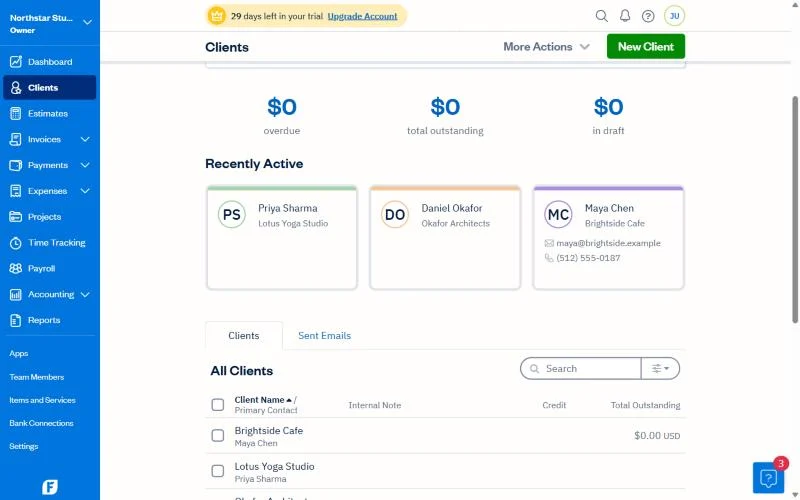
You’ve got a few clients. You send invoices. Some clients pay straight away and others take a few weeks. You pay for software, travel, equipment, and other costs. At the end of the month you want to know whether you actually made money.
FreshBooks can pull all of that into one place.
That’s far more useful than an elaborate system that takes hours a week to maintain.
Invoicing is the big attraction
For a lot of freelancers, invoicing is the part of accounting that really affects cash flow.
You can do excellent work and still have a cash problem if invoices go out late or clients aren’t sure when to pay.
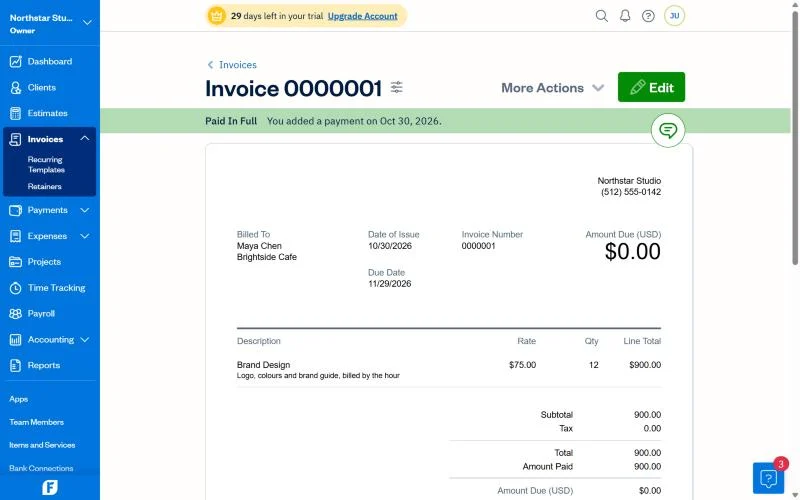
FreshBooks’ invoicing is built around creating and sending invoices, tracking their status, and helping you follow up on outstanding balances.
That won’t make clients pay faster. They still decide when to pay. But a consistent invoicing routine removes one common source of delay.
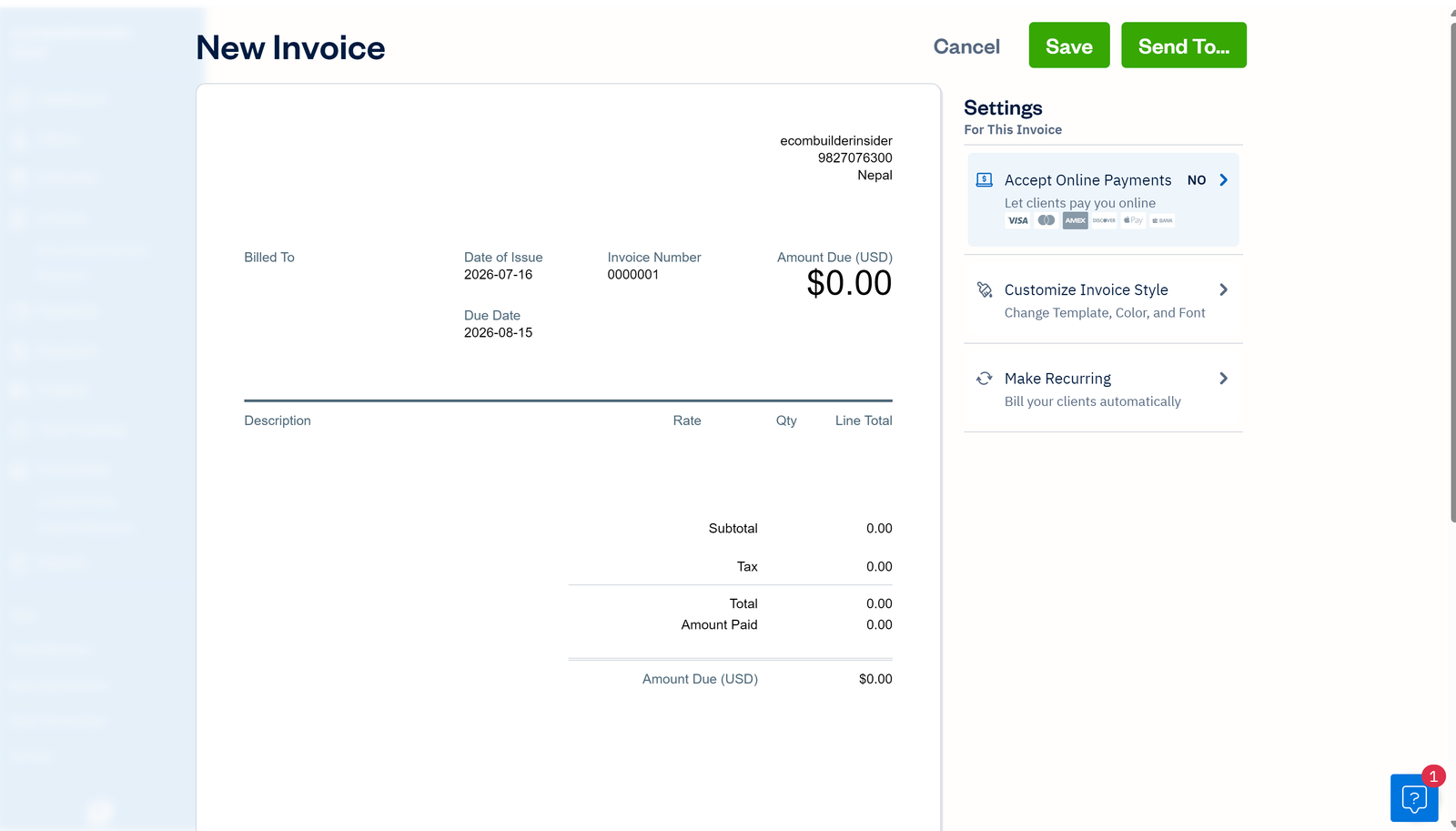
What about recurring invoices?
Recurring billing is handy if you have retainers or clients who get the same kind of invoice every month.
Instead of rebuilding the invoice each time, you can use recurring workflows where your plan supports them.
It’s a small automation, but small automations add up when you’re doing everything yourself.
FreshBooks for hourly freelancers
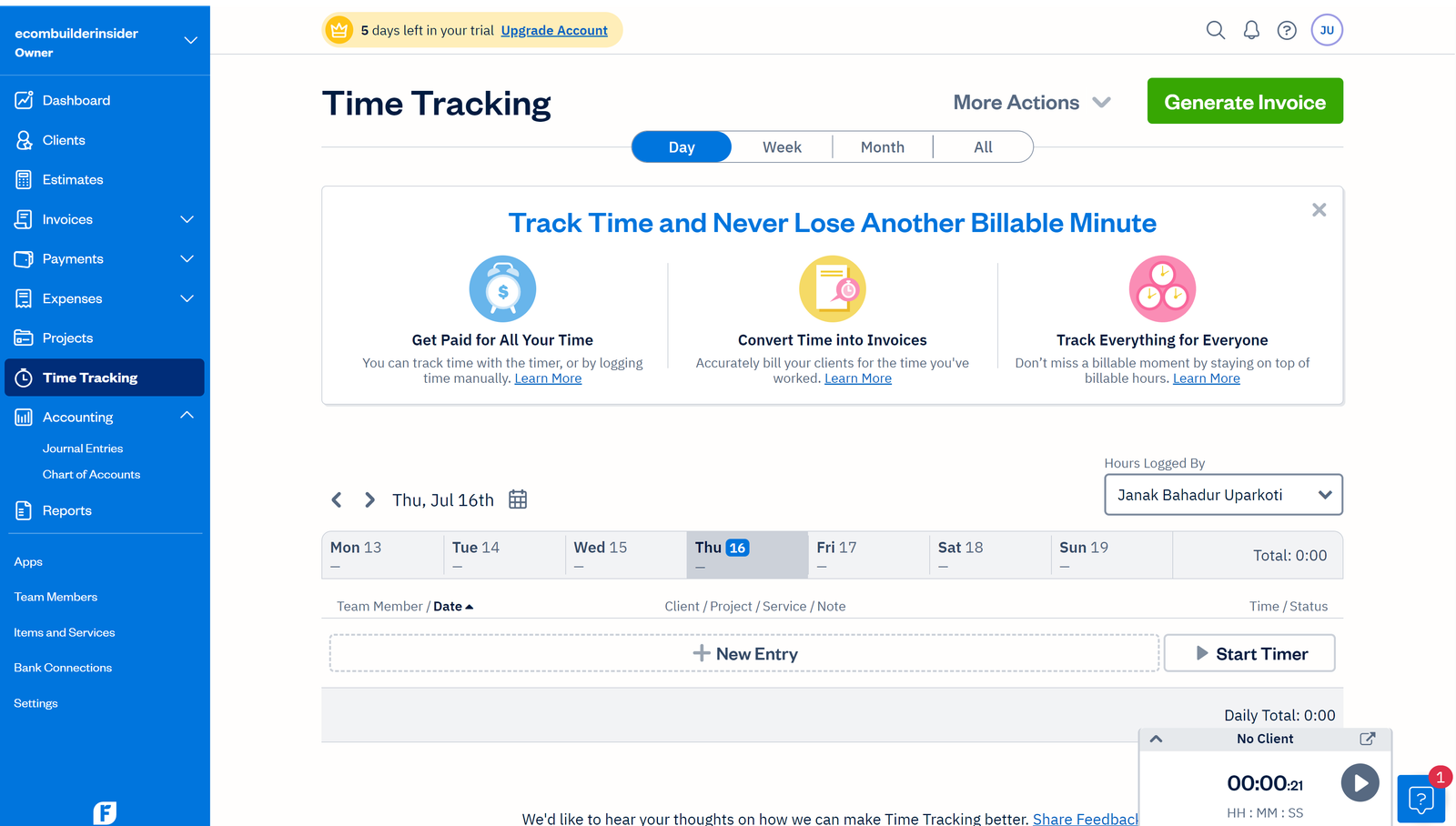
If you bill by the hour, time tracking becomes more important.
You need to know how much time you spent, which client or project it belongs to, and whether it’s billable. FreshBooks is especially relevant here, because time and invoicing can live in the same workflow.
That beats an accounting setup where you track time in one tool and then copy it into invoices by hand.
If you already have a time tracker you love, check whether it connects to the FreshBooks setup you plan to use.
FreshBooks for fixed-price projects
Not every freelancer bills hourly. Plenty charge a fixed project fee.
Even then, time tracking helps, because it tells you whether the project actually paid off.
Say you quote $2,000 for a website. You finish it and get the $2,000. Sounds good.
But if the job took twice as long as you planned, your effective hourly rate is a lot lower than you thought.
Tracking project time and expenses helps you spot that before you repeat it.
Expense tracking for freelancers
Freelancers often spend more than they realise.
Software subscriptions, advertising, travel, equipment, internet, professional services, payment fees, and office costs add up fast.
FreshBooks helps you record and organise business expenses, so they don’t disappear into a pile of receipts.
Consistency is the real key. Accounting software is only as useful as the records you feed it.
FreshBooks and bank connections
Connecting your business bank account cuts down on manual data entry. Transactions can flow into the accounting workflow for review and categorisation.
That saves time, but don’t switch on a bank connection and assume the books are finished.
Review the transactions. Check anything unusual. Make sure transfers aren’t counted as income. Reconcile the account regularly.
Automation makes bookkeeping faster. It doesn’t take the responsibility for the numbers off your plate.
Can FreshBooks handle taxes?
FreshBooks can help you keep organised financial records, but your tax obligations depend on where you live and how your business is set up.
Don’t assume accounting software covers every local tax duty automatically.
If you’re unsure about sales tax, VAT, GST, income tax, or what you can deduct, check with a qualified tax professional where you live.
FreshBooks pricing for freelancers

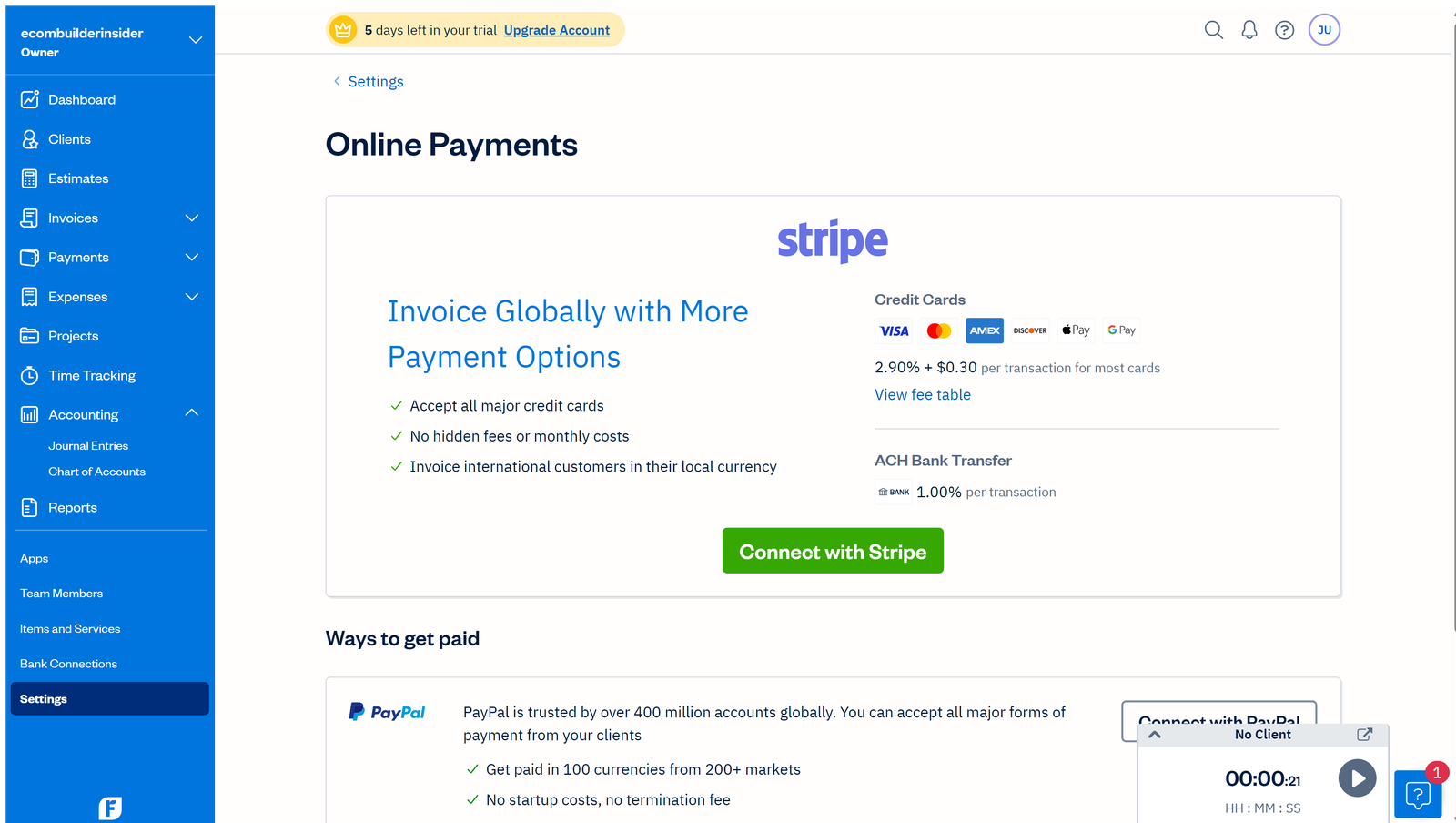
FreshBooks has several plans, and the exact pricing can change by country, billing cycle, promotion, and product updates.
For a freelancer, the client limit is one of the first things to check. A plan can look cheap until your growing client list pushes you into the next tier.
Also look at the regular price, not only the intro promotion.
If a discount runs for a limited time, budget for the normal price afterwards. That’s the number that decides whether the software fits your business long term.
Is the cheapest FreshBooks plan enough?
It can be, if you’re just starting out and have a handful of clients.
But don’t pick the lowest plan on autopilot. Look at how many clients you have today and how many you expect over the next year.
If you’re already close to the limit, upgrading soon may make the cheaper starting price less meaningful.
FreshBooks for freelancers with employees
Once you start hiring, your accounting needs change.
You may need extra users, payroll, contractor tracking, more detailed reports, and tighter control over who can see or edit financial information.
FreshBooks can still be part of that setup, but this is where I’d compare it closely with Xero and QuickBooks.
Don’t compare just the subscription. Compare the whole bookkeeping process.
FreshBooks vs Xero for freelancers
I’d think about this one in terms of business model.
FreshBooks makes more sense when client billing, time tracking, and project work sit at the centre of your business.
Xero becomes more attractive when you want a broader accounting system, more complex workflows, or a bigger ecosystem of connected apps.
If you also sell products online, Xero deserves a closer look, because ecommerce accounting often needs more than basic invoicing.
FreshBooks vs QuickBooks for freelancers
QuickBooks is another strong option, especially if you want a broader accounting platform that can grow with the business.
FreshBooks has the edge when your daily work is built around clients, projects, time, and invoices.
QuickBooks gets more interesting when you need wider accounting features or your accountant already prefers it.
There isn’t a universal winner here.
What I like about FreshBooks
- Client invoicing sits at the centre of the workflow.
- Time tracking works naturally with billable projects.
- Expense tracking suits service businesses well.
- It’s built for people who don’t want to become full-time accountants.
- It can make admin far more manageable for a solo owner.
Where I’d be careful
- Client limits can affect which plan you need.
- Extra users and services can change the total cost.
- Product-based businesses may need stronger inventory tools.
- Advanced accounting needs may make Xero or QuickBooks the better fit.
- Promo pricing isn’t the same as the long-term subscription cost.
FreshBooks for freelancers: the workflow matters more than the feature list
This is the part I’d focus on when comparing accounting software.
Picture a normal Monday. A client asks for an invoice. Another client has an overdue balance. You renew a software subscription. You record a payment. You spend three hours on a project. By Friday you want to know what you earned and what you spent.
The best accounting platform handles that sequence without making you think about accounting all day.
That’s where FreshBooks can be a really good fit for freelancers.
When I wouldn’t choose FreshBooks
I wouldn’t make FreshBooks my first pick if the business is mainly an inventory-heavy ecommerce operation, a manufacturing business, or a multi-entity organisation with complicated financial needs.
I’d also hesitate if your accountant strongly prefers another platform and has a good reason.
Switching accounting systems creates work. There needs to be a clear benefit on the other side.
How to decide in 10 minutes
- Count your active clients.
- Estimate how many clients you’ll have in 12 months.
- Decide whether you bill hourly, by project, or both.
- List the people who need access to the books.
- List the integrations you actually need.
- Work out the regular subscription price, not just the intro offer.
- Compare that workflow with Xero and QuickBooks.
That exercise will tell you more than another 50-feature comparison.
So, is FreshBooks good for freelancers?
Yes, especially if your business revolves around client work, invoicing, time tracking, projects, and expenses.
That’s where FreshBooks feels most natural.
If your business gets more complex, don’t be afraid to compare it with Xero or QuickBooks. The right choice can change as your business does.
And remember: the goal isn’t the software with the longest feature list. It’s books that stay organised without eating your evenings.
Frequently asked questions
Is FreshBooks good for freelancers?
Yes. FreshBooks suits freelancers and service businesses that need client invoicing, expense tracking, time tracking, and project management.
Is FreshBooks better than QuickBooks for freelancers?
It depends on the freelancer. FreshBooks is especially appealing for client and project-based work, while QuickBooks can be the better fit if you need broader accounting features or a bigger business ecosystem.
Is FreshBooks better than Xero for freelancers?
FreshBooks can be the better fit for a freelancer focused on invoicing and billable time. Xero is worth a look when the business needs broader accounting and ecommerce capabilities.
Can FreshBooks track expenses?
Yes. Expense tracking is one of the useful parts of the FreshBooks workflow for freelancers, especially when expenses need to stay organised for bookkeeping and tax.
Can FreshBooks track time?
FreshBooks supports time tracking for workflows where recording billable or project time matters. Check the current plan details for exactly what you get.
Is FreshBooks free for freelancers?
FreshBooks is primarily a paid accounting service, although it may offer a free trial or promotion depending on the market and current offers. Check the current official offer before you sign up.
Related reading: FreshBooks Review 2026: Is It Worth It for Your Business?
Official resource: Freshbooks official website
Related guides: Best Accounting Software for Freelancers · FreshBooks Resource Center