QuickBooks Pricing 2026: Online Plans and Costs Explained
QuickBooks Online pricing 2026: every US plan, user limits, the intro offer and what you pay after it, plus which plan fits freelancers and small businesses.

QuickBooks pricing looks simple at first glance, but the number that matters isn’t always the promotional price you see today. Your real cost depends on the plan, the number of users, your inventory or reporting needs, payroll, payment services, and any integrations you add later.
I’m Janak Uparkoti, an accountant and the founder/editor of eComBuilderInsider. When I compare accounting software, I look past the cheapest headline price and ask a more practical question: what does this plan actually give a business, and when does moving to the next plan make sense?
How this was tested: These screenshots are from my own QuickBooks Online trial account. Screenshots below are from those accounts, captured in August 2026.
QuickBooks Online pricing in 2026
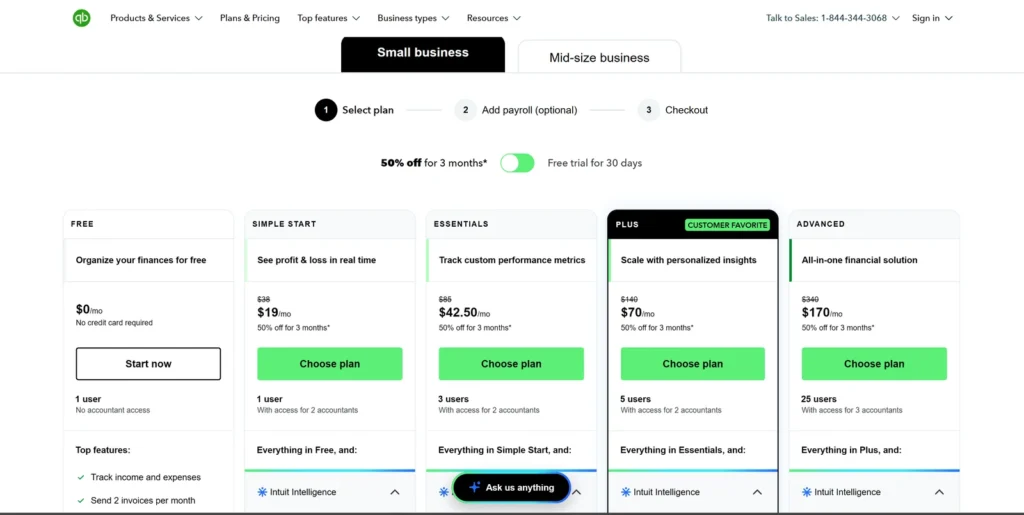
For the US market, QuickBooks Online currently has four main small-business plans: Simple Start at $38/month, Essentials at $85/month, Plus at $140/month, and Advanced at $340/month. QuickBooks is currently advertising 50% off for three months, which brings the promotional prices to $19, $42.50, $70, and $170 per month during the offer period. The current offer is shown as ending August 27, 2026, so treat the discounted price as temporary rather than your long-term subscription cost.
Important: these are US prices. QuickBooks pricing varies by country, and services such as payroll and payment processing can add to the total. Always check the pricing page for your market before subscribing.
QuickBooks pricing at a glance
| Plan | Regular US price | Current promo* | Included users | Best for |
|---|---|---|---|---|
| Simple Start | $38/month | $19/month | 1 | Solo owners and simple bookkeeping |
| Essentials | $85/month | $42.50/month | 3 | Small teams that need more than basic bookkeeping |
| Plus | $140/month | $70/month | 5 | Businesses needing inventory and project-related features |
| Advanced | $340/month | $170/month | 25 | Larger teams needing advanced reporting, controls and automation |
Drawn from the table above. Lowest price highlighted.
*Promotional pricing is temporary and subject to the offer’s terms. QuickBooks currently displays 50% off for three months on its US pricing page.
QuickBooks Simple Start: who is it for?
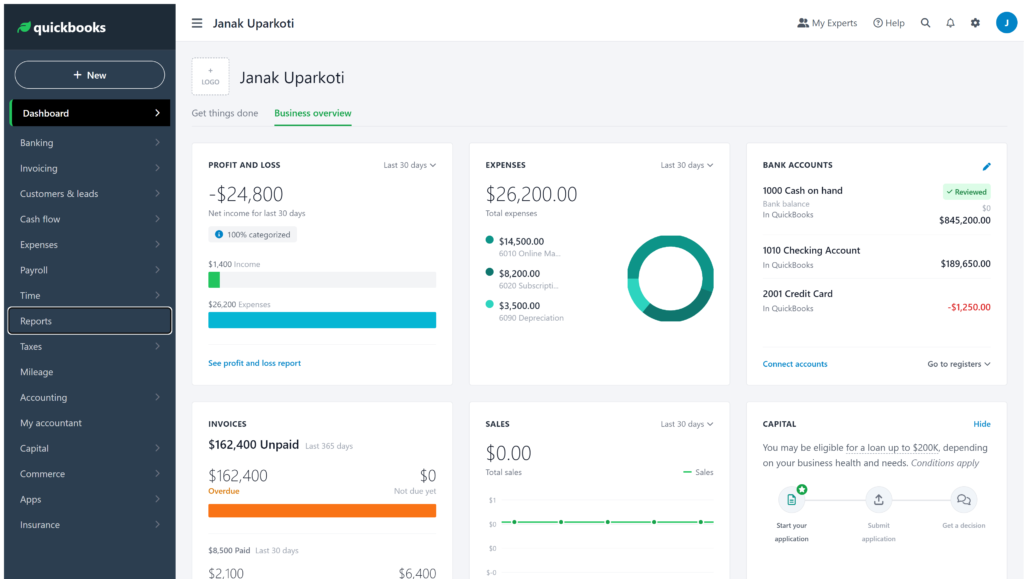
Simple Start is the plan I’d look at first for a solo business with straightforward books. It allows one billable user, with access for two accountants, and covers core accounting tasks such as income and expense tracking, invoices, reports, bank-connected transaction workflows, and other basic bookkeeping functions.
It can work well for a freelancer, consultant, small service business, or owner-managed company that doesn’t need several people working directly in the books.
Choose Simple Start when:
- You are the main person managing the books.
- Your bookkeeping workflow is relatively straightforward.
- You mainly need income and expense tracking, invoicing, and basic reports.
- You don’t need the additional users or advanced features in higher tiers.
Think twice before choosing it when: you already know a bookkeeper, partner, office manager, or another employee needs direct access. Paying for the cheapest plan and upgrading soon afterward isn’t necessarily the best budgeting decision.
QuickBooks Essentials: who is it for?
Essentials makes more sense when a business needs a small team in the accounting system. The current US plan supports three users and adds capabilities beyond the basic Simple Start setup, including enhanced accounts payable and accounts receivable reporting.
This is a reasonable tier for a small business where the owner and another team member or bookkeeper need to work in QuickBooks, or where the business has more structured bill-management needs.
Choose Essentials when:
- You need up to three billable users.
- Your business manages bills and receivables more actively.
- Simple Start’s user limit is too restrictive.
- You want more detailed operational reports without jumping to Plus.
QuickBooks Plus: who is it for?
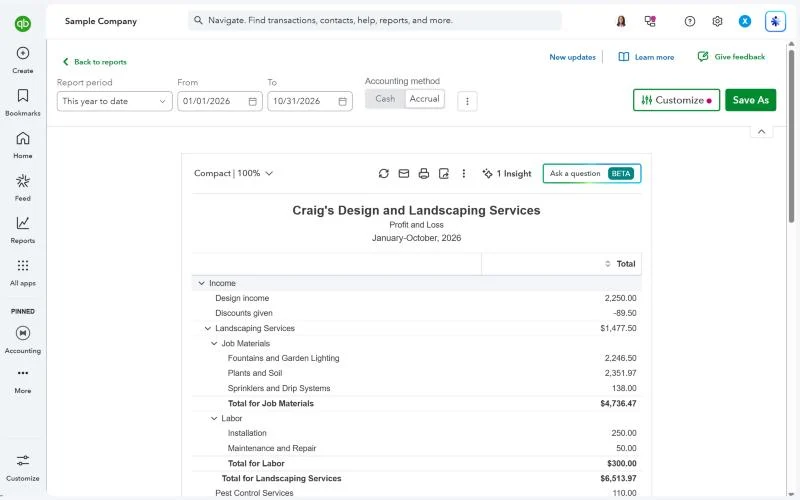
Plus is the plan I would examine first for many product-based and growing small businesses. It supports five users and adds features around inventory, project profitability, budgeting, classes and locations, and more detailed reporting. QuickBooks specifically lists inventory tracking, purchase orders, and vendor management among the Plus capabilities.
For ecommerce sellers, this matters because the accounting workflow gets more complicated once you have products, cost of goods, refunds, payment fees, purchase orders, and multiple sales channels.
Choose Plus when:
- You need inventory tracking.
- You have up to five people who need billable access.
- You want project profitability or budgeting features.
- You need classes or locations to organize financial reporting.
- Your business has moved beyond simple service-business bookkeeping.
QuickBooks Advanced: who is it for?
Advanced is for businesses that have outgrown the operational limits of the lower plans. It supports up to 25 users and adds more advanced reporting, workflow automation, user permissions, custom KPIs, enhanced dashboards, Excel connectivity, batch transactions, backup and restore, and other management features.
At $340/month before any promotion, Advanced is a significant jump from Plus. I wouldn’t choose it simply because a company is growing. The better reason is that the extra controls, reporting, automation, or user capacity solve a specific operational problem.
Choose Advanced when:
- You need substantially more than five users.
- You require advanced permissions and workflow automation.
- Your management team needs customized dashboards and reporting.
- You need advanced class/location or KPI tracking.
- The time saved through automation is worth the higher subscription cost.
QuickBooks pricing: regular price vs promotional price
This is the part I would pay the most attention to when building a software budget.
QuickBooks currently advertises 50% off for three months in the US. That means a new customer can see a dramatically lower first three months, but the regular price comes back after the promotion.
For example, the current promotional price for Plus is $70/month, while the regular price shown by QuickBooks is $140/month. If you build your budget around $70, the fourth month can come as a very unpleasant surprise.
My advice: write down the regular monthly price before you sign up, then calculate the first-year cost using the actual promotion terms. Also check whether payroll, payments, third-party integrations, or other services are part of your workflow.
What does QuickBooks really cost beyond the subscription?
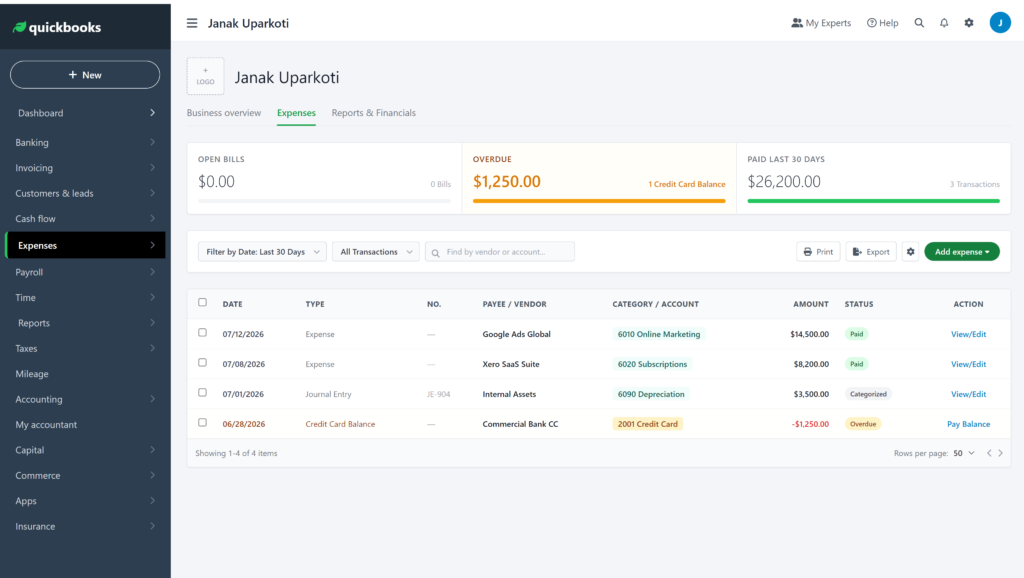
The subscription is only the starting point for some businesses. Your final software budget can include payroll, payment processing, ecommerce connectors, additional services, and sometimes apps for specialised workflows.
This is especially important for ecommerce sellers. A $38 accounting plan can become a very different monthly expense if the business also needs a sales-channel connector, inventory tools, payroll, and payment services.
That’s why I prefer total workflow cost over a simple “which software is cheaper?” comparison.
QuickBooks pricing for freelancers
For a freelancer with one person managing the books, Simple Start is the first QuickBooks plan worth checking. You may not need Essentials, Plus, or Advanced unless your workflow requires additional users or features.
But QuickBooks isn’t automatically the cheapest option for a freelancer. It’s worth comparing the total cost and workflow against FreshBooks, Wave, and Zoho Books before signing up.
QuickBooks pricing for small businesses
For a small team, the user limit can change the decision quickly. Simple Start supports one billable user, Essentials supports three, Plus supports five, and Advanced supports 25. QuickBooks also provides accountant access, with the number of accounting-firm connections varying by tier.
If you already know several people will need access, compare the plans based on the number of users you actually need rather than starting with the cheapest plan.
QuickBooks pricing for ecommerce sellers
Plus is the QuickBooks plan I would examine first for many small ecommerce businesses, because QuickBooks lists inventory tracking, purchase orders, vendors, inventory reports, and profitability-related capabilities at this tier.
However, don’t assume the accounting subscription alone covers your entire ecommerce accounting setup. Shopify, Amazon, payment processors, inventory systems, sales-tax tools, and connectors can create additional costs or implementation work.
Before subscribing, map one real month of transactions: sales, refunds, discounts, shipping, payment fees, taxes, inventory purchases, and payouts. Then determine which plan and integrations can handle that workflow without creating unnecessary manual work.
Do you need QuickBooks Advanced?
For most small businesses, I wouldn’t jump straight to Advanced. The regular $340/month price makes it a serious software expense, and many businesses won’t use enough of its advanced reporting, permissions, automation, or user capacity to justify the difference.
Advanced becomes more interesting when several people need access, managers need customised reporting, or repetitive workflows consume enough time that automation has measurable value.
Which QuickBooks plan should you choose?
| If your business looks like this | Plan I’d check first | Why |
|---|---|---|
| Solo freelancer or consultant | Simple Start | Core bookkeeping with one billable user |
| Small service business with a few users | Essentials | Three users and more structured bill/receivable workflows |
| Ecommerce or product business | Plus | Inventory, purchasing and additional reporting capabilities |
| Growing organization with many users | Advanced | 25 users plus advanced reporting, permissions and automation |
QuickBooks vs Xero pricing
QuickBooks and Xero are both subscription products, but the best choice depends on the workflow rather than the first promotional price you see.
When comparing them, use the same assumptions: number of users, monthly transactions, inventory, payroll, ecommerce integrations, reporting requirements, and whether an accountant needs access.
See my full Xero vs QuickBooks Online comparison for the broader feature and workflow analysis.
QuickBooks pricing FAQs
How much is QuickBooks Online in 2026?
Current US list prices shown by QuickBooks are $38/month for Simple Start, $85/month for Essentials, $140/month for Plus, and $340/month for Advanced. QuickBooks is currently advertising 50% off for three months, subject to the offer terms.
Is QuickBooks cheaper during the promotion?
Yes, the current US promotion substantially reduces the first three monthly payments, but the discount is temporary. Compare the regular price when deciding whether QuickBooks fits your long-term budget.
Which QuickBooks plan is best for a freelancer?
Simple Start is the first plan I’d evaluate for a freelancer with straightforward bookkeeping and one person managing the account. Compare it with lower-cost alternatives before subscribing.
Which QuickBooks plan includes inventory?
QuickBooks currently lists inventory tracking and related inventory capabilities under Plus and Advanced.
Can I add my accountant?
Yes. QuickBooks says you can invite an accountant to collaborate with your account at no additional charge, subject to the plan’s access limits.
My QuickBooks pricing advice
Don’t choose QuickBooks based on the promotional price alone. Start with the regular price, identify the features and users you actually need, then calculate the cost of the complete workflow.
If you’re solo, Simple Start may be enough. If you need more users, bills, or receivables, look at Essentials. If inventory, projects, or broader reporting matter, Plus deserves a closer look. Advanced is best reserved for businesses that can point to a real need for its higher user capacity, controls, reporting, or automation.
Watch my accounting software comparisons
I publish accounting-software videos covering pricing, comparisons, bookkeeping workflows, and practical differences between platforms.
Watch Janak Uparkoti’s accounting software videos on YouTube →
About the author
Janak Uparkoti is an accountant and founder/editor of eComBuilderInsider. He writes about accounting software, bookkeeping, ecommerce accounting, and business tools, with a focus on practical buying decisions rather than generic feature lists.
Related reading: QuickBooks Review 2026 · QuickBooks for Freelancers · Xero vs QuickBooks Online · Zoho Books Pricing Plans
Official resource: QuickBooks official pricing
Keep exploring: every QuickBooks guide is in the QuickBooks Resource Center.