QuickBooks Review 2026: Is QuickBooks Online Worth It?
QuickBooks Online review 2026 covering US pricing, plan limits, bookkeeping, ecommerce, freelancers, pros, drawbacks, and who should choose it.

QuickBooks Online is one of the best-known accounting platforms for small businesses, but name recognition alone isn’t a reason to subscribe. The better question is whether its accounting tools, plan limits, integrations, and accountant ecosystem actually fit the way your business operates.
I’m Janak Uparkoti, an accountant and the founder/editor of eComBuilderInsider. When I review accounting software, I look past the feature list and focus on the bookkeeping workflow: getting transactions into the books, reconciling them, invoicing customers, tracking bills, producing reports, and handing clean records to an accountant.
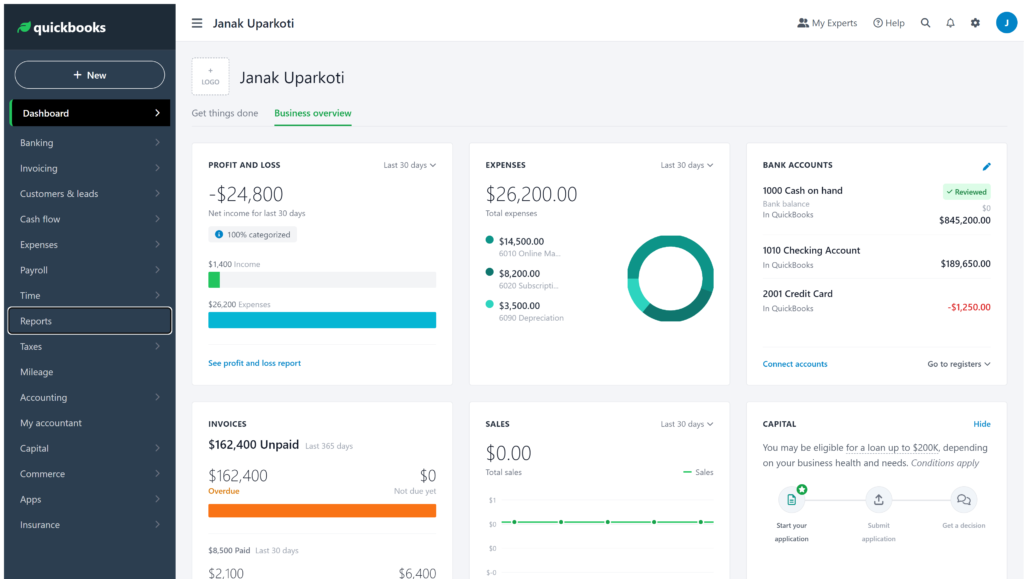
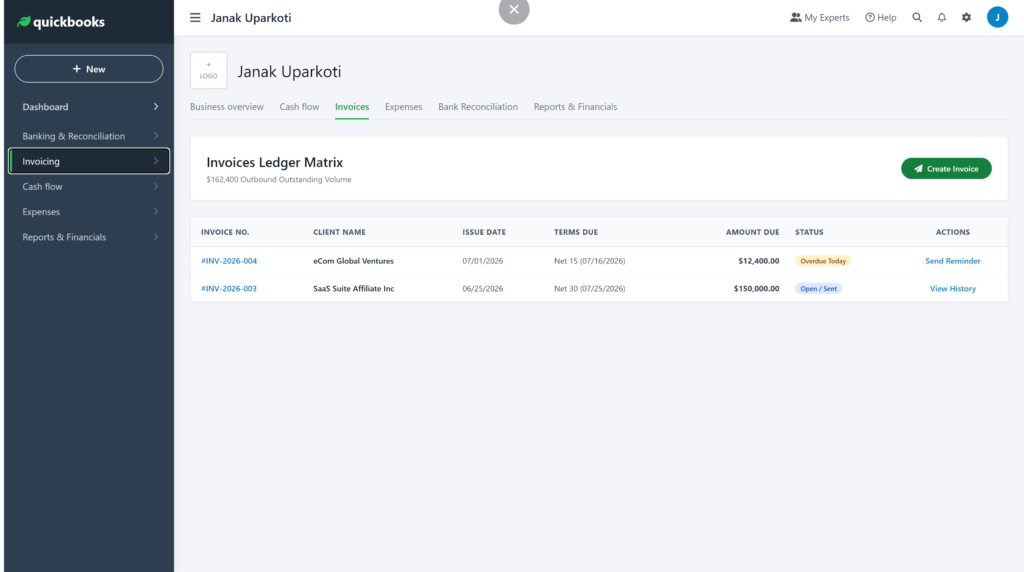
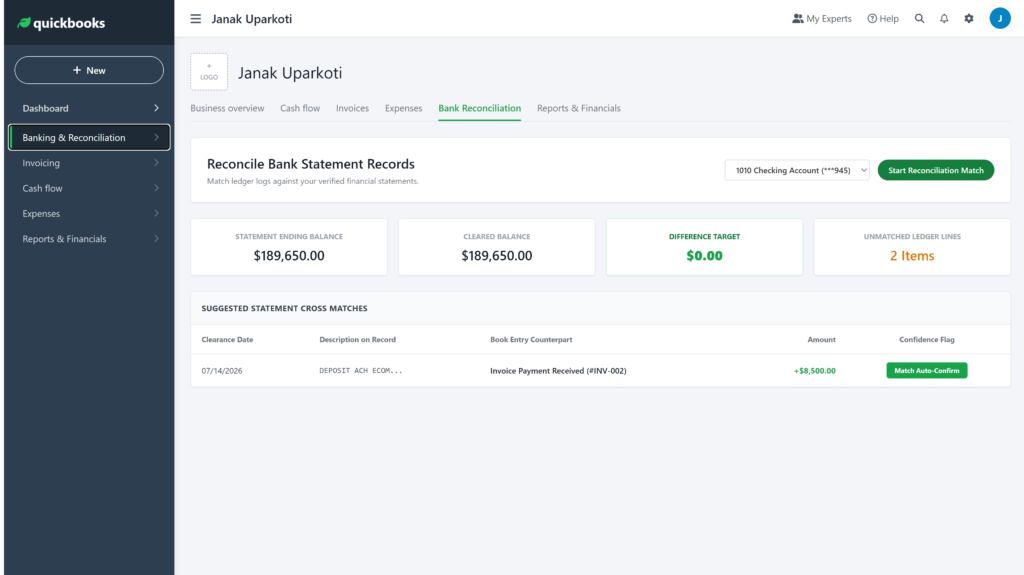
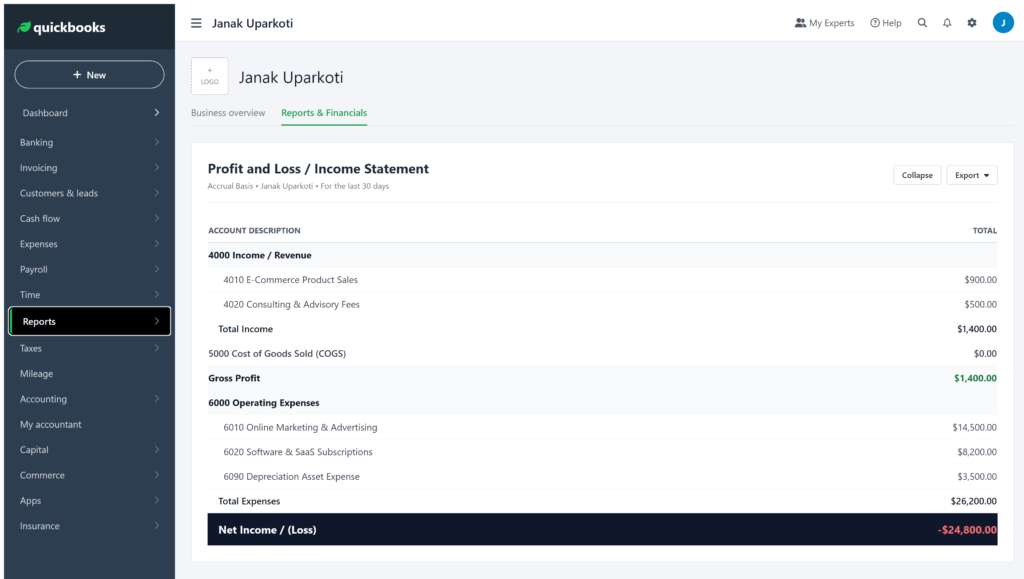
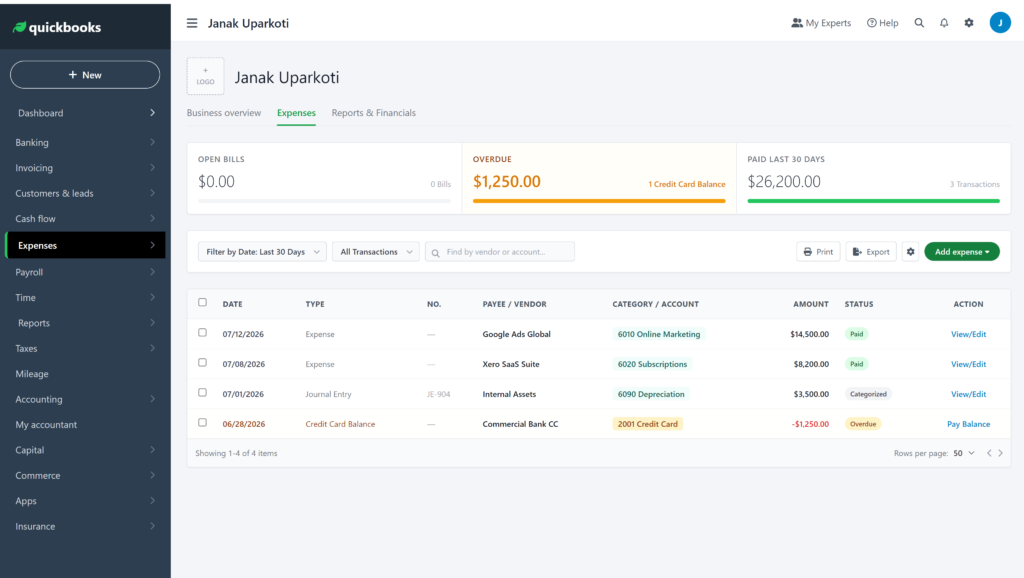
How this was tested: I opened a QuickBooks Online trial account and worked through the dashboard, invoicing, bank reconciliation, expenses, and reports. Screenshots and screen recordings below are from those accounts, captured in August 2026.
QuickBooks Online review: the short answer
QuickBooks Online is a strong choice for a growing US small business that needs broad accounting features and expects to work with an accountant or bookkeeper.
The catch is that QuickBooks can be more software than a very small freelancer needs. If your requirements are mostly invoices, expenses, and basic bank reconciliation, I’d compare simpler options before paying for a larger accounting platform.

What QuickBooks Online does particularly well
It covers the core bookkeeping workflow
QuickBooks Online brings common accounting tasks into one system: income and expense tracking, invoices, bills, bank feeds, reconciliation, financial reports, and tax-related bookkeeping workflows.
That matters because accounting software is most useful when the pieces work together. You don’t want to create an invoice in one place, record the payment somewhere else, and then rebuild the transaction by hand when you reconcile the bank.
The plan structure gives growing businesses room
QuickBooks Online has four main US plans: Simple Start, Essentials, Plus, and Advanced. The important difference isn’t just the monthly price. User limits and features change significantly as you move up the plans.
For example, Intuit currently documents one billable user on Simple Start, three on Essentials, five on Plus, and 25 on Advanced. Class and location tracking isn’t available on Simple Start or Essentials, while Plus allows up to 40 combined and Advanced removes that limit.
Accountant familiarity can save friction
This is one of QuickBooks’ practical advantages. If your accountant already works comfortably in QuickBooks Online, sharing access and discussing the books is usually simpler than moving to a platform they rarely use.
I wouldn’t choose accounting software solely because an accountant knows it. But if two products fit your business equally well, the one your accountant can support confidently deserves extra weight.
Where QuickBooks Online can become frustrating
The biggest issue is often complexity relative to what you actually need.
More capability isn’t automatically better. A solo consultant who needs to invoice clients and reconcile one bank account may not benefit from paying for features designed for a larger operation.
Plan limits can also catch people by surprise. Inventory tracking, for example, is limited to QuickBooks Online Plus and Advanced. Multi-currency is available on Essentials, Plus, and Advanced, not Simple Start.
QuickBooks Online pricing: look beyond the introductory deal
For the US market, QuickBooks currently lists regular monthly prices of $38 for Simple Start, $85 for Essentials, $140 for Plus, and $340 for Advanced, before any promotional pricing shown by Intuit.
Those regular prices are the numbers I’d use when deciding whether QuickBooks fits your budget. Promotional pricing can make the first few months cheaper, but your accounting system is a recurring business expense, so the post-promotion price matters more.
Before choosing a plan, also check the current user, inventory, class/location, multi-currency, and integration requirements. Intuit’s usage limits can change, so the official plan documentation is the safest place to verify a limit before purchasing.
Comparing QuickBooks Online with desktop-style software? Read Sage vs QuickBooks and our guide to cloud vs desktop accounting.
Is QuickBooks Online good for freelancers?
It can be, but I’d first ask how complicated the freelancer’s books really are.
If you’re sending invoices, tracking expenses, connecting a bank account, and checking profit, QuickBooks may be more capability than you need. FreshBooks, Wave, and Zoho Books are worth comparing before you commit.
QuickBooks becomes more interesting when the freelancer has contractors, more complicated reporting needs, multiple currencies, or plans to build a larger operation.
QuickBooks Online for ecommerce sellers
Ecommerce bookkeeping is where a simple accounting-software comparison can become misleading.
You need to account for sales, refunds, discounts, shipping, payment-processing fees, inventory, cost of goods sold, taxes, and marketplace settlements. The accounting subscription is only one part of that workflow.
QuickBooks can work well as the accounting layer, but I’d evaluate the complete setup: your Shopify or marketplace connection, payment processor, inventory system, and the way settlements reach the bank.
If an integration posts one summarized settlement while your business needs detailed product or tax reporting, you’ll need to understand that workflow before choosing the accounting platform.
QuickBooks vs Xero
This is probably the first comparison I’d make if you’re choosing between the two.
QuickBooks has a strong case for US businesses that value its accountant ecosystem, broad accounting functionality, and familiar workflows. Xero can be more attractive when its interface, user approach, international capabilities, or connected-app ecosystem better matches the business.
There’s no honest universal winner. The right choice depends on your country, business model, integrations, team size, and the accounting work you actually need to perform each month.
QuickBooks vs FreshBooks
FreshBooks is more focused on service businesses, client billing, projects, and time tracking.
That makes FreshBooks interesting for consultants, freelancers, and agencies whose accounting revolves around getting clients billed and tracking work. QuickBooks makes more sense when you need broader accounting workflows and expect the business to become more complex.
QuickBooks vs Zoho Books
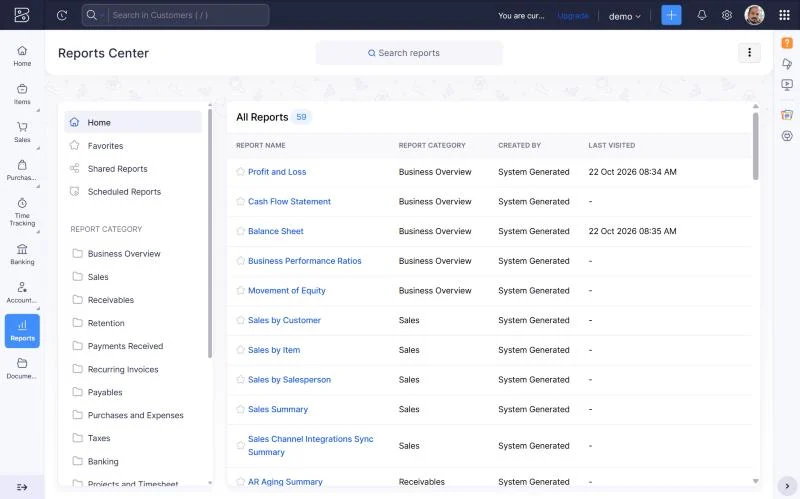
Zoho Books deserves a look when keeping recurring software costs down is a major priority.
But don’t compare the two on price alone. Compare the bookkeeping workflow, integrations, accountant access, inventory requirements, tax features, and the plan you’ll realistically need three years from now.
Who should choose QuickBooks Online?
- Growing US small businesses that need broad accounting capabilities
- Businesses expecting to work closely with an accountant or bookkeeper
- Companies that need more than basic invoicing and expense tracking
- Businesses that may need inventory, multi-currency, classes, or locations
- Teams that are comfortable paying more for a mature accounting platform
Who should compare alternatives first?
- Solo freelancers with very simple bookkeeping
- Businesses where the lowest recurring software cost is the priority
- Owners who prefer a smaller, simpler accounting interface
- Service businesses mainly looking for client invoicing and time tracking
What I’d check before paying for QuickBooks
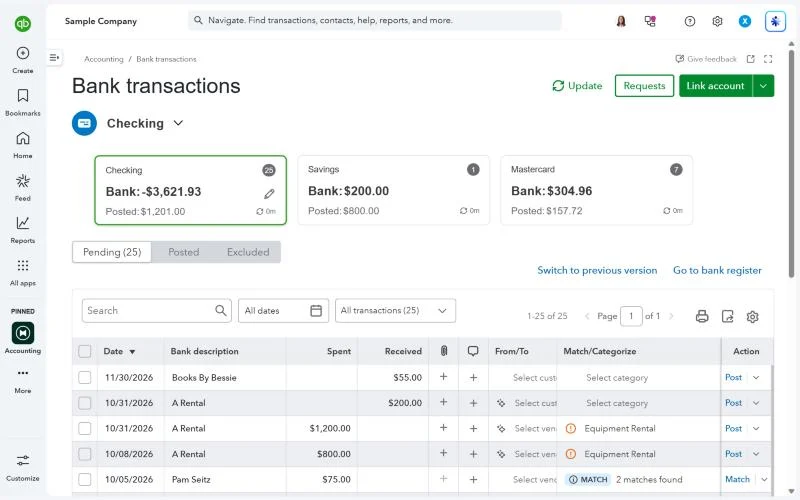
Don’t judge an accounting platform by the dashboard alone. Use the trial period to walk through the work you will actually do every month.
- Connect the main bank account and review the bank-feed workflow.
- Create a realistic invoice and record its payment.
- Enter a bill and an ordinary business expense.
- Reconcile a sample bank statement.
- Run a Profit and Loss and Balance Sheet.
- Check the user access your accountant or bookkeeper needs.
- Test the integrations that your business already depends on.
- If you sell products, verify inventory and sales-channel requirements before choosing the plan.
This is also where our accounting software testing methodology becomes useful. We care about the actual workflow, not just whether a feature appears on a pricing page.
My QuickBooks Online verdict
QuickBooks Online is a capable accounting platform, and I’d shortlist it for many growing US small businesses.
But I wouldn’t automatically recommend the most expensive plan, and I wouldn’t tell a simple freelancer to buy QuickBooks just because it’s popular.
If you need broad accounting capabilities, accountant familiarity, and room to grow, QuickBooks is worth serious consideration. If your books are simple, compare the alternatives first and make QuickBooks earn its higher recurring cost.
Want the video version?
I publish accounting-software comparisons and tutorials on YouTube, including QuickBooks and Xero topics. If you’re comparing the two platforms, browse the channel for the latest comparison and pricing videos rather than relying on an old promotional video.
Watch Janak Uparkoti’s accounting software videos →
About the author
Janak Uparkoti is an accountant and the founder/editor of eComBuilderInsider. He writes practical guides on accounting software, bookkeeping, ecommerce accounting, and business software.
Meet Janak Uparkoti · How we test accounting software · YouTube channel
Related reading: Xero vs QuickBooks Online · QuickBooks Pricing 2026 · Best QuickBooks Alternatives
Official resource: QuickBooks by Intuit
Pricing and feature limits can change. Check the official QuickBooks pricing and support pages before subscribing, especially if your decision depends on users, inventory, multi-currency, or sales-channel limits.
Keep exploring: every QuickBooks guide is in the QuickBooks Resource Center.