FreshBooks Review 2026: An Accountant’s Honest Verdict
An accountant's FreshBooks review for 2026: invoicing, time tracking, bookkeeping, what each plan really costs, and when to choose Xero or QuickBooks instead.

So, is FreshBooks worth it? If your business runs on clients, invoices and billable time, it’s one of the first tools I’d look at. It’s built around the work you do for clients, not around stock or complicated finance.
I’m an accountant, and I tested FreshBooks with a trial account: invoicing, time tracking, expenses, reports and payments. Below is what it does well, where it falls short, what it really costs in 2026, and when I’d pick Xero or QuickBooks instead.
Quick verdict
- Best for: freelancers, consultants, agencies and other service businesses that bill clients.
- Standout: invoicing, time tracking and getting paid. It’s the easiest of the big names to use.
- Pricing: Lite $23, Plus $43, Premium $70 a month. Currently 80% off for 4 months, or a 30-day free trial with no card.
- The catch: Lite has no bank reconciliation or accountant access, and every team member costs $11 a month.
- Look elsewhere if: you sell products, hold stock or have a growing team.
FreshBooks offer · checked 2 Nov 2026
80% off FreshBooks for 4 months
Or start with a 30-day free trial, no credit card needed. Plans from $23 a month after the offer.
FreshBooks at a Glance
| Area | My take |
|---|---|
| Best for | Freelancers and service businesses |
| Invoicing | Excellent, its strongest feature |
| Time tracking and projects | Very good for billable work |
| Bookkeeping | Good on Plus and above |
| Inventory | Not what it’s built for |
| Users | Owner included; $11 a month per team member |
| Ease of use | The easiest of the major tools |
FreshBooks Pricing in 2026
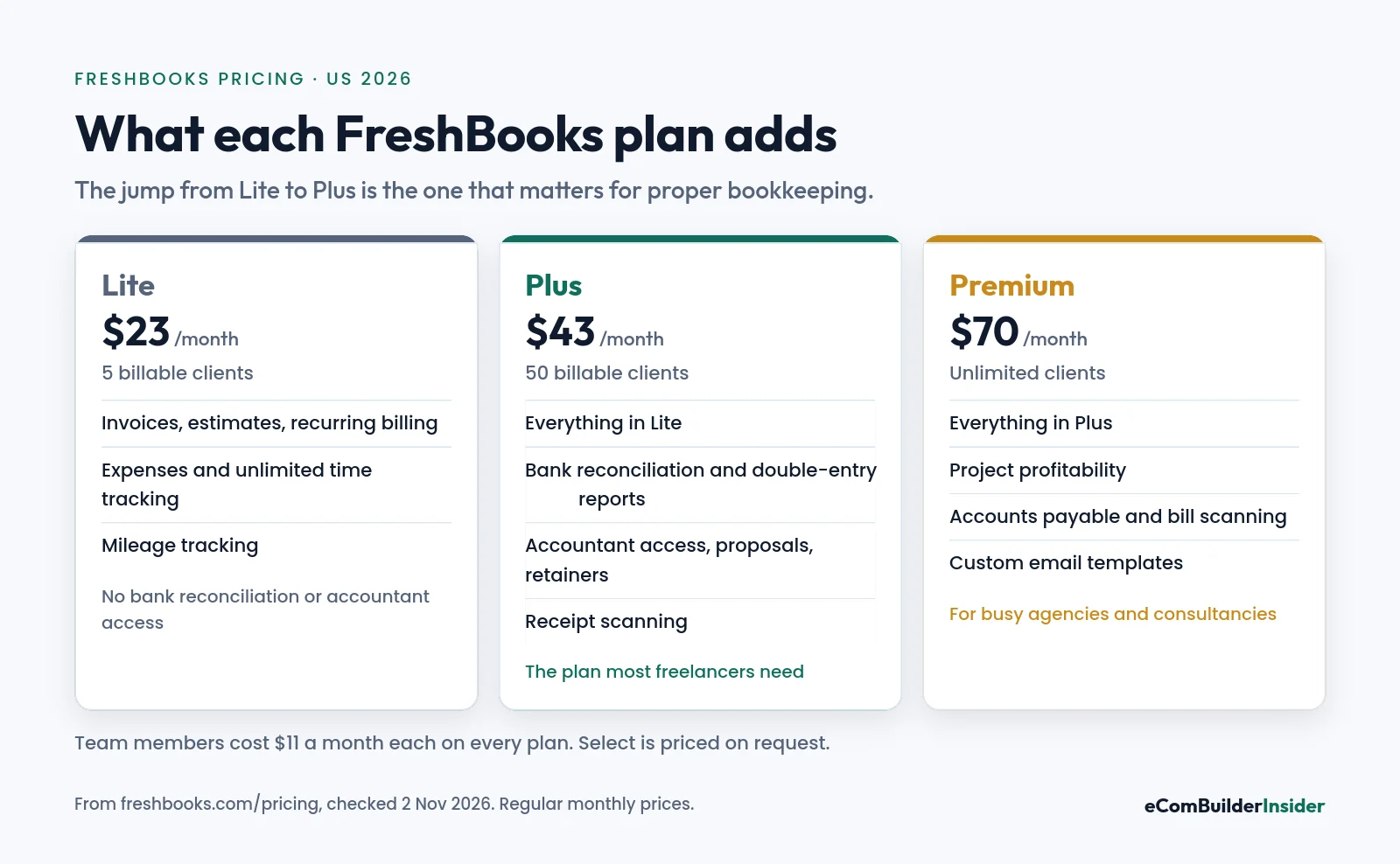
| Plan | With current offer | Regular price | Billable clients |
|---|---|---|---|
| Lite | $4.60/mo for 4 months | $23/mo | 5 |
| Plus | $8.60/mo for 4 months | $43/mo | 50 |
| Premium | $14/mo for 4 months | $70/mo | Unlimited |
| Select | Custom | Custom | Unlimited, 2 team members included |
Drawn from the table above. Lowest price highlighted.
The extras that add up
- Team members: $11 a month each, on every plan.
- Card payments: 2.9% + 30¢ per transaction. Bank transfers (ACH) are 1%.
- Advanced Payments: $20 a month, for taking cards in person or by phone (included in Select).
- Payroll: $40 a month plus $6 per person.
What you pay in year one
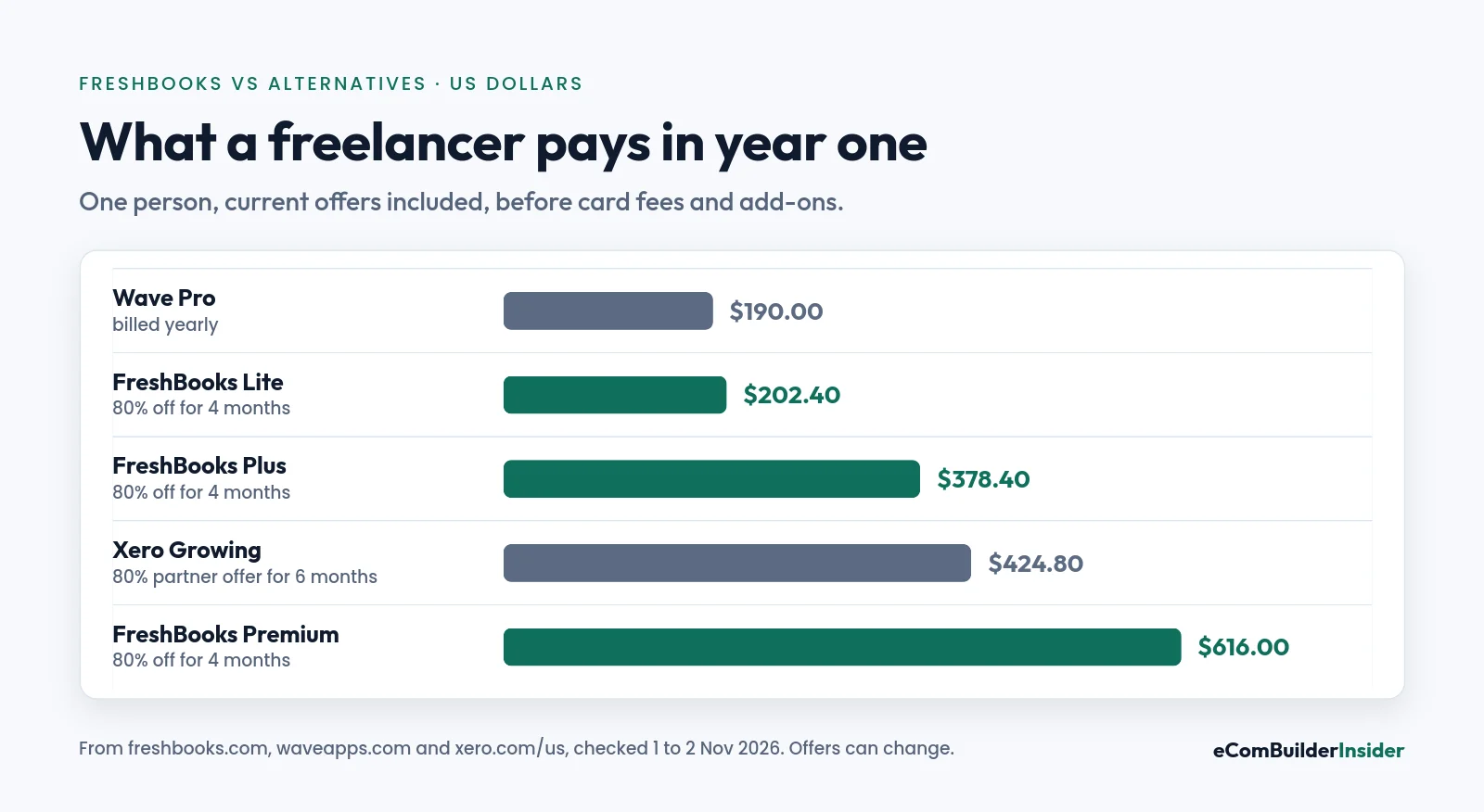
On Plus, 4 months at $8.60 plus 8 months at $43 is $378.40 in year one, then $516 a year after that. Add one team member and it’s another $132 a year. That’s why, for a team, Xero’s unlimited users often work out cheaper.
Accountant’s tip
Choose Plus, not Lite, if anyone else will look at your books. Lite has no bank reconciliation and no accountant access, so your accountant will either need your login or will charge you to rebuild the year.
Invoicing and Getting Paid
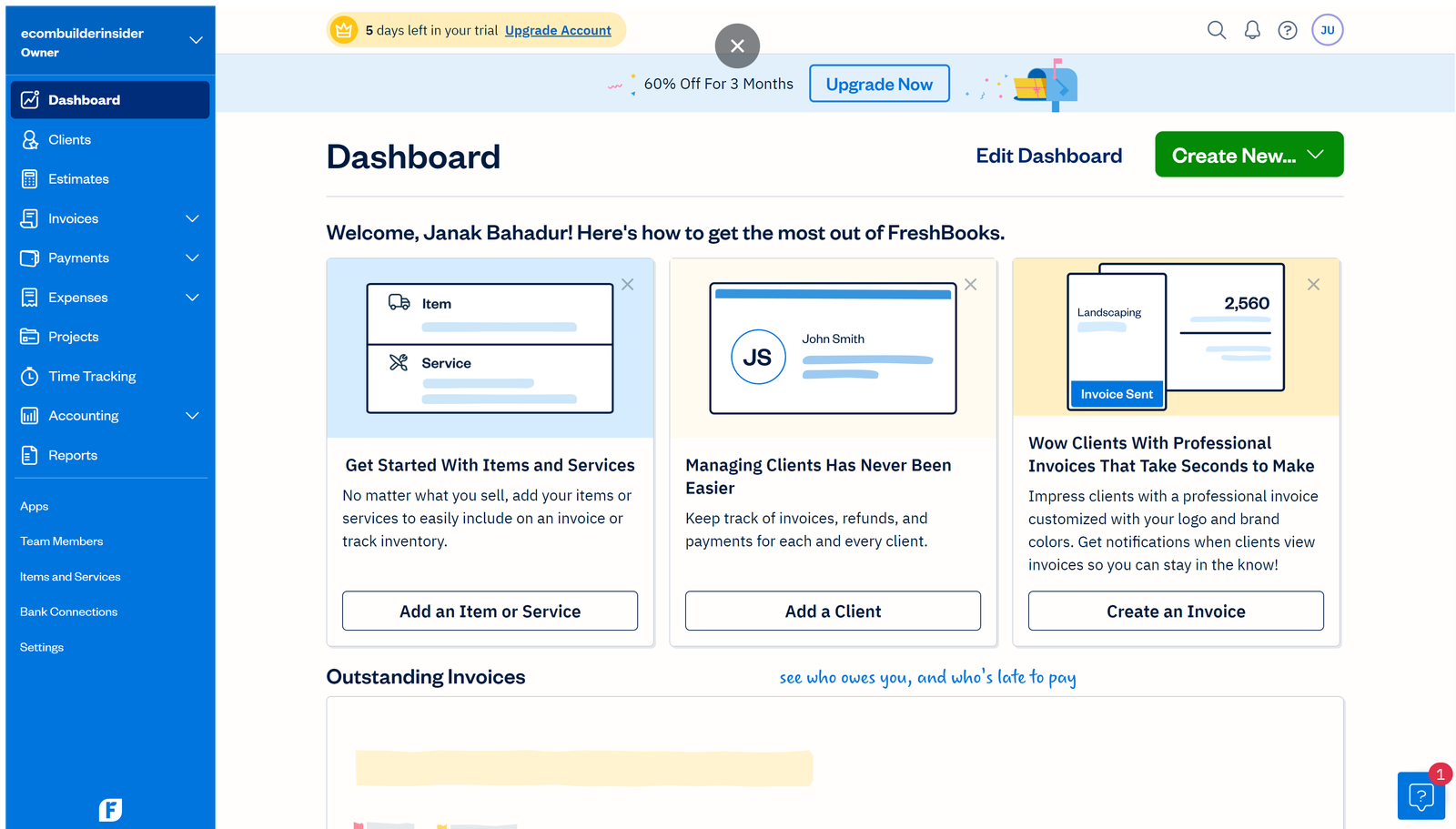
This is where FreshBooks shines. Invoices look professional, you can set up recurring billing, late fees and automatic reminders on every plan, and clients can pay online by card or bank transfer.
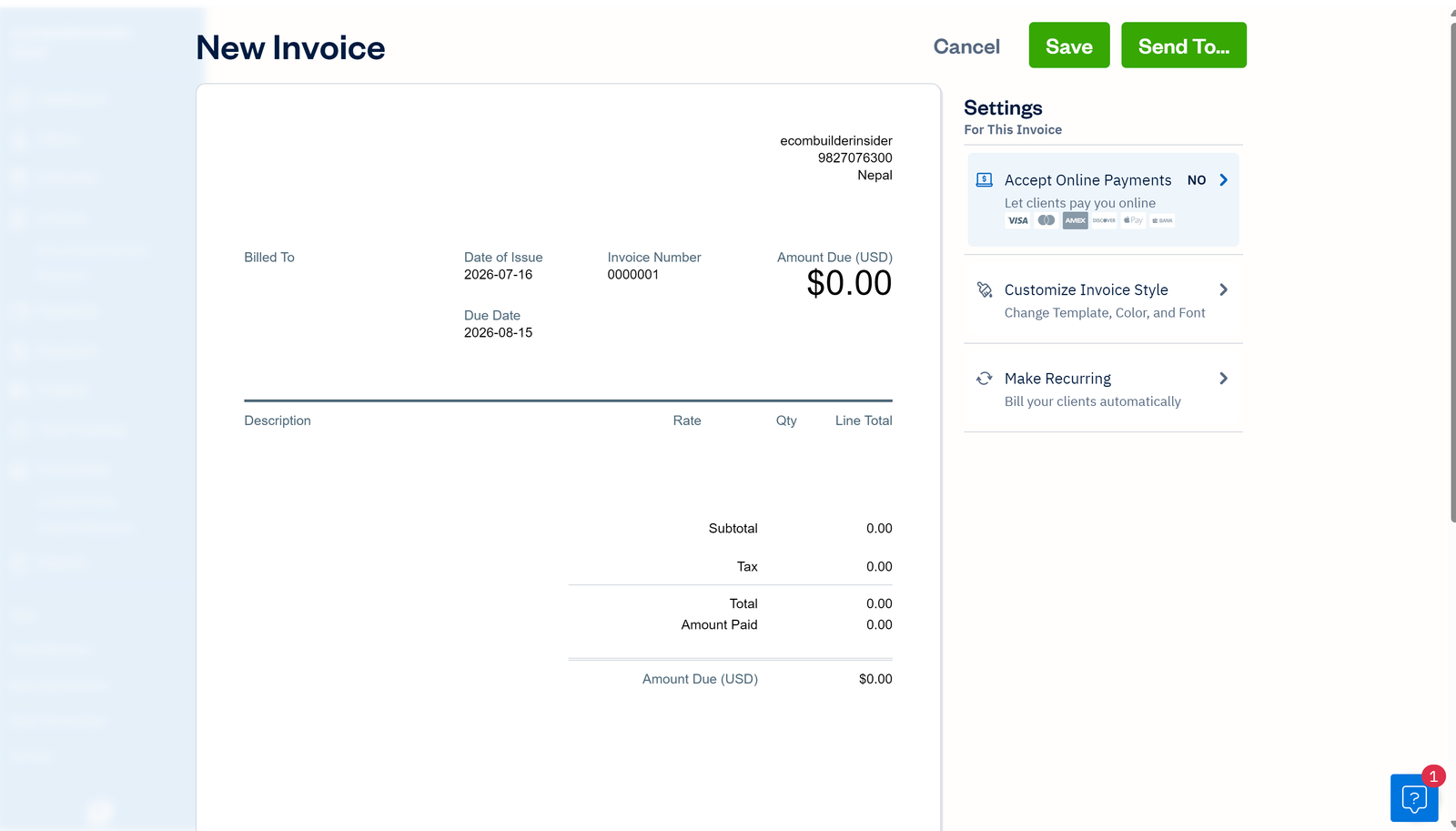
Plus adds proposals, e-signatures and client retainers, which are handy for agencies and consultants who take deposits before starting work.
Time Tracking and Projects
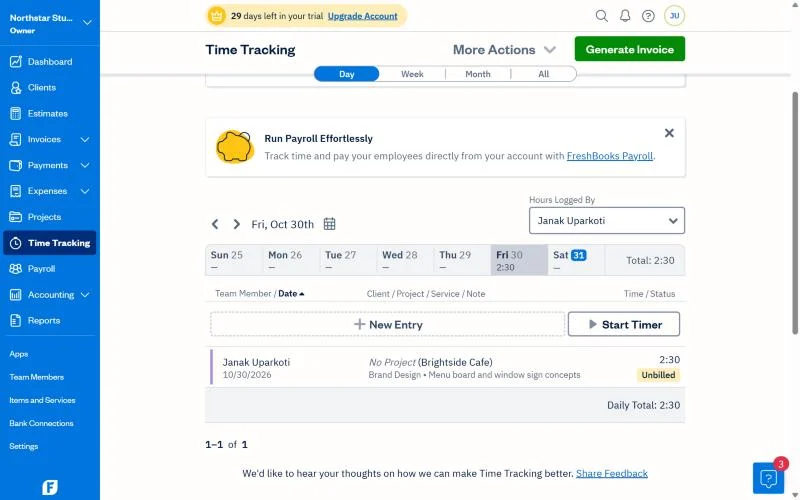
Unlimited time tracking is included on every plan. Start a timer, link it to a client and project, and pull the hours straight onto an invoice. Premium adds project profitability, so you can see whether a fixed-price job really paid.
Expenses, Bank Reconciliation and Reports
- Expenses: tracked on every plan, with mileage tracking in the mobile app. Receipt scanning starts on Plus.
- Bank reconciliation: Plus and above. Without it, you can’t prove your books match your bank.
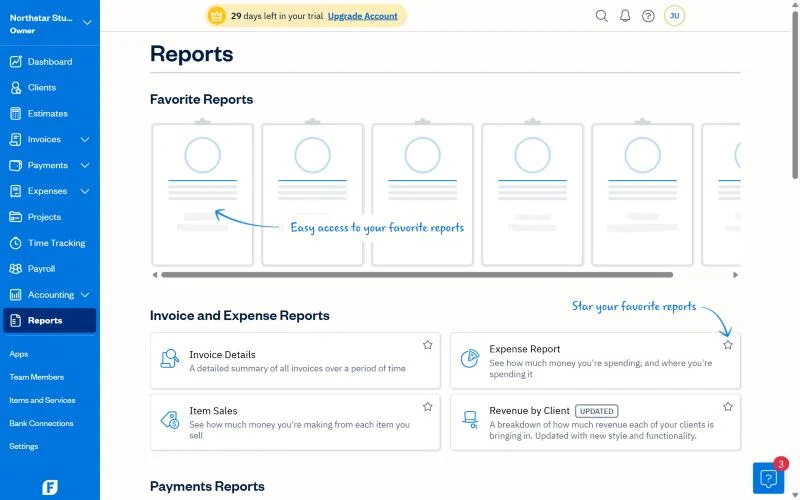
- Reports: Lite has tax-time and business health reports. Plus adds double-entry reports such as the balance sheet and general ledger.
- Bills: accounts payable and bill scanning are on Premium only.
What I Like and Where I’d Be Careful
What I like
- The easiest major accounting tool for non-accountants.
- Excellent invoicing, reminders and online payments.
- Time tracking that flows straight into invoices.
- Proposals and retainers built in on Plus.
- A 30-day free trial with no card, plus a 30-day money-back guarantee.
Where I’d be careful
- Lite skips bank reconciliation and accountant access.
- Every extra team member costs $11 a month.
- Client limits: 5 on Lite and 50 on Plus.
- Bills and accounts payable only on Premium.
- Little inventory support, so it’s weak for product businesses.
FreshBooks vs Xero vs QuickBooks
| FreshBooks | Xero | QuickBooks Online | |
|---|---|---|---|
| From (US, monthly) | $23 | $27 | $38 |
| Users | Owner + $11 per team member | Unlimited | 1 to 25 by plan |
| Best at | Invoicing and time | Teams, apps, ecommerce | Accountant familiarity |
| Inventory | Minimal | Basic | Plus and up |
If you work alone and bill clients, FreshBooks is the friendliest choice. Once you have a team, stock or more complex books, I’d look at Xero first. See my Xero vs FreshBooks comparison.
Xero partner offer · ends 31 March 2027
Need a team or stock? Try Xero with 80% off
Unlimited users on every plan, bank reconciliation included and 1,000+ connected apps. 80% off for 6 months for new customers.
Who Should Use FreshBooks?
| You are… | FreshBooks? | Why |
|---|---|---|
| A freelancer or consultant | Yes, Plus | Invoicing, time and reconciliation in one place |
| A small agency | Yes, Premium | Project profitability and retainers |
| A sole trader with very few clients | Maybe Lite | Cheap, but no reconciliation |
| An online store | No | Little inventory or marketplace support |
| A growing team | Compare Xero | Per-user fees add up |
Free tool · 4 quick steps
Not sure FreshBooks fits?
Answer four quick questions and get a shortlist that fits your size, budget and the apps you use.
My Verdict
FreshBooks is the best accounting software I’ve used for freelancers and service businesses that live on invoices and billable hours. It’s genuinely easy, and getting paid is quick.
Start on Plus so you get bank reconciliation and accountant access. If you hire a team, start holding stock or sell online, compare Xero before you commit.
FreshBooks offer · checked 2 Nov 2026
Try FreshBooks: 80% off for 4 months
Or a 30-day free trial with no credit card. Cancel any time.

Frequently Asked Questions
Is FreshBooks worth it in 2026?
For freelancers and service businesses, yes. Plus at $43 a month, or $8.60 for the first 4 months, covers invoicing, time tracking, bank reconciliation and accountant access.
How much does FreshBooks cost?
Lite is $23, Plus $43 and Premium $70 a month in the US. Team members cost $11 a month each. There’s currently 80% off for 4 months, or a 30-day free trial.
Does FreshBooks have a free trial?
Yes. 30 days, with no credit card needed, plus a 30-day money-back guarantee on purchases.
Is FreshBooks better than QuickBooks?
For invoicing and ease of use, yes. QuickBooks is stronger for inventory, payroll and accountant familiarity.
Is FreshBooks better than Xero?
For a solo freelancer, often. For a team, online store or business with stock, Xero is usually better value because every plan includes unlimited users.
Does FreshBooks do bank reconciliation?
Yes, on Plus, Premium and Select. Lite doesn’t include it.
Can my accountant use FreshBooks?
Yes, accountant access is included from Plus upwards.
Next steps: FreshBooks pricing · FreshBooks for freelancers · Xero vs FreshBooks · best accounting software for freelancers.
How this site makes money
Some links on this page are affiliate links. If you sign up through one, I may earn a commission at no extra cost to you. Read the full disclosure.