Xero vs Zoho Books 2026: Which Accounting Software Is Better?
Xero vs Zoho Books 2026 comparison covering pricing, accounting, bank reconciliation, ecommerce, integrations, ease of use, and which business each fits best.

Xero vs Zoho Books is an interesting comparison because the two platforms solve the same basic accounting problems from different angles. Xero is built around accounting first, then a wide shelf of connected apps. Zoho Books is one room in a much bigger Zoho house, so it gets interesting quickly if you already use Zoho CRM, Zoho Inventory or Zoho Projects.
I’m Janak Uparkoti, an accountant and the founder/editor of eComBuilderInsider. So I read a comparison like this from the bookkeeping side: does it keep the books tidy, cut the repetitive work, keep up as you grow, and fit the tools you already pay for?
The short version: I’d take Xero when accounting depth, integrations and an established accountant ecosystem matter most. I’d look hard at Zoho Books when keeping the software bill under control and staying inside the wider Zoho stack matter more.
Xero partner offer · checked 1 Nov 2026
80% off Xero for 6 months
For organisations new to Xero, on any plan, until 31 March 2027. No code needed: the discount applies when you sign up through the link.
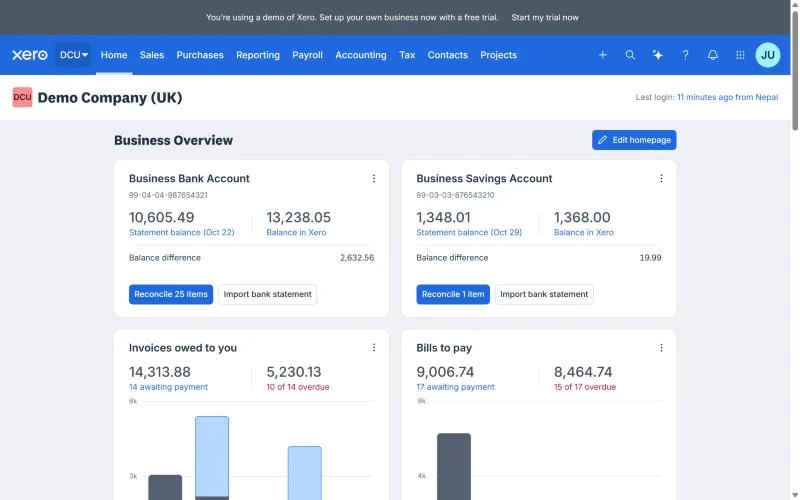
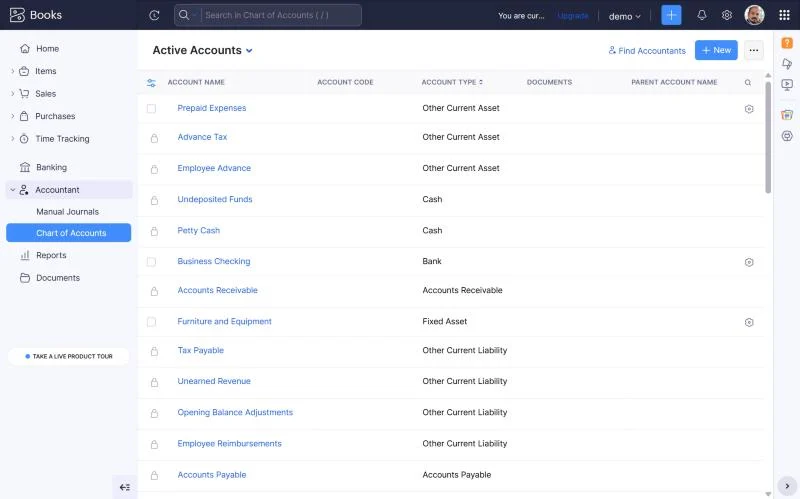
Get 80% off XeroHow this was tested: These screenshots are from my own Xero and Zoho Books trial accounts. Screenshots below are from those accounts, captured in August 2026.
Xero vs Zoho Books: the quick answer
Choose Xero if your priority is a dedicated accounting platform with a broad third-party app ecosystem. Choose Zoho Books if you want accounting to sit inside a wider Zoho business stack or you place a high value on keeping the software bill under control.
Neither one is automatically the right call. It depends on the work you need the software to do, and what’s already sitting in your stack.

Xero vs Zoho Books pricing: look beyond the headline price
Pricing is usually the first reason you land on a comparison like this. It’s also the easiest place to fool yourself.
Zoho Books has long been the one with a free entry-level edition in some countries, plus a few paid tiers. But users, limits, features and eligibility shift by country, so check the local Zoho Books pricing page before you pick anything.
Xero works differently. Its plans are regional too, and it often separates the intro offer from the normal subscription. That number in the banner isn’t necessarily what you’ll pay once the offer ends.
My advice is to compare the first year and the second year. Write down the normal renewal price, user caps, inventory needs, payroll, integrations, and any add-ons you’d genuinely use.
A $0 or heavily discounted starting price feels like a win — until the one feature you actually need turns out to live on a higher tier.
Same logic in reverse: don’t write Xero off as pricier just because its entry price is higher where you live. If the workflow you need is in the plan you’d pick anyway, the dearer subscription can still work out cheaper.
Pricing moves often. Treat the prices here as a way of comparing, and confirm the current amount for your country on the vendor’s own page before you buy.
How Xero and Zoho Books approach accounting
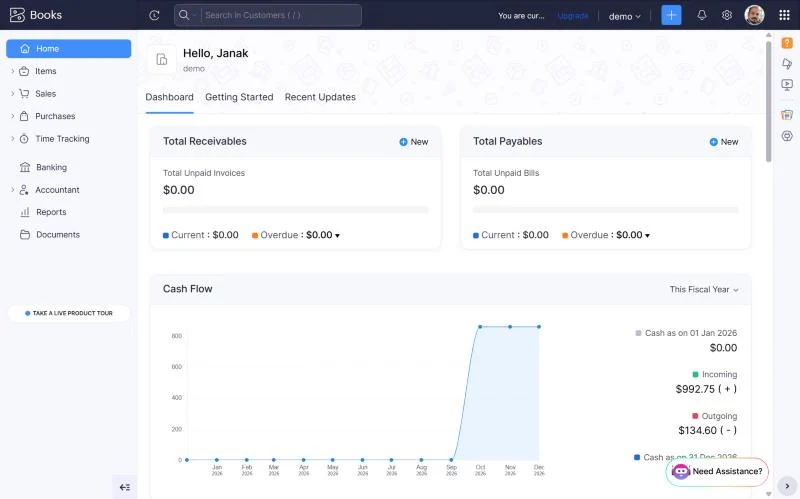
Xero feels like an accounting platform first. Invoices, bills, bank reconciliation, expenses, reporting, contacts, taxes — and then connections out to everything else.
That focus is handy when accounting sits at the centre of your stack and the other systems just need to feed it clean numbers.
Zoho Books is a full accounting app too, but its real edge is the Zoho ecosystem around it. If you’re already on Zoho CRM, Zoho Inventory, Zoho Projects or Zoho Expense, keeping them under one roof means fewer vendors to babysit.
Here’s the part most feature tables miss: the ecosystem question can matter more than the checklist. Ten specialist apps might push you towards Xero’s marketplace. A business already living in Zoho might rather keep everything in one place.
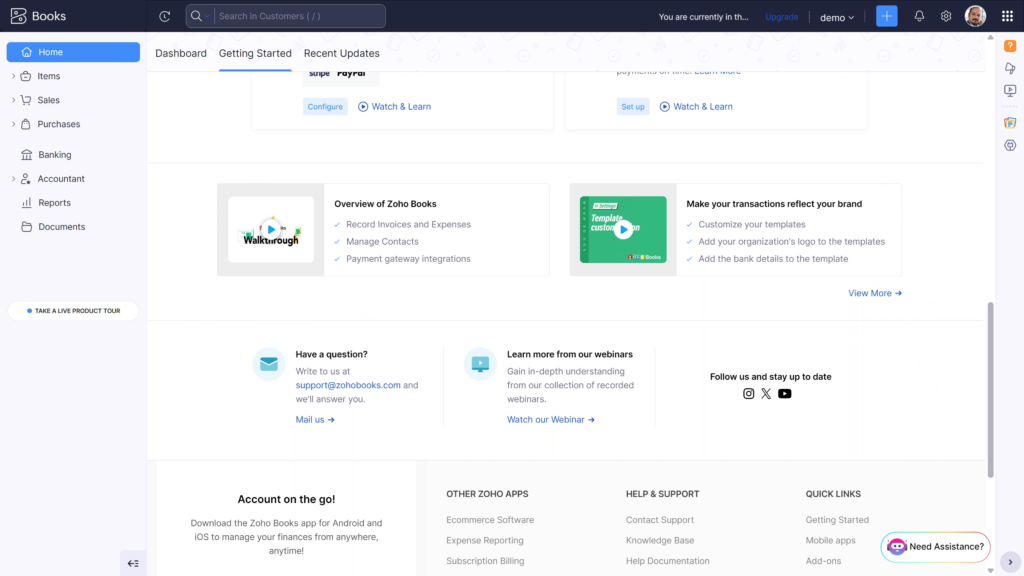
Which one is easier to learn?
Both are cloud accounting. Neither asks you to install and babysit a desktop program, so that worry is already gone.
How steep the learning curve feels has less to do with where a button lives and more to do with how your business is set up.
If you’re moving from another system, watch the things you’ll do every single week: creating invoices, entering bills, matching bank transactions, fixing mistakes, running reports, closing a month.
Zoho Books tends to click faster if you already think in Zoho. Xero tends to click faster if your accountant, your bookkeeper or your existing integrations already revolve around it.
What I’d do is run the same five tasks in both during the trial. Don’t spend the whole trial poking at the dashboard. Create an invoice, enter a bill, reconcile transactions, run a report, and correct one you typed in wrong.
Bank feeds and reconciliation
This is where accounting software earns its keep.
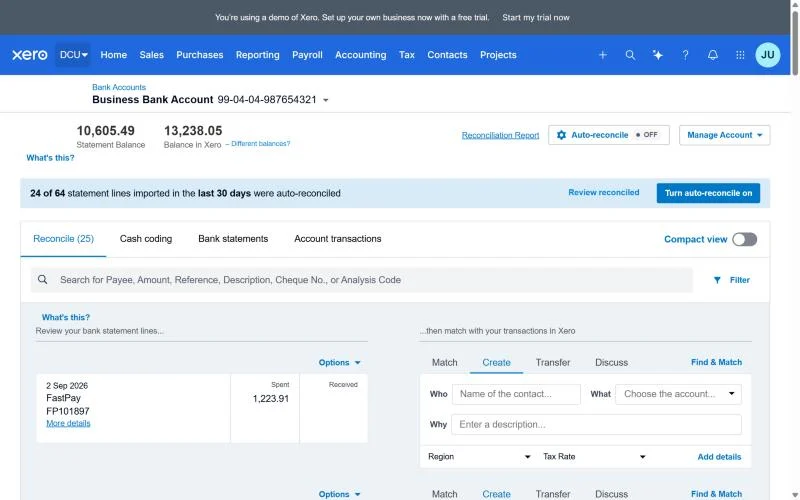
A good reconciliation flow should pull transactions in, match them to invoices or bills, sort the rest by category, and flag anything that doesn’t add up.
Xero has put bank reconciliation near the centre of its workflow for years. Zoho Books has feeds and reconciliation too, so “do they both have it?” isn’t the useful question.
Test your actual bank. Feeds differ by country and by bank. Two products can look identical on a sales page and behave completely differently once you connect the account you really use.
If you sell online, test settlement lines as well. Payment processors roll sales, refunds, fees, taxes and payouts into something that looks nothing like a normal bank transaction.
Invoicing, bills and expenses
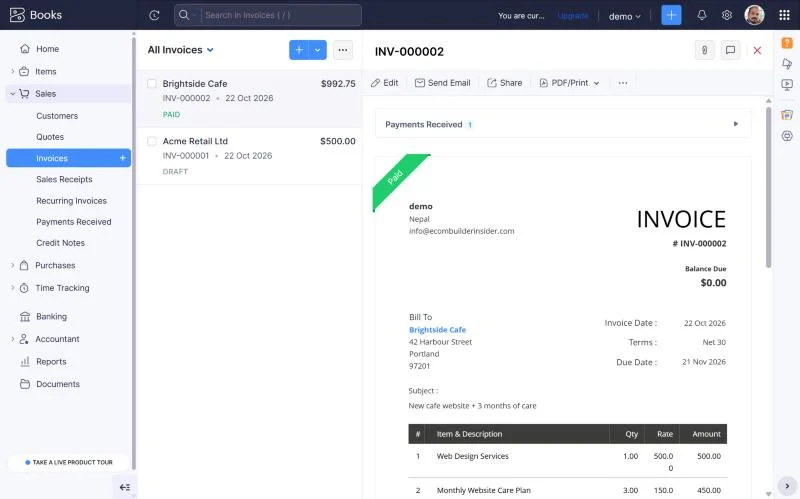
Both cover the everyday stuff you’d expect from cloud accounting: invoicing, bills and expenses.
If you’re a service business, I’d look hard at recurring invoices, payment collection, customer statements, expense capture, and the reports you’ll actually open to see who owes you.
If you’ve got suppliers, look at purchase bills, due dates, supplier details, approvals, and how quickly you can see what still needs paying.
Nobody wins a prize for the longest feature list. The better system is the one your team keeps using properly, instead of creating a tidy-up job for later.
Ecommerce and inventory
This is the section where I’d slow right down before picking either one.
Ecommerce accounting isn’t just plugging in a store. There’s sales, refunds, discounts, shipping, payment fees, taxes, inventory, cost of goods sold and settlement payouts.
Zoho Books gets interesting if you also want Zoho Inventory or another Zoho app in the mix. The higher tiers and their integrations matter more as the operation grows.
Xero brings its own inventory features and a big third-party marketplace. That’s useful when your store runs on a mix of Shopify, Amazon, Etsy, payment processors, shipping tools and specialist inventory software.
Don’t pick on the phrase “integrates with Shopify.” Ask what actually moves. Orders? Refunds? Fees? Taxes? Inventory movements? Payouts? And what happens when a payment fails?
Those answers decide whether your books stay clean or become a monthly reconciliation project.
Freelancers and small service businesses
On your own, with a simple operation, Zoho Books is hard to ignore if the free or low-cost plan where you live covers what you actually do.
It’s even more tempting if you already use other Zoho products. Keeping customers and workflows in one place beats stitching together four unrelated services.
Xero gets more interesting once the books get messier: multiple currencies, growing transaction volume, or a pile of third-party tools that already talk to Xero.
If you’re choosing between them as a freelancer, don’t overbuy. Start with the work you do this week, and make sure it can cope with where you realistically expect to be in a couple of years.
Accountants, bookkeepers and growing teams
People skip this part, and it’s the one that bites them.
If your accountant or bookkeeper already works in Xero, that familiarity saves training time and makes fixing things quicker. Same again if they prefer Zoho Books and already have a routine built around it.
Before you switch, ask the person who’ll actually maintain the books. A cheaper platform isn’t a bargain if your bookkeeping gets slower or your accountant has to learn a whole new system.
Also check user permissions and accountant access. Your needs change the moment an owner, a bookkeeper, employees, managers and outside advisers all touch the same financial system.
Where I’d be careful with Zoho Books
The first trap is picking Zoho purely for a free or low introductory price.
Read the plan limits for your country properly. Users, invoices, automation, inventory, reporting, integrations, and anything you think you’ll need later.
The second is ecosystem fit. Zoho Books is at its best when the wider Zoho platform solves other problems for you. If you don’t use any other Zoho products and lean hard on unrelated specialist apps, that advantage shrinks.
And test your key integrations before you migrate. An accounting system is only as good as the data that actually arrives in it.
Where I’d be careful with Xero
Don’t step up to a pricier Xero plan just because the comparison page has more ticks on it.
Start with your real workflow. If you don’t need advanced inventory, payroll or extra reporting, there’s no reason to pay for them.
I’d also check current pricing for your country rather than trusting a number lifted from a US, UK, Australian or Canadian article. Xero’s plans and promos are regional.
And if your business leans on one specific ecommerce or payment integration, verify that integration. A big marketplace doesn’t mean every connection behaves the way your bookkeeping needs it to.
So, which one should you choose?
I’d choose Xero when the accounting ecosystem is the priority. I’d choose Zoho Books when value and the wider Zoho ecosystem are the priority.
Already running Zoho CRM and a few other Zoho products? Zoho Books deserves a serious look. Having several business functions connected can be worth more than buying the accounting product with the loudest reputation.
Want a dedicated accounting platform with a deep bench of third-party integrations? Xero goes to the top of my shortlist.
For ecommerce sellers, don’t decide from a feature table. If you can, run one real settlement through each system: a sale, a refund, a fee, a tax and a payout. Then see which one makes the result easiest to reconcile.
That’s the test that matters.
Watch the related accounting software videos
I also publish accounting software comparisons and tutorials on YouTube. If you’re weighing up Xero, Zoho Books, QuickBooks, FreshBooks or other bookkeeping tools, the related videos are on my channel.
Watch the accounting software videos on YouTube →
About the author
Janak Uparkoti is an accountant and the founder/editor of eComBuilderInsider. He publishes practical guides covering accounting software, bookkeeping, ecommerce accounting, software comparisons, pricing, and business workflows.
His approach is simple: say what a product is good at, point out where it may not fit, keep promotional pricing separate from normal pricing, and don’t claim tests that haven’t been run.
Related reading: Zoho Books Pricing Plans 2026 · Accounting Software Comparisons · Xero Resource Center · Xero vs QuickBooks Online
How we review software: See our accounting software testing methodology.
Official resources: Xero · Zoho Books